Choosing Your Computer Monitor Size: A 2026 Guide
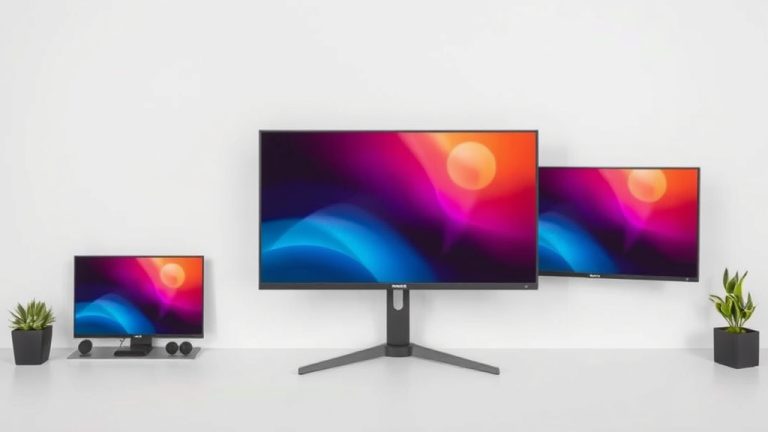
Determining the right computer monitor size depends on your primary use and workspace. For general tasks like web browsing and office work, a 24-inch monitor is often ideal. Gamers and creative professionals may benefit from larger screens, like 27-inch or 32-inch, for enhanced immersion and detail.
It’s not just about screen real estate, though. Consider your viewing distance and desk setup. A monitor that’s too large for your space can lead to discomfort. Finding the perfect balance between screen size and your personal needs will significantly improve your computing experience.
- Size matters, but it’s personal.
- 24-inch is great for everyday use.
- Larger sizes (27-32 inch) suit gaming and design.
- Consider your desk space and how far you sit.
- Think about what you’ll do most on your computer.
Let’s break down how to choose the perfect monitor size for your needs and make sure you’re getting the best bang for your buck.
Finding the Right Computer Monitor Size for You
Picking the right monitor size feels like choosing a comfortable chair. It needs to fit your space and your activities. We’ve all seen those massive screens that look amazing but would engulf a small desk. Or maybe you’ve tried working on a tiny screen and felt cramped. Let’s figure out what size makes the most sense for your daily grind and your digital adventures.
The size of your monitor can seriously impact your productivity and your overall computing enjoyment. Think of it as the window to your digital world. Making sure that window is the perfect size for your needs is key.
Standard Monitor Sizes and What They’re Good For
Most monitors you’ll find today fall into a few common size categories. These are measured diagonally across the screen, like you see with TVs.
The Compact Choice: 20-24 Inch Monitors
These are your go-to for basic computer tasks. Think web browsing, email, and word processing. They don’t take up a lot of desk real estate, which is great for smaller workspaces.
A 24-inch monitor is often considered the sweet spot for general use. It provides enough screen space to see what you’re doing without feeling overwhelmed. Many home offices and student setups feature these. They offer a decent viewing experience without breaking the bank.
The Popular All-Rounder: 27 Inch Monitors
Stepping up to a 27-inch monitor offers a more immersive experience. Many people find this size perfect for multitasking. You can comfortably have two windows open side-by-side. This is helpful for office work or when you’re researching something and need to compare information.
For gaming and watching movies, a 27-inch screen provides a nice upgrade. It’s big enough to draw you into the action without being too overwhelming. Many gaming setups feature this size. It balances screen presence with usability.
The Big Screen Experience: 32 Inch and Larger Monitors
Monitors 32 inches and above are for those who want a truly expansive view. These are fantastic for creative professionals like graphic designers or video editors. They can see more detail in their work. This can lead to fewer errors and faster workflows.
Gamers often love these larger screens for the ultimate immersion. You feel like you’re right in the game. However, be mindful of your desk space. These monitors can dominate a desk and might require you to move your head more to see the whole screen. We found that a 32-inch monitor is often the maximum for comfortable use without eye strain if you’re sitting at a typical desk distance.
Consider Your Viewing Distance
How far do you sit from your monitor? This is a really important question. A monitor that’s too big for your viewing distance can cause eye strain and neck discomfort. It’s like sitting too close to a TV; you miss the full picture.
General Guidelines for Distance
Many experts suggest a viewing distance of about 20 to 40 inches. For most 24-inch monitors, sitting about 2 to 3 feet away is comfortable. If you have a 27-inch or 32-inch monitor, you might want to sit a bit further back. This allows your eyes to take in the entire screen without straining.
We found that a good rule of thumb is to position the monitor so that the top of the screen is at or slightly below eye level. Then, adjust your distance so you can see everything clearly without moving your head excessively.
What Will You Be Doing on Your Computer?
Your main computer activities play a huge role. Are you a casual user, a hardcore gamer, or a creative pro? Your answer guides the screen size.
Everyday Computing and Office Work
For most people, computers are for email, browsing, and documents. A 24-inch monitor is usually perfectly fine. It offers enough space for comfortable work. You can easily keep a few windows open side-by-side.
If you’re constantly switching between many applications or dealing with large spreadsheets, a 27-inch monitor might offer a slight edge. It provides a bit more room to breathe on your screen. We found that for general productivity, screen real estate is helpful, but not always essential.
Gaming and Entertainment
Gamers often crave bigger screens for better immersion. A 27-inch monitor is a very popular choice. It provides a significant visual upgrade over smaller screens. It makes games feel more engaging without being overwhelming.
For an even more cinematic experience, 32-inch or larger monitors are excellent. They can make you feel like you’re inside the game world. Just be sure you have the desk space and viewing distance to match. Ultrawide monitors, which are wider than they are tall, also offer a unique gaming and media experience. We found that for gaming, both size and refresh rate are key factors for enjoyment.
Creative Work and Design
If your work involves visual details, like photo editing, graphic design, or video production, size matters more. A larger monitor, often 27 inches and up, is highly recommended. More pixels and more screen space mean you can see finer details. This can improve accuracy and speed.
Color accuracy is also vital for creative professionals. While size is important, don’t forget to look at monitor specifications for color gamut coverage and resolution. Many experts say that for professional creative tasks, a 32-inch 4K monitor provides an excellent balance of size and detail (DisplayMate). For professional creative tasks, a 32-inch 4K monitor provides an excellent balance of size and detail, and consider color accuracy for professional creative tasks.
Monitor Resolution and Screen Size: A Dynamic Duo
It’s not just about the physical inches. The resolution of your monitor plays a big part too. Resolution refers to the number of pixels on the screen (like 1080p, 1440p, or 4K).
Understanding Pixel Density (PPI)
Pixel density, or PPI (Pixels Per Inch), tells you how sharp the image will be. A higher PPI means more pixels are packed into the screen, resulting in a crisper, clearer picture. You don’t want a huge screen with a low resolution, or it might look blurry or pixelated.
For a 24-inch monitor, a 1080p (Full HD) resolution is common and generally looks good. For a 27-inch monitor, 1440p (QHD) resolution is often preferred for a sharper image. For 32-inch monitors and larger, 4K (UHD) resolution is ideal to maintain good pixel density and clarity.
| Monitor Size (Diagonal) | Recommended Resolution | Typical Use Case |
|---|---|---|
| 20-24 Inches | 1080p (Full HD) | Everyday tasks, office work, light gaming |
| 27 Inches | 1440p (QHD) | Gaming, multitasking, general productivity, light creative work |
| 32 Inches and Larger | 4K (UHD) | High-end gaming, professional creative work, media consumption |
How to Make Your Final Decision: A Quick Checklist
So, you’re ready to choose. Let’s recap the key points to consider. Think about these before you hit that ‘buy’ button.
- What’s your main computer use? (Gaming, work, general browsing?)
- How much space do you have? (Measure your desk!)
- How far will you sit? (Roughly arm’s length is a good start.)
- What resolution do you need? (Match it to size for clarity.)
- What’s your budget? (Larger screens and higher resolutions cost more.)
- Do you plan to multitask? (More screen space helps here.)
Conclusion
Choosing the right monitor size is a personal journey. You’ve learned that 24-inch monitors are great for everyday tasks, while 27-inch and 32-inch screens offer more immersion for gaming and creative work. Remember to consider your viewing distance and desk space to avoid discomfort. Don’t forget how resolution impacts clarity on larger screens. By balancing these factors, you can find a monitor that truly enhances your computing experience. Your next step is to measure your desk and think about your primary computer activities. This will guide you to the perfect screen size for your needs.
Frequently Asked Questions
Is a 27-inch monitor too big for a small desk?
A 27-inch monitor can work on a smaller desk, but you need to be mindful of your viewing distance. If you sit close, it might feel overwhelming. Ensure you can maintain at least 2.5 to 3 feet of distance. You might also want to consider a monitor with a slim bezel to save space.
Can I use a 32-inch monitor for everyday web browsing?
Yes, you can use a 32-inch monitor for everyday web browsing. It offers a lot of screen real estate, which can be nice for having multiple tabs or windows open. Just be sure you have enough desk space and sit far enough back to avoid eye strain.
Does monitor size affect productivity?
Monitor size can definitely impact productivity. Larger screens allow you to multitask more effectively by fitting more content on one display. For instance, a 27-inch or 32-inch monitor makes it easier to have two applications open side-by-side compared to a smaller screen.
What’s the difference between 1080p and 4K on larger monitors?
On larger monitors, the difference is noticeable. A 1080p resolution on a 32-inch screen will look less sharp because the pixels are more spread out. A 4K resolution on the same size screen packs more pixels, resulting in a much crisper and more detailed image, reducing pixelation.
Should I buy an ultrawide monitor instead of a large standard monitor?
Ultrawide monitors offer a different kind of screen real estate. They are wider than they are tall, which is excellent for immersive gaming and productivity that involves side-by-side windows. However, they take up more horizontal desk space than a similarly sized standard monitor, so measure carefully.