Choosing the Right Monitor Size for Your Needs
The right monitor size for you depends on your primary use and desk space. For general use, 24 inches For a great balance of size and performance, consider a 24 inch 144Hz monitor. is a great starting point. Gamers and professionals often prefer 27-inch or larger screens for more immersion and workspace.
When choosing a monitor, think about how you’ll spend most of your time. Are you a gamer needing a wide field of view? Or a writer who just needs a clear screen? Your budget and the resolution you desire also play a big role. We found that many people overlook their physical space, leading to regret.
- Size matters for how you work and play.
- Consider your main activities (gaming, work, browsing).
- Check your desk dimensions to ensure a good fit.
- Don’t forget resolution – it affects clarity.
Let’s walk through how to pick the perfect monitor size for your setup.
“`htmlChoosing the Right Monitor Size for Your Needs
Picking the perfect monitor size feels like a big decision. It really impacts how you see everything on your screen. We’ve found that a few key factors can make this choice much clearer for you. Think about what you’ll mostly be doing. Are you a gamer? A student? A creative professional? Your daily tasks are your best guide.
Understanding Monitor Size Measurement
First off, monitor sizes are measured diagonally. This means from one corner to the opposite corner. A 24-inch monitor isn’t 24 inches wide. It’s the length of the screen from top-left to bottom-right, for example. This diagonal measurement is pretty standard across the industry. It helps you compare monitors easily.
Common Monitor Sizes and Their Best Uses
The 20-24 Inch Range: Your Everyday Workhorse
For many people, this is the sweet spot. If your desk is on the smaller side, these monitors are a fantastic choice. They fit easily on most surfaces. A 24-inch monitor is often recommended for general home or office use. It’s great for browsing the web, typing documents, and even some light photo editing. You get a clear view without overwhelming your space. We found that students often prefer this size for study setups.
The 27-Inch Sweet Spot: More Space, More Immersion
Stepping up to 27 inches offers a noticeable jump in screen real estate. This is a popular choice for many users. If you multitask a lot, you’ll appreciate the extra room. You can have multiple windows open side-by-side more comfortably. Gamers often enjoy 27-inch monitors for a more immersive experience. They feel more involved in the game world. We found that professionals doing detailed work, like graphic design or coding, benefit greatly from this size.
30 Inches and Beyond: The Ultrawide and Large Screen Experience
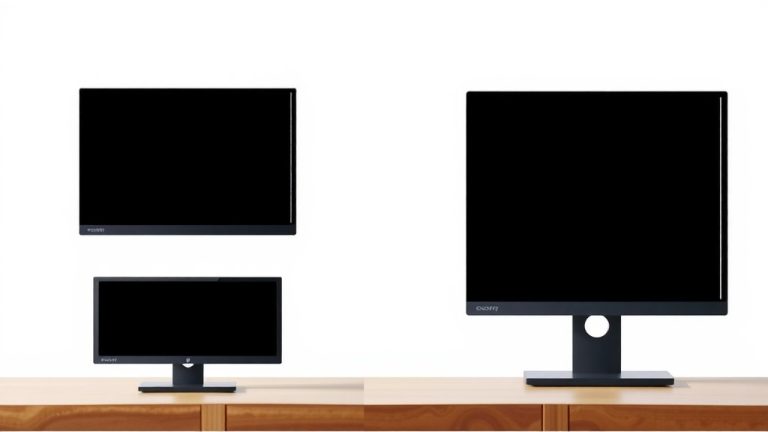
When you go beyond 27 inches, you’re entering the realm of larger displays and ultrawide monitors. Ultrawide monitors, often around 34 inches diagonally but much wider horizontally, are amazing for productivity. They offer a panoramic view. You can essentially fit two standard monitors side-by-side without a bezel in the middle. This is a game-changer for video editing, complex spreadsheets, or immersive gaming. For very large traditional monitors (like 32-inch or 40-inch), ensure you have plenty of desk space. They can dominate your field of vision, which is great for immersion but might feel too big if you sit very close.
Key Factors to Consider Beyond Just Size
Desk Space and Ergonomics
This is where many people run into trouble. You might want a massive 32-inch monitor, but can your desk handle it? Measure your desk first. Think about how far away you’ll be sitting. You want to be able to see the whole screen comfortably without straining your neck or eyes. We found that a monitor that’s too big for your space can actually make your setup feel cluttered and less productive. Aim for a setup where the monitor is about an arm’s length away. This is a good ergonomic guideline (Harvard Health).
Resolution: Pixels Matter for Clarity
Monitor size and resolution work together. A bigger screen with a lower resolution will look blurry or pixelated. For example, a 27-inch monitor with a 1080p resolution (1920×1080 pixels) won’t be as sharp as a 24-inch monitor with the same resolution. Generally, for 24-inch monitors, 1080p is good. For 27-inch and larger screens, we recommend 1440p (2560×1440 pixels) or 4K (3840×2160 pixels) for crisp, clear images. More pixels mean you can fit more content on your screen and see finer details. It’s like looking through a clearer window.
Your Budget Constraints
Larger monitors and higher resolutions generally cost more. A 24-inch 1080p monitor is usually the most budget-friendly option. As you increase the size and resolution, the price goes up. Ultrawide monitors can also be a significant investment. Before you fall in love with a giant screen, check your budget. You might find a slightly smaller monitor with a better resolution or refresh rate that fits your financial plan perfectly. We found that balancing size, features, and cost is key to satisfaction.
Your Monitor Size Checklist
To help you make the final call, here’s a quick checklist. Keep these points in mind as you browse:
- Do you have enough desk space for a larger monitor?
- What activities will you do most often (work, gaming, general use)?
- What resolution makes sense for the size you’re considering?
- Is the monitor size within your budget?
- How far will you typically sit from the screen?
- Do you prefer a wide, immersive view or a more focused workspace?
By thinking through these questions, you’re well on your way to finding a monitor that’s just right for you. It’s about finding that perfect balance between screen real estate, visual quality, and your personal space. Don’t rush the decision; the right fit will make a big difference in your daily computer use.
“`
Conclusion
You’ve learned that the best monitor size isn’t one-size-fits-all. It truly depends on how you’ll use it and the space you have. A 24-inch is great for general tasks and smaller desks, while 27 inches offers more immersion and workspace for gaming or detailed work. For ultimate productivity, consider ultrawides if your budget and desk allow.
Now, take those measurements! Check your desk dimensions and think about your daily computer habits. Armed with this knowledge, you’re ready to find the monitor that fits your life perfectly. Happy hunting for your ideal screen!
Frequently Asked Questions
What’s the difference between monitor sizes like 24-inch and 27-inch for gaming?
For gaming, a 27-inch monitor typically offers a more immersive experience than a 24-inch. We found that the larger screen pulls you into the game world more effectively. A 24-inch can still be great for competitive gaming where quick reactions are key, especially if you sit close.
Can a big monitor like 32 inches cause neck strain?
Yes, a monitor that’s too large for your setup or sitting distance can cause neck strain. We recommend ensuring you can view the entire screen comfortably from your typical seating position, ideally about an arm’s length away. Proper desk setup is key to avoiding discomfort.
Is a 1080p resolution good enough for a 27-inch monitor?
For a 27-inch monitor, 1080p resolution can sometimes look less sharp because the pixels are more spread out. We’ve found that 1440p or 4K resolutions provide a much crisper image on screens of this size. This offers better detail and clarity for your content.
Do I really need to measure my desk before buying a monitor?
Absolutely! We’ve seen many people regret buying a monitor that’s too large for their desk. Measuring your available space ensures you don’t end up with a screen that overpowers your workspace or makes it feel cramped. It’s a practical step to avoid disappointment.
Are ultrawide monitors worth the investment for everyday tasks?
Ultrawide monitors can be fantastic for productivity, especially if you multitask heavily. We’ve found they allow you to view multiple windows side-by-side without a bezel interruption. However, they can be pricier and require more desk depth, so consider your specific daily needs and budget.