27 Inch Monitor to CM: Exact Dimensions Explained
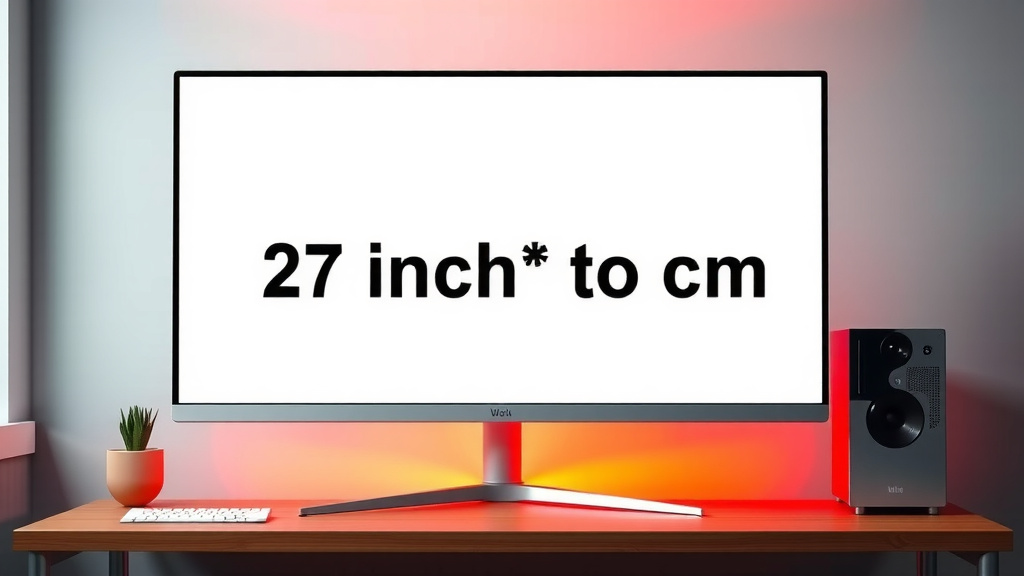
A 27-inch monitor measures approximately 68.58 centimeters when measured diagonally. This is the standard way screen sizes are advertised. So, when you see a 27-inch screen, think of it as a bit over two-thirds of a meter across. This diagonal measurement is key for understanding monitor dimensions.
Many people wonder about the actual width and height. We found that the physical size is a bit different from the advertised diagonal. It’s helpful to know both the diagonal and the side-to-side measurement. This helps you figure out if it will fit your desk space just right. A 27-inch screen offers a good balance of screen real estate without being too overwhelming for most setups.
- A 27-inch monitor is about 68.58 cm diagonally.
- This is the standard way screen sizes are measured.
- Actual width and height will vary by monitor bezel.
- It offers a good amount of viewing space for most tasks.
- Fits well on many desks without taking over.
Let’s break down how to convert that diagonal measurement and what it means for your desk setup.
“`htmlUnderstanding Your 27-Inch Monitor’s True Size in Centimeters
So, you’ve got a 27-inch monitor and are curious about its actual size in centimeters. We get it! Those inches can be a bit abstract when you’re trying to visualize it on your desk. Let’s translate that diagonal screen measurement into something more tangible. If you’re specifically looking for a 27-inch 1080p monitor, our guide covers the best options.
As the intro mentioned, a 27-inch monitor is about 68.58 centimeters diagonally. This is the industry standard for measuring screens. Think of it as the longest straight line you can draw across the displayable area of your screen, from one corner to the opposite. This measurement is super important for comparison shopping.
Why Diagonal Measurements Matter (and What They Don’t Tell You)
Manufacturers use the diagonal measurement because it’s a simple, single number to represent screen size. It makes comparing different monitors easier. A 27-inch screen is generally larger than a 24-inch screen. It’s a handy shorthand, but it doesn’t tell you the whole story about how much space it will actually occupy.
The diagonal measurement doesn’t account for the monitor’s bezel (the frame around the screen) or its stand. These parts add to the overall physical footprint. We found that some monitors have thinner bezels, making them look sleeker. Others have chunkier frames, which can add a few extra inches to the total width and depth.
Calculating the Width and Height of Your Monitor
To figure out the actual width and height in centimeters, we need to do a little math. Remember, a monitor screen is typically a rectangle. We know the diagonal, but we need the side lengths. This involves the Pythagorean theorem (a² + b² = c²), but don’t worry, we can use online calculators or some simple estimations.
Estimating Screen Dimensions from the Diagonal
For a standard 16:9 aspect ratio monitor (which is most common these days), a 27-inch screen has an approximate viewable area that’s about 23.5 inches wide and 13.2 inches tall. Now, let’s convert those inches to centimeters. There are exactly 2.54 centimeters in one inch.
So, the viewable width is roughly 23.5 inches * 2.54 cm/inch = 59.69 cm. The viewable height is approximately 13.2 inches * 2.54 cm/inch = 33.53 cm. These are the dimensions of the picture itself, not including the frame!
Adding in the Bezel and Stand
The bezel size can vary. Some monitors are designed with super slim bezels, perhaps only 0.5 cm to 1 cm wide. Others might have bezels around 2 cm wide. You’ll need to measure your specific monitor or check its specifications for an accurate total width and height.
Let’s imagine a monitor with a 1 cm bezel on all sides. The total width would be roughly 59.69 cm (screen width) + 1 cm (left bezel) + 1 cm (right bezel) = 61.69 cm. The total height would be around 33.53 cm (screen height) + 1 cm (top bezel) + 1 cm (bottom bezel) = 35.53 cm. Remember, this doesn’t include the stand!
The Impact of Monitor Stands
Monitor stands are designed to be functional and sometimes stylish. Their size and shape can differ greatly. Some stands have a small footprint, just a simple base. Others are more elaborate, offering height and tilt adjustments, which can increase the overall depth of the monitor on your desk.
We found that the stand’s depth is often the most significant factor for desk space. Some stands might add an extra 15-20 cm of depth. Always consider the stand when deciding if a monitor will fit. You might need to measure the depth from the back of your desk to the front edge.
Visualizing the Size: What Does 68.58 cm Feel Like?
To help you visualize, let’s use some everyday comparisons. Imagine laying a standard US dollar bill end-to-end. It’s about 15.6 cm long. So, the diagonal of your 27-inch monitor is roughly the length of four and a half dollar bills laid out in a line.
Another way to think about it: the height of a standard interior door in the US is typically around 203 cm. Your monitor’s diagonal is about one-third of that height. It gives you a sense of scale without being overwhelmingly large.
Aspect Ratio and Screen Dimensions
Most 27-inch monitors today use a 16:9 aspect ratio. This means for every 16 units of width, there are 9 units of height. This ratio is great for watching movies and playing games, as it matches most video content. It results in a wider, more panoramic view compared to older, squarer monitors.
If you encounter a 27-inch monitor with a different aspect ratio, like 21:9 (ultrawide), its dimensions would be quite different. An ultrawide 27-inch monitor would be much wider and shorter than a standard 16:9 27-inch monitor, even though the diagonal is the same. Always check the aspect ratio for accurate size expectations.
Is a 27-Inch Monitor Right for Your Desk?
A 27-inch monitor offers a great balance for many users. It provides enough screen real estate for productivity tasks like multitasking with multiple windows open, coding, or graphic design. It’s also immersive enough for gaming and watching videos.
However, desk space is a real consideration. We recommend measuring your available desk area before purchasing. You’ll want to ensure there’s enough room not just for the monitor itself, but also for your keyboard, mouse, and any other accessories you use daily. A good rule of thumb is to have at least 70-80 cm of clear desk width for a comfortable setup with a 27-inch monitor.
Tips for Desk Setup Planning
Here’s a quick checklist to help you plan:
- Measure your desk width where the monitor will go.
- Measure your desk depth to accommodate the stand.
- Check the monitor’s total dimensions (width and depth including stand) in the specs.
- Consider your viewing distance – you don’t want to be too close or too far.
- Think about ergonomics – can you position it at the right height?
- Don’t forget accessories like speakers or a webcam.
Common Monitor Sizes Compared in Centimeters
To put a 27-inch monitor into perspective, let’s compare it to some other common monitor sizes, all measured diagonally in centimeters:
| Diagonal Size (Inches) | Diagonal Size (CM – Approx.) | Common Use Case |
|---|---|---|
| 21.5″ | 54.6 cm | Basic office tasks, budget setups |
| 24″ | 61 cm | General use, gaming, good starter size |
| 27″ | 68.6 cm | Productivity, gaming, design, media consumption |
| 32″ | 81.3 cm | Immersive gaming, media, multi-tasking workstations |
As you can see, the 27-inch monitor sits comfortably in the middle ground. It’s a noticeable upgrade in size from 24 inches without becoming overly dominant on most desks. Many users find this sweet spot perfect for a wide range of activities.
Conclusion
You’ve learned that a 27-inch monitor translates to about 68.58 cm diagonally. Remember, this is just the screen itself. The actual physical space your monitor takes up includes its bezel and stand. We found that measuring your desk space and considering the stand’s depth is key for a comfortable setup. Now you have the knowledge to choose the perfect 27-inch monitor that fits your space and your needs. Go ahead and measure your desk—your ideal viewing experience awaits!
Frequently Asked Questions
Besides the diagonal, what are the typical width and height of a 27-inch monitor screen?
For a standard 16:9 aspect ratio, the viewable screen area of a 27-inch monitor is typically around 59.7 cm wide and 33.5 cm tall. This measurement excludes the border around the screen.
How much extra space does the bezel add to a 27-inch monitor’s total dimensions?
The bezel size can vary, but it often adds about 0.5 cm to 2 cm to each side of the screen. This means the total width might increase by 1 to 4 cm, and the height by a similar amount, depending on the monitor’s design.
Will the monitor stand affect the desk space needed for a 27-inch monitor?
Yes, the stand can significantly impact your desk space. Some stands have a minimal footprint, while others are wider or deeper to provide stability or adjustable features, potentially adding 15-20 cm or more to the monitor’s depth.
Is a 27-inch monitor too big for a small desk?
A 27-inch monitor can work on a smaller desk if planned carefully. Ensure you have at least 70-80 cm of clear desk width and measure the monitor’s total depth, including the stand, to confirm it fits without feeling cramped.
How does a 27-inch monitor’s centimeter size compare to a 24-inch monitor?
A 27-inch monitor has a diagonal measurement of about 68.6 cm, while a 24-inch monitor is around 61 cm diagonally. This difference provides a noticeably larger screen for viewing without being overwhelmingly large for most users.