Choosing Your Gaming Monitor Size: A 2026 Guide
Choosing the right gaming monitor size depends on your desk space and how close you sit. For most gamers, a 24-inch to 27-inch monitor offers a great balance of immersion and practicality. Bigger isn’t always better if it means you’re constantly moving your head to see everything.
We found that the ideal screen size also considers your gaming setup. A larger monitor can be amazing for simulators or RPGs. But for fast-paced shooters, a smaller screen might actually give you a competitive edge. Think about your primary games and viewing distance.
- Most gamers find 24-27 inches to be the sweet spot.
- Consider how close you sit to the screen.
- Your main types of games matter too.
- Desk space is a practical limitation.
- Larger screens offer more immersion for certain games.
Let’s dive into the factors that will help you pick the perfect gaming monitor size for your setup.
Choosing Your Ideal Gaming Monitor Size
Finding the right size for your gaming monitor can feel like a big decision. It really boils down to a few key things. You want a screen that pulls you into the game. But you also don’t want it to be so big that it becomes a strain. We’ve looked at what works best for many gamers.
Understanding Viewing Distance and Screen Size
How far away you sit from your monitor plays a huge role. If you’re sitting really close, a massive screen can overwhelm your vision. You might find yourself having to move your head a lot. This isn’t ideal for smooth gameplay. For many people, this distance is around 2 to 3 feet.
Ideal Monitor Size for Common Viewing Distances
For the typical gamer who sits about 2 to 3 feet away, we found that monitors in the 24-inch to 27-inch range often hit the sweet spot. This size offers a good balance. You get enough screen real estate for immersion without feeling cramped or needing to strain your eyes.
Think about your desk setup. Do you have a cozy corner or a spacious command center? Your available space will naturally guide your choice. A 32-inch monitor might sound amazing, but if it barely fits on your desk, it won’t be much fun. We often see people get excited about the biggest option, forgetting practicality.
The Impact of Resolution on Perceived Size
It’s also worth noting how resolution plays into this. A 27-inch monitor with a 1080p resolution might look a bit pixelated to some. But the same 27-inch monitor at 1440p (QHD) or 4K (UHD) will look much sharper. Higher resolutions allow for more detail on the screen. This means you can often sit a little closer to a higher-resolution monitor without noticing individual pixels.
How Your Gaming Habits Influence Monitor Choice
What kind of games do you love to play? This is a really important question. Fast-paced games demand quick reactions and broad peripheral awareness. For these, a smaller monitor size can actually be an advantage. You can see more of the screen at a glance without your eyes having to dart around too much.
Competitive Shooters and Smaller Screens
For games like esports titles (think Valorant, CS:GO, or Overwatch), many professional players stick to 24-inch monitors. Why? Because it helps them keep everything important in their central field of vision. They can track enemies and manage their UI elements more easily. We found that this preference is common among those aiming for peak performance in competitive play.
RPGs, Simulators, and Immersive Experiences
On the other hand, if you’re diving into sprawling role-playing games or intricate simulation titles, bigger can absolutely be better. Games like Cyberpunk 2077, Microsoft Flight Simulator, or even grand strategy games benefit from larger displays. You get to soak in the detailed worlds and enjoy the expansive views. A 27-inch or even a 32-inch monitor can make these experiences truly breathtaking.
Desk Space and Ergonomics: Practical Considerations
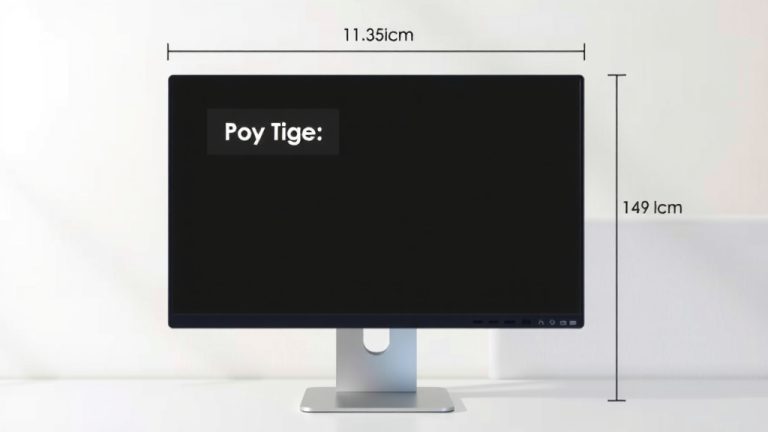
Let’s get real for a second: your desk is a finite space. Before you fall in love with a giant monitor, grab a tape measure. Check the dimensions of the monitor you’re considering and compare it to the space you have available. Remember to account for your keyboard, mouse, and any other accessories.
The Ergonomic Factor
Ergonomics matter for long gaming sessions. Sitting too close to a large monitor can strain your neck and eyes. You want to be able to see the entire screen comfortably without leaning forward or craning your neck. Many experts suggest an arm’s length as a good starting point for comfortable viewing (Cleveland Clinic).
A good rule of thumb is that the top of the screen should be at or slightly below eye level. If you have a very deep desk, you might be able to get away with a larger screen. For smaller desks, a 24-inch or 27-inch monitor is often the most practical and comfortable choice.
Multi-Monitor Setups
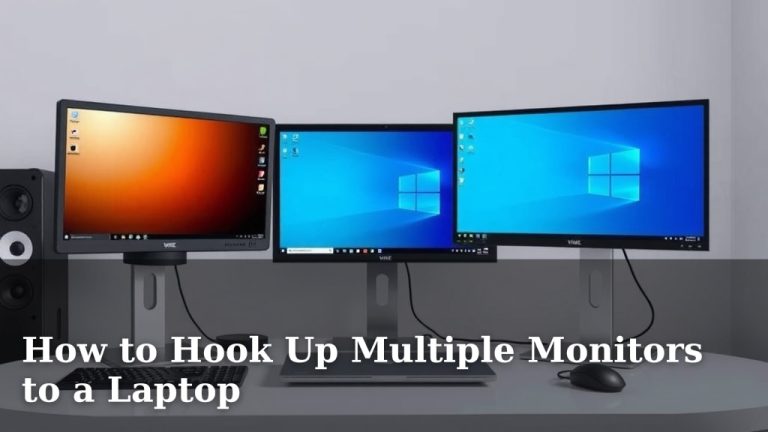
Are you thinking about a multi-monitor setup? This opens up a whole new world of possibilities. For a dual-monitor setup, many gamers find that two 24-inch or two 27-inch monitors offer a cohesive experience. The sizes are similar enough that you don’t get a jarring visual difference between screens. This is great for productivity and for games that support wider aspect ratios.
A Quick Checklist for Your Monitor Size Decision
Still feeling a bit unsure? Let’s break it down with a simple checklist to help you decide.
- Measure your desk space. Know your limitations!
- Determine your typical viewing distance. How far do you usually sit?
- Consider your main game genres. Fast shooters or slow explorers?
- Think about your current setup. Will this be your only monitor?
- Prioritize comfort. Avoid neck strain and eye fatigue.
- Don’t forget resolution. Higher resolutions can handle larger sizes better.
Conclusion
Choosing your gaming monitor size is all about finding that sweet spot for your personal setup. We’ve seen that 24 to 27 inches often works best for most gamers, balancing immersion with practicality. Remember to consider your viewing distance and desk space to avoid discomfort. Your favorite game genres are also a key factor; choose a size that enhances your experience, whether it’s for competitive esports or sprawling RPGs. Take these tips, measure your space, and you’ll be ready to pick a monitor that truly fits your playstyle.
Frequently Asked Questions
Will a bigger monitor always be better for gaming?
Not necessarily. While larger monitors can offer more immersion, they can also be overwhelming if you sit too close or have limited desk space. We found that smaller sizes, like 24 inches, can actually offer a competitive edge in fast-paced games by keeping everything in your central vision.
How does my viewing distance affect the ideal monitor size?
Your viewing distance is critical. If you sit about 2 to 3 feet away, a 24-inch to 27-inch monitor usually provides a comfortable and immersive experience. Sitting too close to a much larger screen can cause eye strain and neck discomfort. A general rule is to keep the screen at arm’s length.
Is there a best monitor size for competitive shooters like Valorant?
For competitive shooters, many pros and serious players prefer smaller monitors, often 24 inches. This size helps them keep all essential information, like enemy positions and UI elements, within their direct line of sight without excessive head movement. It maximizes their reaction time.
What about RPGs and simulation games, do they need bigger screens?
Yes, larger monitors can really enhance the experience for RPGs and simulation games. Titles with detailed worlds and expansive environments benefit greatly from screens of 27 inches or even 32 inches. You can soak in the visuals and appreciate the finer details more easily.
How do I know if my desk can fit a larger monitor?
It’s essential to measure your desk space before buying. Check the monitor’s dimensions, including the stand, and compare it to the available width and depth on your desk. Remember to also account for your keyboard, mouse, and any other peripherals you keep nearby.