What to Know About a 21-Inch Monitor Size
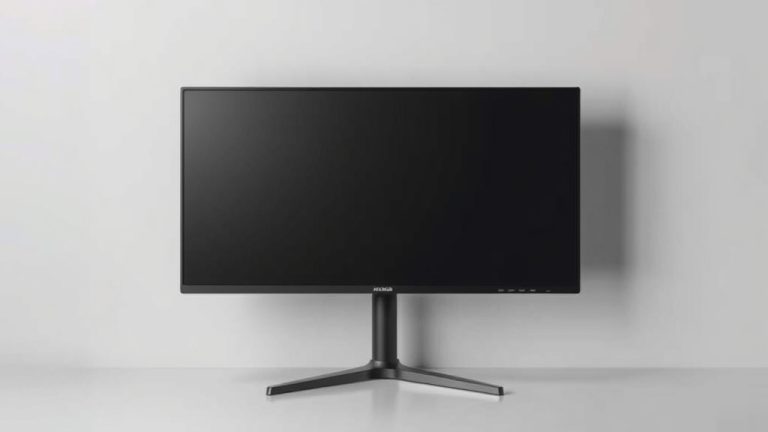
A 21-inch monitor typically measures about 18.3 inches wide by 10.3 inches tall for the actual screen display. This measurement is for the viewable screen area. Remember that the monitor’s frame or bezel adds to the overall dimensions. So, while the screen is a handy size, the total footprint will be a bit larger.
When we talk about monitor sizes, we’re usually referring to the diagonal measurement of the screen. A 21-inch monitor offers a good balance for many users. It’s larger than a standard laptop screen but not so big that it overwhelms your desk. It’s a popular choice for everyday tasks and light productivity work.
- A 21-inch monitor’s screen is roughly 18.3″ W x 10.3″ H.
- This diagonal measurement is just for the viewable screen.
- The physical size includes the bezel.
- It’s a versatile size for many desk setups.
Ready to get a clearer picture? Let’s break down what a 21-inch monitor really means for your setup.
“`htmlUnderstanding Your 21-Inch Monitor’s Real Estate
So, you’re curious about what a 21-inch monitor actually looks like in terms of size? It’s a question many people ask when trying to picture how it will fit on their desk. While the diagonal measurement is the standard, it doesn’t tell the whole story of its physical footprint. Let’s get a clearer picture of the dimensions you can expect.
Screen Dimensions: Beyond the Diagonal
We already touched on this, but it’s worth reinforcing. The 21-inch measurement refers to the diagonal of the viewable screen area. Think of it like the size of a TV screen. Manufacturers often list this diagonal measurement. For a 21-inch monitor, this means the screen itself, when measured diagonally from corner to corner, is 21 inches.
But what about the width and height? For a typical 21-inch monitor with a standard 16:9 aspect ratio, you’re looking at approximately 18.3 inches in width and about 10.3 inches in height for the actual display panel (TechTarget). This is the area where your work, games, or videos will appear. It’s important to remember that this is just the screen, not the whole monitor.
The Bezel: What Adds to the Size
Every monitor has a frame around the screen. This is called the bezel. Bezels can vary in thickness. Some modern monitors have very slim bezels, often called “borderless” or “thin-bezel” designs. Older or more budget-friendly models might have thicker bezels. These bezels add to the overall width and height of the monitor.
So, while the screen itself might be around 18.3 inches wide, the entire monitor’s width could be closer to 20 inches or more, depending on those bezels. Similarly, the height will also be a bit more than the 10.3 inches of the screen. This is why knowing the exact model’s specifications is helpful if desk space is tight.
Aspect Ratio: How Shape Affects Size
The shape of the screen is determined by its aspect ratio. The most common aspect ratio for monitors today is 16:9. This means for every 16 units of width, there are 9 units of height. This is considered a widescreen format and is great for watching movies and playing many modern games.
A 21-inch monitor with a 16:9 aspect ratio will have those dimensions we discussed (roughly 18.3″ W x 10.3″ H). However, you might occasionally find monitors with different aspect ratios. For example, an older 4:3 aspect ratio would result in a screen that is taller and narrower relative to its diagonal measurement. A 21-inch monitor with a 4:3 aspect ratio would have a screen roughly 16.8 inches wide and 12.6 inches tall (DisplaySpecifications). This difference in shape can change how it fits into your workspace, even with the same diagonal measurement.
Comparing 21-Inch Monitors to Other Sizes
How does a 21-inch monitor stack up against other common sizes? It helps to see where it fits in the spectrum of monitor dimensions. This can guide your decision-making process for your setup.
Where 21 Inches Falls
Think of monitor sizes like steps on a ladder. A typical laptop screen might be around 13 to 15 inches. These are portable but can feel cramped for extended work. A 21-inch monitor offers a noticeable jump in screen real estate compared to these smaller displays.
On the other hand, you have larger monitors, like 24-inch, 27-inch, or even 32-inch displays. These provide an even more expansive view. A 21-inch monitor sits comfortably in the middle ground. It’s not so small that you’re constantly zooming or scrolling, and it’s not so large that it dominates your entire desk or requires you to move your head to see different parts of the screen. A 21-inch monitor sits comfortably in the middle ground compared to larger displays like 27-inch monitors.
A Table of Common Monitor Sizes (Viewable Screen Area)
To give you a better visual, let’s look at approximate viewable screen dimensions for a few popular monitor sizes, assuming a 16:9 aspect ratio for all. Remember, the overall physical size will be slightly larger due to bezels.
| Diagonal Size | Approx. Width (Inches) | Approx. Height (Inches) |
|---|---|---|
| 19 Inches | 16.5 | 9.3 |
| 20 Inches | 17.4 | 9.8 |
| 21 Inches | 18.3 | 10.3 |
| 24 Inches | 20.9 | 11.8 |
| 27 Inches | 23.5 | 13.2 |
The Sweet Spot for Many Users
For many home offices and general computer users, a 21-inch monitor strikes a good balance. It’s large enough to multitask effectively, perhaps having two windows open side-by-side without too much compromise. It’s also generally easier to find good deals on monitors in this size range, making it a budget-friendly choice.
Who is a 21-Inch Monitor Best For?
Considering its dimensions and capabilities, a 21-inch monitor is a solid choice for a variety of users. Let’s consider who might benefit most from this screen size.
Everyday Computing and Productivity
If your daily tasks involve browsing the web, sending emails, writing documents, or managing spreadsheets, a 21-inch monitor is more than capable. You’ll have enough screen space to comfortably view content and work without feeling cramped. It’s a definite upgrade from smaller screens, allowing for more information to be displayed at once.
Students and Home Offices
Students often need a reliable screen for research, writing papers, and attending online classes. A 21-inch monitor provides a good viewing experience for educational content. For home office setups, it offers a comfortable workspace without requiring a huge amount of desk real estate. It fits well into smaller rooms or shared spaces.
Casual Gaming and Media Consumption
While not a massive screen for hardcore gamers, a 21-inch monitor can still offer an enjoyable experience for casual gaming and watching videos. The 16:9 aspect ratio is perfect for most movies and TV shows. You get a more immersive view than a laptop, without the screen feeling overwhelming.
Budget-Conscious Buyers
Monitors in the 21-inch range are often priced very competitively. You can find good quality displays that offer solid performance without breaking the bank. If you’re looking for a functional and reliable monitor without all the bells and whistles of larger, more expensive models, this size is worth serious consideration.
Checking Your Desk Space
Before you commit, take a moment to measure your desk. You’ll want to ensure not just the width, but also the depth, can accommodate the monitor and its stand. A quick measurement can save you a headache later.
- Measure your desk width.
- Check the monitor’s total width (screen + bezel).
- Note the monitor’s depth for the stand.
- Consider your viewing distance.
- Ensure you have room for your keyboard and mouse.
Conclusion
So, you’ve explored what a 21-inch monitor really means for your workspace. We found that while the 21-inch diagonal is the standard, the actual viewable screen is around 18.3 inches wide by 10.3 inches tall. Remember to factor in the bezel for the total physical size. This monitor size offers a great sweet spot, providing more room than a laptop without overwhelming your desk. It’s a versatile choice for everyday tasks, students, home offices, and casual entertainment. Before you buy, do a quick desk measurement to ensure a perfect fit.
Ready to make a choice? Consider your primary use and desk space, and you’ll find the right 21-inch monitor for your needs.
Frequently Asked Questions
Is a 21-inch monitor considered large or small?
A 21-inch monitor is generally considered a medium-sized display. It’s larger than most laptop screens, offering a comfortable viewing experience for productivity. However, it’s smaller than many popular 24-inch or 27-inch monitors, making it a good fit for desks with limited space.
What is the actual physical width of a 21-inch monitor?
The actual viewable screen of a 21-inch monitor is about 18.3 inches wide. The total physical width, including the monitor’s bezel or frame, will be a bit larger, often closer to 20 inches or more depending on the design.
Will a 21-inch monitor fit on a small desk?
Yes, a 21-inch monitor can often fit well on a small desk. Its footprint is usually manageable, especially models with slim bezels. It provides a significant screen upgrade without taking up excessive space, making it ideal for compact setups.
Is a 21-inch monitor good for gaming?
For casual gaming, a 21-inch monitor can be quite enjoyable. It offers a better view than smaller screens and is well-suited for most games with a 16:9 aspect ratio. However, serious gamers or those seeking a truly immersive experience might prefer larger displays.
How does a 21-inch monitor compare to a 24-inch monitor?
A 24-inch monitor offers about 2.6 inches more diagonal screen space than a 21-inch monitor. This translates to a slightly wider and taller viewable area, giving you more room for multitasking. While both are great for general use, a 24-inch provides a bit more screen real estate.