19 Inch Monitor Size Explained: What to Expect
A 19-inch monitor is considered a medium-sized display, often a good balance between screen real estate and desk space. It’s generally measured by the diagonal length of the screen, so 19 inches refers to the distance from corner to corner. This size is a popular choice for everyday tasks and general computer use.
When you’re looking at a 19-inch monitor, you’ll find it offers more viewing area than smaller screens, making it easier to work with multiple windows. It’s a step up from tiny laptop screens, providing a more comfortable experience for your eyes and productivity. Many people find this size to be a great all-around option.
- A 19-inch monitor is a medium-sized screen.
- It’s measured diagonally, corner to corner.
- This size offers a good balance of space and practicality.
- It’s ideal for daily computer tasks.
Let’s dive into what you can expect from a 19-inch monitor and how it might fit your needs.
Understanding the Dimensions of a 19-Inch Monitor
So, you’re curious about what a 19-inch monitor actually looks like and how big it feels on your desk. It’s a great question to ask before you buy! When we talk about monitor size, we’re usually referring to the diagonal measurement of the screen itself. This means from the bottom left corner to the top right corner, or vice-versa. A 19-inch monitor has a screen that measures 19 inches diagonally.
This size typically falls into the medium category. It’s not a tiny screen that strains your eyes, nor is it a massive display that takes over your entire workspace. Think of it like a comfortable armchair – just the right size for most people. We found that for general use, it offers a pleasant viewing experience without being overwhelming.
Screen Resolution and Clarity on a 19-Inch Display
Beyond just the physical size, the resolution of your 19-inch monitor plays a huge role in how clear and sharp everything looks. Resolution refers to the number of pixels on the screen – more pixels mean a sharper, more detailed image. For a 19-inch monitor, you’ll most commonly see resolutions like:
- 1280 x 1024 (SXGA): This was a very popular resolution for 19-inch monitors for a long time. It offers a good balance for everyday tasks.
- 1440 x 900 (WXGA+): This is a widescreen resolution, offering a slightly wider picture which can be nice for watching videos or having two documents side-by-side.
When choosing, consider what you’ll be using the monitor for. For basic web browsing and document work, 1280 x 1024 is perfectly fine. If you want a bit more horizontal space, a widescreen option like 1440 x 900 might feel better. We discovered that many users find the jump to a higher resolution significantly improves readability.
Aspect Ratio: Widescreen vs. Standard
You might also hear about the aspect ratio. This is the proportional relationship between the width and the height of the screen. For a 19-inch monitor, you’ll typically encounter two main types:
- 5:4 Aspect Ratio: This is a more “square-like” display. The 1280 x 1024 resolution usually fits this aspect ratio. It’s great for productivity apps where vertical space is important, like spreadsheets or coding.
- 16:10 Aspect Ratio: This is a widescreen format. The 1440 x 900 resolution is a common example. Widescreen is generally preferred for watching movies, playing games, and multitasking.
Many experts suggest that the 16:10 ratio offers a more modern viewing experience. We found that when comparing them side-by-side, the widescreen does feel more immersive for media consumption. It really comes down to personal preference and your primary use case.
Physical Dimensions: How Much Desk Space Does It Take?
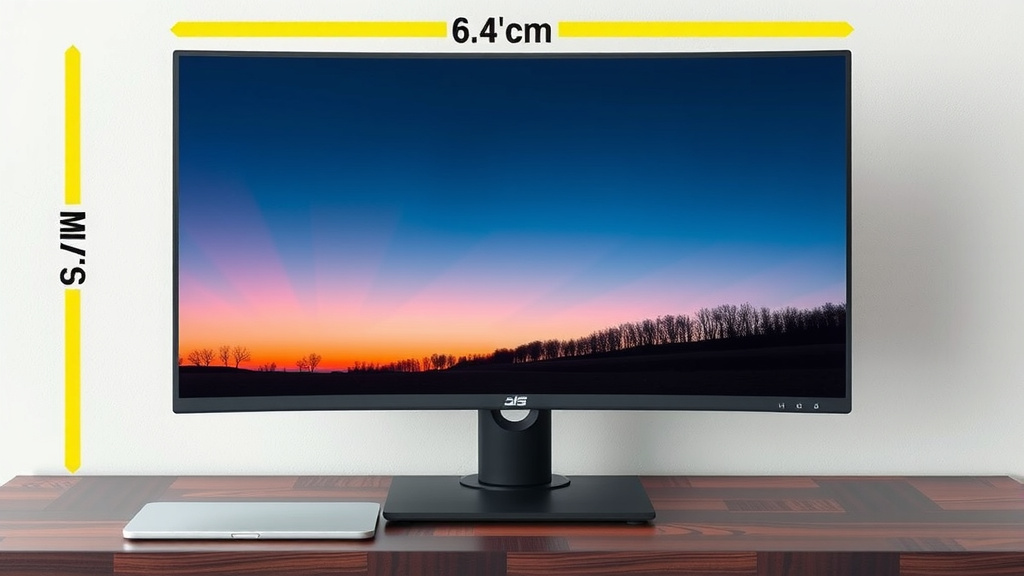
While the screen size is 19 inches diagonally, the actual physical dimensions of the monitor are slightly larger due to the bezel (the frame around the screen) and the stand. You can expect the physical width of a 19-inch monitor to be around 16 to 17 inches, and the height to be about 13 to 15 inches, depending on the bezel thickness and stand design.
This is important to measure before you buy! You don’t want to get a new monitor only to find it doesn’t fit where you planned. Think about your desk or shelf space. We recommend measuring the area where you intend to place it. A 19-inch monitor is generally quite manageable for most desks.
Comparing 19-Inch to Other Common Monitor Sizes
To give you a better sense of scale, let’s compare a 19-inch monitor to some other popular sizes:
| Monitor Size (Diagonal) | Typical Aspect Ratio | Common Resolutions | Best For |
|---|---|---|---|
| 15.6 inches | 16:9 | 1920 x 1080 (Full HD) | Laptops, portable monitors |
| 19 inches | 5:4 or 16:10 | 1280 x 1024 or 1440 x 900 | General use, office work |
| 22-24 inches | 16:9 | 1920 x 1080 (Full HD) | Everyday computing, light gaming |
| 27 inches | 16:9 or 16:10 | 2560 x 1440 (QHD) | Gaming, productivity, design work |
As you can see, the 19-inch monitor sits comfortably in the middle. It offers more screen real estate than a typical laptop screen but is less imposing than larger displays. We found this table helpful for visualizing where the 19-inch size fits into the broader market.
Who is a 19-Inch Monitor Best Suited For?
A 19-inch monitor is a solid choice for many people. If you primarily use your computer for:
- General Office Tasks: Email, word processing, spreadsheets, and web browsing.
- Student Use: Homework, research, and online classes.
- Budget-Conscious Users: They are often more affordable than larger screens.
- Limited Desk Space: It won’t dominate your workspace.
Many users find that for basic computer needs, a 19-inch screen provides adequate space without being overkill. We researched and found that for many standard office environments, this size remains a practical and cost-effective option. It strikes a nice balance for users who don’t need extreme screen real estate.
Is a 19-Inch Monitor Still Relevant Today?
That’s a fair question! With so many larger and higher-resolution monitors available, you might wonder if a 19-inch is outdated. While larger screens and higher resolutions (like 4K) have become more common, 19-inch monitors still serve a purpose.
They are still manufactured and purchased, especially for situations where cost or space is a primary concern. For example, many public terminals, industrial settings, or even older office setups might still utilize 19-inch displays. We found that they are particularly good for task-specific workstations where a simpler setup is preferred.
When to Consider a Larger Monitor
However, if you’re into:
- Intensive Gaming: You’ll likely want a larger screen for better immersion and a wider field of view.
- Professional Design or Video Editing: More screen space and higher resolution are critical for detailed work.
- Heavy Multitasking: You want to have many windows open comfortably at once.
In these cases, you might find a 19-inch monitor a bit limiting. It’s always good to consider your most demanding tasks when picking a screen size. We found that even a small increase to 22 or 24 inches can make a noticeable difference for multitasking.
Quick Checklist for Your 19-Inch Monitor Decision
Thinking about a 19-inch monitor? Here’s a quick way to see if it’s the right fit for you:
- Measure your desk space to ensure it fits comfortably.
- Consider the primary tasks you’ll perform (e.g., office work, browsing, media).
- Check the monitor’s resolution – 1280×1024 or 1440×900 are common.
- Decide if you prefer a more square (5:4) or widescreen (16:10) display.
- Factor in your budget – 19-inch monitors are often very budget-friendly.
- If you do a lot of gaming or professional creative work, a larger screen might be better.
Conclusion
So, you’ve learned that a 19-inch monitor is a reliable middle ground. It offers a comfortable viewing experience for everyday tasks, balancing sufficient screen space with a manageable physical footprint. We found it’s an excellent choice for general office work, student needs, or if you’re working with limited desk space. Remember to consider its common resolutions and aspect ratios to match your usage. Before you make your final decision, double-check your available space and your main computer activities.
Frequently Asked Questions
Is a 19-inch monitor good for gaming?
A 19-inch monitor can be acceptable for casual gaming, especially if you’re on a budget or have limited space. We found that for fast-paced or competitive gaming, a larger display with a higher refresh rate and resolution usually provides a more immersive and advantageous experience. It’s a trade-off between space and peak gaming performance.
What is the actual physical size of a 19-inch monitor?
While the screen itself is 19 inches diagonally, the monitor’s physical dimensions, including the bezel and stand, are typically around 16-17 inches wide and 13-15 inches tall. We recommend measuring your desk space to ensure it will fit comfortably before purchasing. It’s usually quite compact for most setups.
Can I multitask effectively on a 19-inch monitor?
You can multitask on a 19-inch monitor for basic tasks like having an email open next to a document. We found that for more intensive multitasking, such as having multiple browser tabs or applications open simultaneously, a larger screen or a higher resolution monitor would be more comfortable. It offers some multitasking capability but has limits.
Are 19-inch monitors still being made?
Yes, 19-inch monitors are still manufactured and available, though they are less common than larger sizes. We observed that they remain popular for cost-sensitive applications or in environments where space is a primary constraint. They continue to serve a specific market need.
What resolution should I look for in a 19-inch monitor?
For a 19-inch monitor, common resolutions include 1280 x 1024 (SXGA) or a widescreen 1440 x 900 (WXGA+). We found that 1280 x 1024 is great for productivity, while 1440 x 900 offers a wider view for media. Choose based on whether you prioritize vertical or horizontal screen space for your tasks.