Desk Size Guide: How Big a Desk for 2 Monitors
For a two-monitor setup, you’ll generally need a desk that’s at least 47 inches wide. This gives you enough space for the monitors, your keyboard, and some elbow room. Going up to 55 to 60 inches offers even more comfort and flexibility for your workspace.
Choosing the right desk size is key for both productivity and comfort. Too small, and your setup will feel cramped. Too big, and it might overwhelm your room. We found that most people feel a desk in the 47-60 inch range hits that sweet spot for dual monitors.
- Aim for at least 47 inches wide for two monitors.
- 55-60 inches provides more comfortable space.
- Consider monitor size and depth.
- Don’t forget space for keyboard and accessories.
Let’s break down exactly what you should consider when picking out your perfect desk for a dual-monitor arrangement.
Choosing Your Ideal Desk Width for Two Monitors
So, you’re ready to upgrade to a dual-monitor setup. Awesome! Now, let’s talk about the foundation of your command center: the desk. Getting the desk size right makes a huge difference in how your workspace feels and functions. We’ve looked into what works best for most people.
A desk that’s too small can feel like you’re constantly bumping elbows. Everything feels cramped and cluttered. On the flip side, a desk that’s way too large might just swallow up your room. It can make the whole space feel a bit awkward. We found that the sweet spot for a dual-monitor setup usually lies between 47 and 60 inches wide.
Understanding Monitor Dimensions
Before you measure your current setup or head to the store, think about your monitors. Not all screens are created equal, right? The physical width and depth of your monitors are the first puzzle pieces.
Screen Size vs. Physical Size
A 27-inch monitor, for example, isn’t 27 inches wide. That number refers to the diagonal measurement of the screen itself. You’ll need to check the actual physical dimensions, especially the width from bezel to bezel. This is often listed in the monitor’s specifications. We found that many 27-inch monitors are about 24-25 inches wide.
Bezel Width Matters
Don’t forget the bezels – the frames around your screen. Slim bezels mean monitors can sit closer together, saving you precious inches. Thicker bezels will push your monitors further apart, requiring more desk width. Many people trying to create a seamless look opt for monitors with very thin bezels.
Monitor Depth and Stands
Think about how deep your monitors are, too. Some have stands that stick out significantly. Others have sleeker, more compact bases. If your monitors are deep, they’ll take up more of your desk’s depth. This is something we found many people overlook initially.
Calculating Your Space Needs
Let’s do a little math to figure out how much space you’ll actually need. It’s more than just adding up monitor widths. You need room to breathe and work!
Adding Monitor Widths
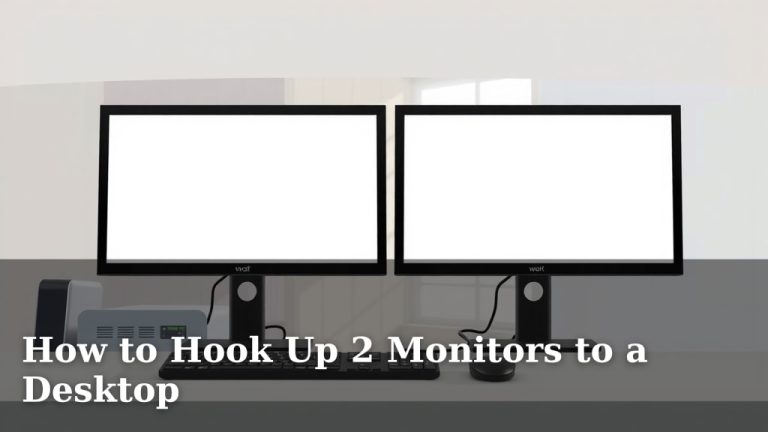
Take the width of each of your monitors. Add them together. Then, add a little extra space between them. A gap of 2-4 inches is usually comfortable. This prevents them from feeling like one giant, overwhelming screen. Some people prefer a larger gap, especially if they often look back and forth.
Keyboard and Mouse Zone
Your keyboard and mouse need their own dedicated real estate. You don’t want your keyboard pushed so far back that you’re reaching. Your mouse needs room to glide without hitting anything. We found that dedicating at least 12-18 inches of depth for your typing and mousing area is a good rule of thumb.
Elbow Room and Comfort
This is where the extra desk width really shines. Having a bit of space on either side of your monitors gives you elbow room. It also helps you position yourself comfortably in front of your screens. You don’t want to feel crammed against your monitors. Research suggests that adequate workspace can improve focus and reduce strain (National Institute for Occupational Safety and Health).
Desk Depth: Often Overlooked, Always Important
While width gets most of the attention, desk depth is just as critical. Too shallow, and your monitors might be too close for comfort. This can lead to neck strain. Too deep, and you might be reaching for things on the far side constantly.
Monitor Placement Distance
A common recommendation for monitor viewing distance is an arm’s length away. For most people, this translates to about 20-30 inches. Your desk needs to accommodate this distance between you and the back of your monitors. A typical monitor stand adds a few inches to the monitor’s depth. We found that desks with a depth of 24 to 30 inches are generally ideal.
Space for Accessories
Think about what else lives on your desk. Do you have a desk lamp? A speaker? A cup holder? Maybe a charging station? These items take up valuable surface area. A deeper desk gives you more flexibility to arrange these accessories without cluttering your main work zone.
Putting It All Together: Recommended Desk Sizes
Based on common monitor sizes and the need for comfortable working space, we can suggest some general desk size guidelines.
| Setup | Minimum Recommended Width | Ideal Comfortable Width |
|---|---|---|
| Two 24-inch monitors | 40 inches | 47-55 inches |
| Two 27-inch monitors | 47 inches | 55-60 inches |
| Larger monitors or extra accessories | 55 inches | 60+ inches |
Remember, these are just starting points. Your personal preferences for spacing and clutter will play a big role. We found that people often appreciate having a bit more space than they initially think they need.
Desk Materials and Stability
Once you’ve settled on a size, consider what the desk is made of. A sturdy desk is essential for supporting your monitors. You don’t want any wobbling when you type!
Solid Wood vs. Particle Board
Solid wood desks are generally the most durable and stable. However, they can be pricier. Desks made from engineered wood or particle board can be more affordable. Just ensure they have a thick, robust construction. We found that a desk with a thicker tabletop generally offers better stability.
Leg Structure
The legs of the desk also contribute to stability. Look for desks with strong leg frames or a solid pedestal base. Metal legs often provide excellent support. Many office furniture manufacturers offer desks designed for durability and stability.
Your Dual-Monitor Desk Checklist
Ready to pick the perfect desk? Here’s a quick rundown to make sure you don’t miss anything:
- Measure your existing monitors (width and depth).
- Estimate your preferred spacing between monitors.
- Factor in space for your keyboard, mouse, and accessories.
- Consider your ideal viewing distance from the screen.
- Aim for a desk depth of at least 24 inches.
- Check desk stability and material for durability.
Conclusion
You’ve learned that a desk between 47 and 60 inches wide is generally your sweet spot for a dual-monitor setup. It’s not just about fitting the monitors side-by-side. You need ample depth for comfortable viewing distances and space for your keyboard, mouse, and any extras you use daily. We found that considering your specific monitor sizes and your personal workspace habits is key. Don’t forget to check desk stability for a wobble-free experience.
Your next step? Measure your current space, think about your ideal setup, and start looking for a desk that fits your needs and your room. You’re on your way to a more comfortable and productive dual-monitor workspace!
Frequently Asked Questions
What’s the minimum desk width I need for two 24-inch monitors?
For two 24-inch monitors, a minimum recommended desk width is around 40 inches. This allows enough space for the monitors themselves, plus a little extra room for your keyboard and mouse. If you prefer more breathing room or have larger bezels, aim for closer to 47 inches.
Can I get away with a desk smaller than 47 inches for two 27-inch monitors?
While it might be technically possible, we found that a desk smaller than 47 inches can feel quite cramped for two 27-inch monitors. You’ll likely sacrifice comfortable viewing distances and elbow room. An ideal width for two 27-inch monitors is usually between 55 and 60 inches.
How much desk depth do I really need for dual monitors?
You should aim for a desk depth of at least 24 inches, with 28-30 inches being even better. This depth allows you to position your monitors at an ergonomic viewing distance (about an arm’s length) and still have enough space for your keyboard, mouse, and other desk accessories.
Does the stand or base of my monitor affect the desk size I need?
Yes, absolutely. The monitor stand or base adds to the overall footprint of your monitor. Some stands are sleek and compact, while others are quite deep and wide. You’ll need to factor in the full depth of your monitor, including its stand, when determining your desk’s required depth.
What if I have multiple accessories on my desk, like speakers or a lamp?
If you plan to have speakers, a desk lamp, charging stations, or other accessories, you’ll need to account for that extra space. This means you’ll likely want to lean towards the higher end of our recommended desk width ranges, and prioritize a deeper desk. Having that extra surface area prevents your essential workspace from feeling cluttered.