10 Best 1440p 144Hz Gaming Monitors
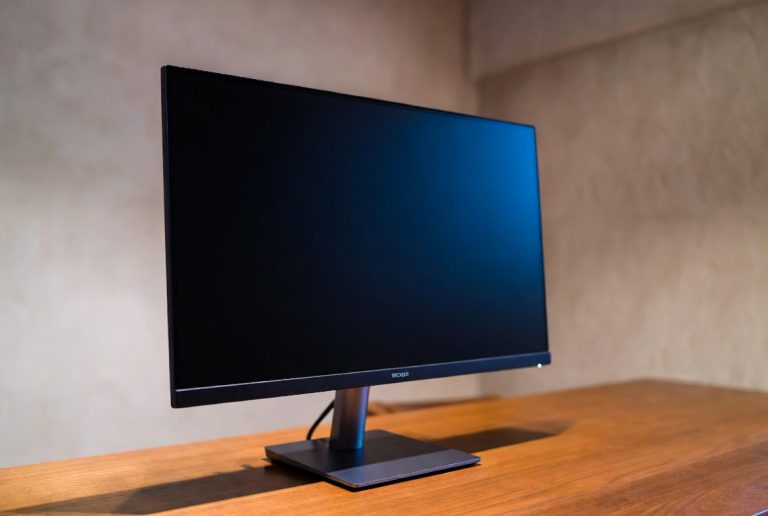
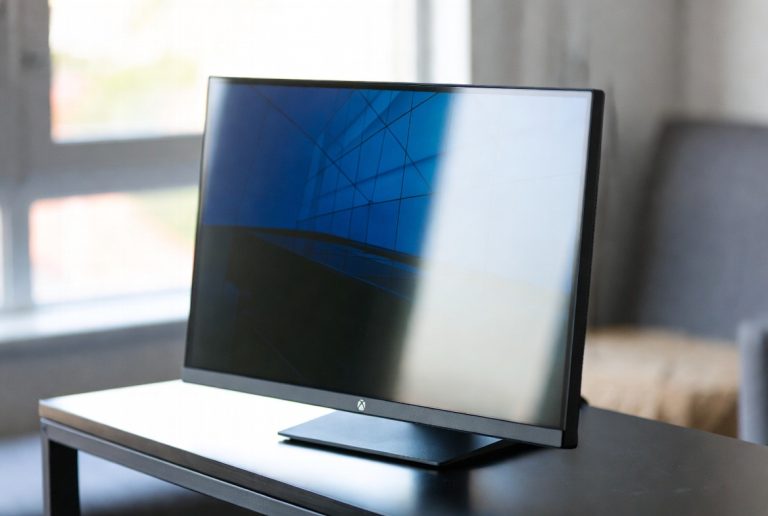
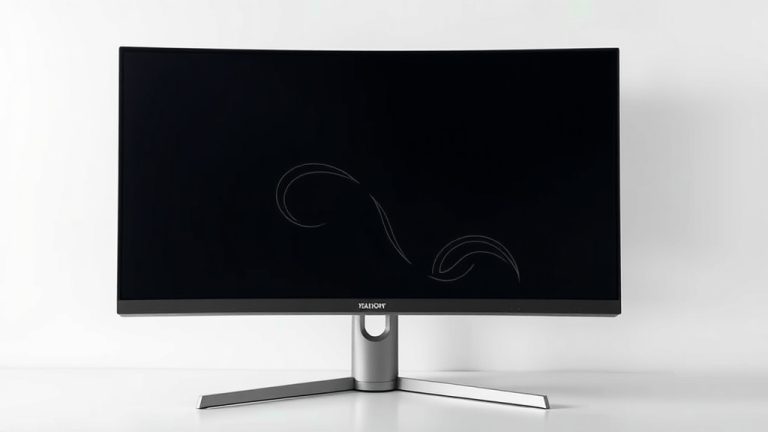
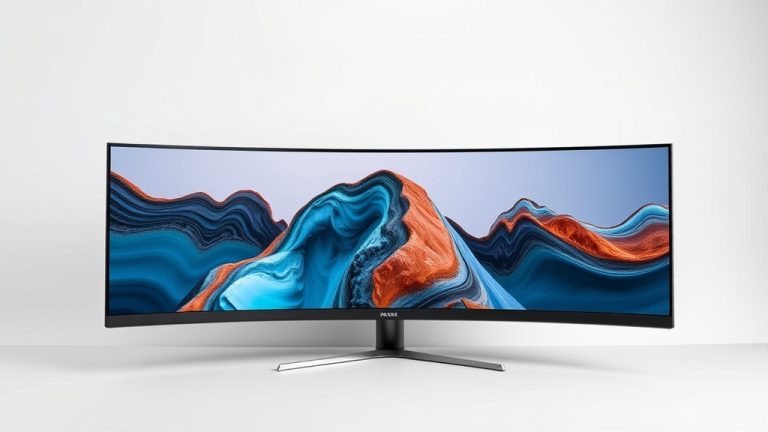
The best 1440p 144Hz gaming monitors offer a sweet spot of resolution and smooth performance for PC gamers, striking a balance between visual clarity and fast-paced action. These displays are ideal for those seeking sharper images than 1080p without the demanding hardware requirements of 4K. For gamers prioritizing an all-around excellent experience, the KTC H27T27S Gaming Monitor stands out. If blazing-fast refresh rates are your main concern, the Samsung Odyssey G51F Gaming Monitor is a top contender, while those who value vibrant colors will appreciate the ASUS TUF Gaming VG27AQ3A.
We’ve sifted through numerous options to bring you a curated list of 10 top-tier 1440p 144Hz gaming monitors. Each was evaluated for key performance metrics including response time, color accuracy, and overall gaming immersion. Our selection process focused on finding the best value and performance for a variety of gaming needs, all within a reasonable price bracket. Dive into our detailed comparison to find the perfect upgrade for your setup.

- 27 inch QHD 1440P
- 144Hz refresh rate
- FreeSync & G-Sync

- 27″ QHD 1440P
- 180Hz refresh rate
- Height adjustable stand

- 27” QHD 1440P
- 180Hz refresh rate
- Fast IPS panel

- 27in QHD 1440P
- 180Hz refresh rate
- 0.5ms response time
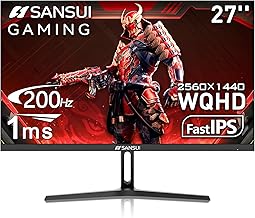
- 27 Inch WQHD 1440P
- 200Hz refresh rate
- 1ms response time

- 27in QHD 1440P
- 180Hz refresh rate
- Ergo stand included

- 27 Inch Curved QHD
- 144Hz refresh rate
- 1500R curvature

- 27 Inch Curved QHD
- 144Hz refresh rate
- 1500R curvature

- 27 Inch QHD 1440P
- 144Hz refresh rate
- 3-Side Frameless

- 27in QHD 1440P
- 180Hz refresh rate
- 1500R curve
10 Best 1440p 144Hz Gaming Monitors
#1. KTC H27T27S Gaming Monitor
Resolution
Refresh Rate
Sync
You’ll appreciate the smooth, fluid motion this KTC monitor delivers, making fast-paced games a joy to play. With a crisp QHD resolution and a 144Hz refresh rate, visuals are sharp and responsive, complemented by FreeSync and G-Sync compatibility to eliminate tearing. The HDR10 support adds a nice touch of depth to colors and contrast, enhancing your overall gaming immersion.
While this monitor offers excellent value, some users might find the built-in speakers to be a bit lacking in bass. However, for its price point, it’s a fantastic choice for gamers seeking a high-refresh-rate QHD experience without breaking the bank. It’s ideal for those upgrading from a 1080p display and wanting a noticeable boost in visual fidelity and smoothness.
Pros
- Excellent QHD resolution
- High 144Hz refresh rate
- G-Sync and FreeSync support
Cons
- Mediocre built-in speakers
- Color calibration could be better
- Stand is basic
Specifications
#2. Samsung Odyssey G51F Gaming Monitor
Refresh Rate
Response Time
Adjustable Stand
You’ll love the incredibly smooth gameplay offered by the Samsung Odyssey G5’s 180Hz refresh rate, providing a competitive edge in fast-paced titles. The QHD resolution ensures sharp visuals, while the 1ms response time minimizes motion blur. Features like the Black Equalizer and Virtual Aim Point are thoughtful additions for competitive gamers, helping you spot enemies and aim more accurately.
While the 180Hz is a standout feature, some users might find the color accuracy to be slightly less vibrant compared to other monitors in this class. However, if your priority is raw speed and responsiveness for gaming, this Samsung monitor is an excellent choice. It’s perfect for esports enthusiasts and anyone who values a high refresh rate above all else.
Pros
- Blazing fast 180Hz refresh rate
- Quick 1ms response time
- Height adjustable stand included
Cons
- Color accuracy could be better
- HDR performance is basic
- Limited viewing angles
Specifications
#3. ASUS TUF Gaming VG27AQ3A
Color Coverage
Refresh Rate
Motion Blur
You’ll be impressed by the vibrant and accurate colors this ASUS TUF Gaming monitor produces, thanks to its 130% sRGB coverage. The combination of a 1440p resolution, a swift 180Hz refresh rate, and ASUS’s Extreme Low Motion Blur Sync technology ensures incredibly sharp and fluid visuals, even in the most demanding games. G-SYNC compatibility and FreeSync Premium provide tear-free gaming experiences across various GPUs.
While this monitor boasts excellent features and performance, the built-in speakers are quite basic and not ideal for immersive audio. However, for gamers prioritizing visual fidelity and smooth motion, this ASUS model is a top-tier choice. It’s particularly well-suited for those who also engage in color-sensitive work like photo editing alongside their gaming sessions.
Pros
- Exceptional color reproduction
- High 180Hz refresh rate
- G-Sync and FreeSync support
Cons
- Basic built-in speakers
- Stand lacks height adjustment
- HDR could be brighter
Specifications
#4. Acer Nitro KG271U N3
Refresh Rate
Response Time
Color Gamut
You’ll get a fantastic gaming experience for the price with the Acer Nitro KG271U. It boasts a sharp QHD resolution and a very high 180Hz refresh rate, ensuring smooth and clear visuals during intense gaming sessions. The rapid 0.5ms response time further minimizes ghosting and motion blur, making it a great choice for competitive play. The 95% DCI-P3 color coverage also means colors will look rich and vibrant.
While this monitor offers excellent performance for its cost, the built-in speakers are functional but not particularly impressive. Additionally, the stand only offers tilt adjustment, lacking height or swivel options. Despite these minor drawbacks, it’s an outstanding value proposition for budget-conscious gamers seeking a high-performance QHD monitor.
Pros
- Excellent value for money
- High 180Hz refresh rate
- Very fast 0.5ms response time
Cons
- Basic stand adjustability
- Mediocre built-in speakers
- Color accuracy could be improved
Specifications
#5. SANSUI 27 Inch WQHD Monitor
Refresh Rate
Response Time
Color Gamut
You’ll experience incredibly smooth visuals with this SANSUI monitor, boasting an impressive 200Hz refresh rate and a rapid 1ms response time. The QHD resolution provides sharp detail, making both games and general productivity tasks look great. With a wide 120% sRGB color gamut, you can expect vivid and accurate colors right out of the box. The inclusion of DP 1.2 and HDMI 2.0 ports offers versatile connectivity options.
While the high refresh rate and color performance are excellent, the stand’s adjustability is somewhat limited, primarily focusing on tilt. Some users might also find the menu navigation slightly less intuitive than on other brands. However, for gamers prioritizing speed and vibrant colors at a competitive price, this SANSUI monitor is a compelling option.
Pros
- Extremely high 200Hz refresh rate
- Fast 1ms response time
- Vibrant 120% sRGB colors
Cons
- Limited stand adjustability
- Menu navigation could be simpler
- HDR performance is average
Specifications
#6. Acer Nitro XV271U M3
Stand
Refresh Rate
Response Time
You’ll appreciate the excellent adjustability this Acer Nitro monitor offers, thanks to its fully ergonomic stand that allows for height, tilt, swivel, and pivot adjustments, ensuring maximum comfort during long sessions. It delivers a smooth gaming experience with its QHD resolution, 180Hz refresh rate, and rapid 0.5ms response time, minimizing motion blur and tearing. The 95% DCI-P3 color coverage ensures vibrant and accurate visuals for both gaming and creative tasks.
While the ergonomic stand is a major plus, the built-in speakers are quite basic and won’t satisfy audiophiles. Also, the HDR performance is fairly standard and might not impress those seeking deep contrast and brightness. Nevertheless, for users who value comfort and a premium stand experience alongside high-performance gaming specs, this Acer Nitro is a superb choice.
Pros
- Highly adjustable ergonomic stand
- Smooth 180Hz refresh rate
- Vibrant 95% DCI-P3 colors
Cons
- Basic built-in speakers
- Standard HDR performance
- Glossy screen finish can glare
Specifications
#7. KTC H27S5C Curved Gaming
Curvature
Refresh Rate
Color Gamut
You’ll be drawn into your games with the immersive 1500R curve of this KTC monitor, wrapping the QHD visuals around your field of view. The 144Hz refresh rate ensures smooth gameplay, making fast action feel fluid and responsive. With support for Adaptive Sync, you can expect tear-free gaming, and the wide 129% sRGB color coverage delivers rich, vibrant images that enhance the overall experience.
While the curved design is great for immersion, some users might find the HVA panel’s viewing angles slightly more restrictive than a typical IPS panel. Additionally, the HDR 400 certification is entry-level and won’t provide the dramatic contrast of higher-end HDR displays. However, for gamers seeking an affordable and engaging curved QHD experience, this KTC monitor is a solid choice.
Pros
- Immersive 1500R curved display
- Smooth 144Hz refresh rate
- Wide color gamut
Cons
- HVA panel viewing angles
- Basic HDR performance
- Stand is not adjustable
Specifications
#8. KTC H27S5C Curved Monitor
Curvature
Refresh Rate
Contrast Ratio
You’ll get a very immersive gaming experience with this KTC curved monitor, featuring a 1500R curvature that pulls you into the action. The QHD resolution provides sharp details, and the 144Hz refresh rate ensures smooth motion during gameplay. Its high 4000:1 contrast ratio delivers deeper blacks and brighter whites compared to many standard monitors, enhancing visual depth. Adaptive Sync support helps maintain tear-free visuals.
While this monitor offers great immersion and contrast for its price, the HDR400 certification means its HDR capabilities are limited. The stand also lacks extensive adjustability, primarily offering tilt. However, if you’re looking for an affordable curved QHD monitor that prioritizes a captivating visual experience, this KTC model is a strong contender.
Pros
- Immersive 1500R curve
- High contrast ratio
- Good value for curved display
Cons
- Limited HDR performance
- Basic stand adjustability
- HVA panel viewing angles
Specifications
#9. KTC H27T27S Computer Monitor
Resolution
Refresh Rate
Frameless
You’ll find this KTC monitor to be a great all-around performer, especially for casual gaming and everyday work. It offers a sharp QHD resolution and a smooth 144Hz refresh rate, ensuring a pleasant visual experience for most tasks. The 129% sRGB color coverage provides vibrant and accurate colors, making content look appealing. Its 3-side frameless design contributes to a modern aesthetic and is ideal for multi-monitor setups.
While this monitor is excellent for general use and casual gaming, it might not satisfy hardcore gamers seeking the absolute fastest response times or highest refresh rates available. The HDR support is also quite basic. However, for its price and feature set, it represents solid value for anyone looking for a capable QHD display for both productivity and light gaming.
Pros
- Sharp QHD resolution
- Smooth 144Hz refresh rate
- Vibrant colors (129% sRGB)
Cons
- Not for extreme competitive gaming
- Basic HDR support
- Stand lacks adjustability
Specifications
#10. Acer Nitro EDA270U Pbmiipx
Curve
Refresh Rate
Premium
You’ll enjoy an immersive and smooth gaming experience with this Acer Nitro curved monitor, featuring a 1500R curvature that pulls you into the action. The QHD resolution provides sharp visuals, while the impressive 180Hz refresh rate and 1ms response time ensure fluid, tear-free gameplay thanks to FreeSync Premium. The VA panel offers good contrast, making dark scenes in games appear more detailed.
While the high refresh rate and curved design are excellent for gaming, the color accuracy might not be as precise as some IPS panels, which could be a consideration for creative professionals. The built-in speakers are also quite basic. However, for gamers seeking a fast, immersive, and affordable curved QHD monitor, this Acer Nitro is a compelling option.
Pros
- Immersive 1500R curved display
- Fast 180Hz refresh rate
- Great value for a curved monitor
Cons
- Color accuracy could be better
- Basic built-in speakers
- VA panel viewing angles
Specifications
Level Up Your Gameplay: Finding the Perfect 1440p 144Hz Gaming Monitor
You’ve got the rig, you’ve got the skills, but are you truly seeing your games in all their glory? A high-refresh-rate, high-resolution monitor can be the difference between a smooth, immersive experience and a choppy, frustrating one. Investing in a 1440p 144Hz display means you’re aiming for that sweet spot of visual clarity and fluid motion, and it’s worth giving this purchase some careful consideration to ensure you get the most bang for your buck.
Decoding the Display’s DNA
When you’re sifting through the options, a few key characteristics will truly define your gaming experience. Understanding these will help you cut through the marketing jargon and identify a monitor that fits your needs.
- Resolution’s Realm: You’re already targeting 1440p, also known as QHD. This resolution offers a significant step up in sharpness and detail compared to 1080p, making your game worlds look more vibrant and textures pop.
- Refresh Rate’s Rhythm: The 144Hz refresh rate is crucial for gaming. It means the screen updates itself 144 times per second, resulting in incredibly smooth motion and reduced blur, which is especially noticeable in fast-paced action.
- Panel Performance: Different panel types (like IPS, VA, and TN) offer trade-offs. IPS panels generally provide excellent color accuracy and wide viewing angles, while VA panels can offer deeper blacks and higher contrast. TN panels are typically the fastest but may sacrifice color and viewing angles.
- Response Time’s Responsiveness: This measures how quickly pixels can change color. Lower response times, often measured in milliseconds (ms), are better for reducing ghosting and motion blur, keeping your gameplay crisp.
- Connectivity Canvas: Ensure the monitor has the right ports to connect to your PC, typically DisplayPort for higher refresh rates at 1440p. Check for multiple inputs if you plan to connect other devices.
Navigating the Nuances: Common Pitfalls to Sidestep
It’s easy to get swept up in the excitement of a new piece of tech. Being aware of a few common missteps can save you from buyer’s remorse.
- Don’t overlook the importance of adaptive sync technology (like G-Sync or FreeSync). This synchronizes your monitor’s refresh rate with your graphics card’s frame rate, eliminating screen tearing and stuttering for a seamless visual flow.
- Be wary of marketing hype around “overdrive” settings. While they can reduce response times, aggressive settings can sometimes introduce inverse ghosting or other visual artifacts.
- Remember that a monitor is only one part of the equation. Ensure your PC’s hardware is powerful enough to consistently push high frame rates at 1440p to fully benefit from a 144Hz display.
Your Ultimate 1440p 144Hz Gaming Monitor Awaits
For competitive gamers prioritizing speed and clarity, the ASUS TUF Gaming VG27AQ3A and Acer Nitro XV271U M3bmiiprx stand out with their rapid response times and excellent color. If immersive curved visuals are your jam, the KTC H27S5C delivers a fantastic experience. For a solid all-rounder that won’t break the bank, the Samsung Odyssey G5 (G51F) is a strong contender, offering a great balance of features.
No matter your specific needs, these 1440p 144Hz monitors offer a significant upgrade for your gaming setup. Dive in and secure the perfect display for your battle station!