Desk Size for 2 Monitors: Find Your Perfect Fit
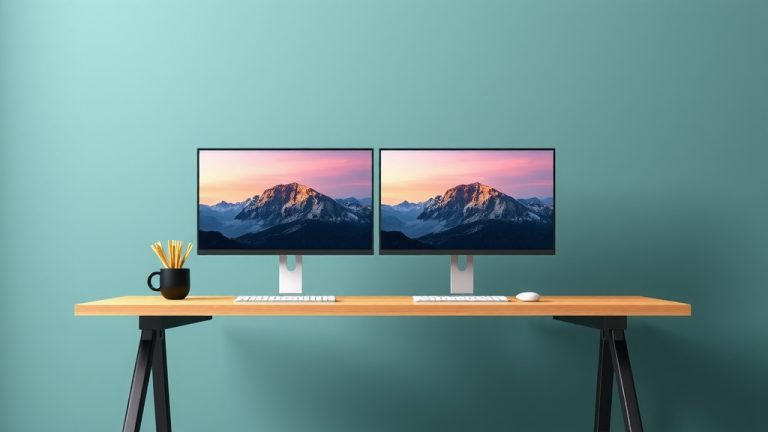
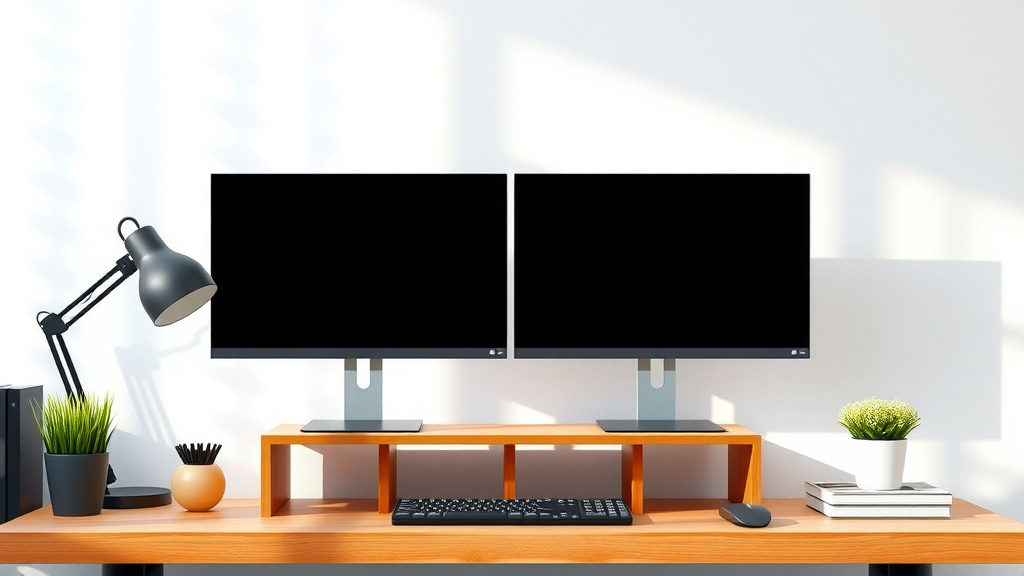
For two monitors, aim for a desk that is at least 48 inches wide. This gives you enough space for both screens and your keyboard. A 60-inch desk offers even more comfort. You need room to spread out and keep things organized.
Your dual-monitor setup needs more surface area than a single screen. Think about the size of your monitors and how much depth they take up. You also need space for peripherals like your mouse and keyboard. Getting the right desk size is key for productivity and preventing a cramped workspace.
- Monitor size and stand depth matter.
- Consider extra space for accessories.
- A 48-inch desk is the minimum.
- 60 inches or more is ideal.
Let’s break down exactly what you need to consider when picking out the perfect desk for your two-monitor setup.
“`htmlChoosing the Right Desk Size for Your Dual Monitors
So, you’ve decided to go dual-monitor. That’s fantastic! It’s a big step up for productivity and a more immersive experience. But now you’re wondering, how big of a desk do I really need for this setup? It’s a common question, and the answer isn’t as simple as just measuring your monitors.
You need to think about more than just screen size. The depth of your monitor stands is crucial. Add your keyboard, mouse, and maybe even a few personal items. Suddenly, that tiny desk doesn’t seem so spacious. Let’s make sure you get a desk that doesn’t cramp your style or your workflow.
Understanding Monitor Dimensions and Space Needs
Your monitors are the stars of the show, but they take up real estate. You’ll need to measure them carefully. Don’t just look at the screen diagonal. Consider the width of the monitor itself, especially if it has wide bezels or an attached stand.
Screen Width and Bezel Measurement
The actual width of your monitor is a key factor. A 27-inch monitor isn’t just 27 inches wide. It might be closer to 24 inches in physical width. This is important when you’re planning how many will fit side-by-side.
The Importance of Monitor Stand Depth
This is where many people get caught out. Those sleek monitor stands can be surprisingly deep. Some can add 8 to 10 inches of depth just for the stand itself. You need to account for this before you even place your keyboard.
Checking Your Monitor Specs
Before you buy anything, pull out your measuring tape. Check the width and depth of your monitors, including their stands. Many manufacturers list these dimensions on their websites or in the product manual. It’s a small step that prevents a lot of headaches later.
Total Width Needed for Two Monitors
Let’s do some quick math. Imagine two 24-inch wide monitors. Side-by-side, that’s about 48 inches of screen width alone. Now, add space between them for comfort, maybe 2-3 inches. You’re already pushing 50 inches. And that’s just the screens!
Considering Your Peripherals and Workspace Habits
It’s not just about the monitors, right? Your keyboard, mouse, and even your arms need space to function. Think about how you work. Do you tend to spread out your papers? Do you need room for a notebook or a drink?
Keyboard and Mouse Clearance
You need enough depth on your desk for your keyboard and mouse. Most keyboards are around 18 inches wide. A standard mouse requires about 6-8 inches of movement space. So, your desk should ideally have at least 10-12 inches of depth in front of your monitors.
Desk Depth: More Than You Think!
A desk that’s too shallow will feel cramped. You’ll find yourself leaning forward constantly. Many experts suggest a desk depth of at least 24 inches is a good starting point. For dual monitors, we often see people preferring 30 inches or more for true comfort.
The Ergonomics of Desk Depth
Good ergonomics isn’t just about your chair. Your desk plays a big role too. When your desk is deep enough, you can sit at a healthy distance from your monitors. This helps reduce eye strain and neck discomfort. You can keep your keyboard and mouse at a comfortable angle without feeling squeezed.
Storage and Organization Space
Do you like to keep things tidy? Or do you prefer having essentials within reach? Some desks come with built-in drawers or shelving. Others are minimalist. Consider if you’ll need extra surface area for things like:
- A desk lamp
- A small filing organizer
- Your phone charger
- A notepad
- A cup of coffee (essential!)
These items add up. A desk that’s too narrow will quickly become cluttered.
Recommended Desk Sizes for Dual Monitors
Based on these factors, we can offer some solid recommendations. These are general guidelines, of course, but they’ll help you make an informed decision.
The Minimum Viable Desk Size
For a dual-monitor setup, we’ve found that a 48-inch wide desk is the absolute minimum you should consider. This allows you to place two 24-inch monitors side-by-side with a little breathing room. You’ll likely need to be mindful of your keyboard and mouse placement to avoid feeling too squeezed.
The Sweet Spot: 60-Inch Desks
A 60-inch wide desk is often considered the sweet spot for dual-monitor users. This size provides ample room for two larger monitors (like 27-inch displays) or gives you generous space with smaller ones. You’ll have plenty of room for your keyboard, mouse, and other accessories without feeling crowded.
Going Bigger: 72 Inches and Beyond
If you have the space and the budget, a 72-inch desk or larger offers luxurious comfort. This is ideal if you have very large monitors, multiple accessories, or simply love to spread out. You won’t have to worry about desk real estate at all.
Desk Depth Considerations Again
Remember depth! While width gets a lot of attention, don’t forget depth. A 60-inch wide desk that’s only 20 inches deep might still feel too small. Aim for at least 24-30 inches of depth for a comfortable dual-monitor setup.
A Quick Comparison Table
Here’s a handy table to summarize the desk dimensions you might want to consider:
| Desk Width | Ideal For | Considerations |
|---|---|---|
| 48 inches | Smaller monitors (up to 24″), budget-conscious | Can feel tight, monitor placement is key |
| 55-60 inches | Standard monitors (24″-27″), good balance | Plenty of room for peripherals, comfortable |
| 70+ inches | Large monitors, multiple setups, maximum space | Luxurious, minimal space concerns |
Your Dual-Monitor Desk Checklist
Ready to find the perfect desk? Keep these points in mind:
- Measure your monitors (width and stand depth).
- Measure your desired keyboard and mouse area.
- Check the minimum desk width (aim for 48″+).
- Prioritize desk depth (24″+ is great).
- Consider extra space for accessories.
- Visualize your setup in your space.
Choosing the right desk is an investment in your comfort and productivity. Take your time, measure carefully, and pick a desk that lets you enjoy your dual-monitor setup to the fullest!
“`Conclusion
You’re ready to upgrade your workspace with a dual-monitor setup! Remember, the perfect desk size isn’t just about fitting your screens. It’s about creating a comfortable, productive environment. We’ve found that a 48-inch desk is the minimum, but a 60-inch desk offers a much better experience. Don’t forget to consider your peripherals and how much depth you need for ergonomic comfort. Take your measurements, prioritize depth as well as width, and you’ll find a desk that supports your workflow perfectly.
Frequently Asked Questions
What if I have very large monitors?
If your monitors are on the larger side (32 inches or more), you’ll definitely want to aim for a wider desk. A 60-inch desk might still be too narrow. Consider a 72-inch desk or even larger to ensure comfortable spacing between your screens and enough room for your keyboard and mouse.
Does desk depth matter as much as width?
Yes, absolutely! A desk that’s too shallow will make your setup feel cramped, regardless of width. For dual monitors, research shows that at least 24 inches of depth is recommended, with 30 inches or more providing superior comfort and ergonomics. This depth allows you to sit at a proper distance from your screens.
Can I use monitor arms instead of stands to save space?
Using monitor arms can indeed free up significant surface area! If you opt for arms, your desk width needs are primarily dictated by the combined width of your monitors and your keyboard/mouse space, rather than stand depth. However, ensure your desk can support the weight and clamp securely.
What’s the least amount of space I can get away with?
While we recommend a minimum of 48 inches wide, you might be able to manage with a slightly smaller desk if your monitors are compact and you’re okay with a tighter setup. However, be aware that this can compromise ergonomics and make it difficult to keep your workspace tidy. A 48-inch width is truly the functional minimum for most dual-monitor users.
Should I consider the height of my desk too?
Desk height is primarily an ergonomic concern related to your chair and monitor height. While not directly tied to the desk’s width or depth for monitor placement, ensuring your desk allows your arms to be at a 90-degree angle when typing is essential for comfort. Look for desks that are around 29-30 inches high, or opt for an adjustable standing desk.