Choosing the Right Desk Size for 3 Monitors
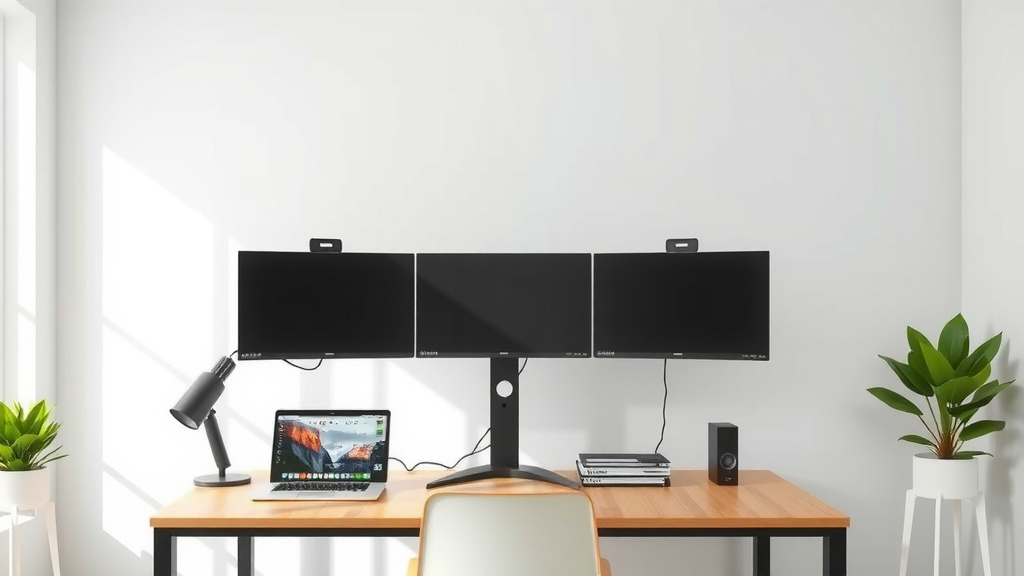
Figuring out how big of a desk you need for 3 monitors depends on your setup. Generally, a desk that is at least 60 inches wide will give you enough comfortable space. You want enough room so your monitors aren’t too close together or right in your face.
This ensures you have ample space for typing, using your mouse, and keeping other essentials within reach. We’ve researched popular setups and found that desk depth is also important, with 24 inches being a good minimum. A wider desk prevents a cluttered feel.
- Desk Width: Aim for at least 60 inches.
- Desk Depth: 24 inches is a good starting point.
- Consider Monitor Size: Larger monitors need more space.
- Think About Your Workflow: How much room do you really need?
Let’s walk through exactly what to consider to find the perfect desk for your three-monitor command center.
Choosing the Right Desk Size for Your Triple-Monitor Setup
So, you’re ready to level up your workspace with three monitors. That’s awesome! It can really boost your productivity. But before you hit ‘buy’ on that sleek new desk, let’s make sure you get one that fits your setup perfectly. The biggest question on your mind is likely: how wide and deep does a desk need to be for 3 monitors? We’ve found that a desk at least 60 inches wide and 24 inches deep is a solid starting point.
Understanding Your Monitor Dimensions
Your monitors are the stars of the show, and their size really dictates how much space you’ll need. Have you ever measured your current setup? It’s a good idea to know the exact width of each monitor, especially the bezels (the borders around the screen). We found that even an inch or two can make a difference when you’re lining them up.
Measuring Monitor Width
Start by measuring the width of each monitor from its left edge to its right edge. Don’t forget to include the stand if you plan to use it. We then recommend adding a little extra space between each monitor. About 2-4 inches is a good amount. This helps prevent neck strain from constantly turning your head.
Considering Monitor Depth and Stand Size
Next, think about how much desk space each monitor will take up from front to back. Some monitor stands are quite large and can eat up valuable real estate. You’ll want to measure the depth of the stand. Some people opt for monitor arms, which can free up a lot of desk surface. We found that monitor arms are a great solution for maximizing space. Just ensure your desk can support the weight and has a sturdy edge to clamp onto. Some people opt for monitor arms, which can free up a lot of desk surface.
Calculating Your Required Desk Width
Now let’s put it all together. To figure out your minimum desk width, you’ll need to do a little math. It sounds a bit tedious, but it’s important for comfort. Many people skip this step and end up with a cramped workspace, which we definitely want you to avoid.
Simple Calculation Method
Here’s a straightforward way to estimate: take the width of your largest monitor, multiply it by three (for three monitors), and then add your desired spacing between them. We found that adding at least 10 inches for spacing (e.g., 3 inches between monitors 1 & 2, and 3 inches between monitors 2 & 3) is a comfortable minimum. So, if your monitors are each 24 inches wide, you’d need: (24 inches * 3) + 10 inches = 72 inches + 10 inches = 82 inches.
A More Realistic Approach
While the math is helpful, it’s also about how your setup *feels*. Are you placing all three monitors side-by-side in a straight line? Or maybe you’re angling them slightly? If you’re angling them, you might need a wider desk to accommodate the curve. We’ve seen many setups where a 60-inch desk feels too small for three standard monitors, especially if you need room for other items. A 72-inch desk often provides a much more comfortable experience.
| Monitor Size (Diagonal) | Recommended Desk Width (Minimum) | Ideal Desk Width |
|---|---|---|
| 21-24 inches | 60 inches | 72 inches |
| 25-27 inches | 72 inches | 84 inches |
| 28+ inches | 84 inches | 96+ inches |
Don’t Forget Desk Depth!
You might be laser-focused on the width, but desk depth is just as important. You don’t want your monitors practically touching your face. Imagine trying to type with a screen inches from your nose – not ideal! We found that a depth of at least 24 inches is good for basic setups.
Viewing Distance Matters
Experts often recommend a viewing distance of an arm’s length, which is typically around 20-30 inches (Cleveland Clinic). If your desk is too shallow, you’ll be forced to sit too close. For three monitors, especially larger ones, a deeper desk is often better. We recommend looking for desks that are 28 inches or even 30 inches deep. This provides plenty of room for your monitors and a comfortable distance.
Space for Peripherals and Essentials
Beyond just the monitors, you need space for your keyboard, mouse, speakers, and maybe even a notebook or a coffee mug. If your desk is only 24 inches deep, you might find yourself constantly moving things around. A deeper desk means you can keep your essentials within easy reach without cluttering your primary monitor area.
Other Factors to Consider
We’ve covered the basics of width and depth, but there are a few other things to keep in mind. Think about your entire workflow and what makes you comfortable and productive.
Ergonomics and Your Comfort
Your desk height is also crucial for ergonomics. While most standard desks are around 29-30 inches high, some people need a standing desk or a desk that allows for height adjustment. Make sure the desk you choose fits your body and your preferred working posture. We know that proper ergonomics can prevent a lot of aches and pains down the line.
Desk Material and Stability
A three-monitor setup can be heavy. Ensure the desk you choose is sturdy and made from durable materials. A wobbly desk is distracting and could even be a hazard if your monitors are unstable. We found that solid wood, metal frames, and thicker particleboard desks tend to be the most stable.
Cable Management Solutions
With three monitors, you’ll have a lot of cables. Look for a desk that has built-in cable management features, like grommets or channels. This will help keep your workspace tidy and prevent a tangled mess. A clean setup is a happy setup, right?
Quick Checklist for Your Triple-Monitor Desk Purchase
Before you finalize your decision, run through this quick checklist:
- Measure your monitors: Know their exact width and stand depth.
- Add monitor spacing: Aim for 2-4 inches between each screen.
- Calculate minimum width: (Monitor Width x 3) + Spacing.
- Consider viewing distance: Ensure desk depth allows for arm’s length viewing.
- Factor in peripherals: Do you need space for speakers, notepad, etc.?
- Check stability: Will the desk support the weight and stay steady?
Conclusion
Setting up your triple-monitor dream desk is all about balancing your monitors’ needs with your personal comfort. We found that a 60-inch wide desk is a solid minimum, but often a 72-inch desk offers much more breathing room. Don’t forget desk depth; at least 24 inches deep is good, with 28-30 inches providing a better viewing distance and space for peripherals. By measuring your monitors and considering your workflow, you can select a desk that’s not only functional but also promotes better ergonomics. Now that you know the key dimensions, take a moment to measure your current space and visualize your ideal setup before you make your purchase!
Frequently Asked Questions
What’s the minimum desk width I absolutely need for three standard monitors?
For three standard monitors (around 21-24 inches diagonally), we research and found that a minimum desk width of 60 inches is a good starting point. This allows for some spacing between screens and your keyboard and mouse. However, many users find a 72-inch desk offers a much more comfortable and less cramped experience.
How deep should my desk be for a three-monitor setup?
Desk depth is critical for proper viewing distance. We recommend a desk that is at least 24 inches deep. For a more comfortable setup, especially with larger monitors, a depth of 28 to 30 inches is ideal. This ensures you’re not too close to your screens and have room for essentials.
Will monitor arms affect the desk size I need?
Yes, using monitor arms can significantly reduce the desk width you need for the monitors themselves. Monitor arms free up desk space by mounting the monitors above the surface. However, you still need to consider the desk’s overall width for your keyboard, mouse, and other peripherals. We found monitor arms are a great space-saving solution.
Can I fit three 27-inch monitors on a 60-inch desk?
Fitting three 27-inch monitors on a 60-inch desk can be a tight squeeze. While it might be physically possible, it likely won’t be very comfortable. You’ll have very little space between monitors and potentially a close viewing distance. We recommend a desk of at least 72 inches wide for three 27-inch monitors.
What if I want to angle my monitors? How does that change desk size needs?
If you plan to angle your monitors, you’ll likely need a wider desk. Angling them creates a curve, and the widest point of that curve will extend further out. We’ve found that angling often requires a desk that is at least 12 inches wider than if you were placing them all in a straight line to maintain comfortable spacing and viewing angles.