How to Know If Your Monitor Can Be Mounted
Yes, most modern monitors can be mounted, but your specific monitor needs a certain feature to make it happen. Look for a VESA mounting pattern on the back. This is a universal standard that lets you attach your monitor to a stand or wall mount. If your monitor has this pattern, you’re likely good to go!
Understanding monitor mounting involves a few key checks. You’ll want to confirm the weight capacity of your chosen mount. It must be able to support your monitor’s size and weight. We’ve found that many users overlook this simple step, leading to potential problems. Also, consider the type of mount you need, whether it’s for a desk or the wall.
- Check for a VESA mounting pattern on your monitor.
- Ensure the mount’s weight capacity matches your monitor.
- Consider where you want to place your monitor.
- Wall mounts need extra care for secure installation.
Let’s walk through exactly what to look for and how to check if your monitor is ready for a mount.
“`htmlIs Your Monitor Ready for Mounting?
So, you’re thinking about freeing up some desk space or getting that clean, minimalist look? Mounting your monitor is a fantastic way to achieve that. But before you buy a fancy new mount, you need to make sure your monitor is actually up for the job. Don’t worry, it’s usually simpler than you think! Most modern monitors are designed with mounting in mind.
Finding the Universal Mounting Standard: VESA
The secret sauce for monitor mounting is something called the VESA mounting pattern. Think of it as a universal language for monitor mounts. VESA stands for the Video Electronics Standards Association. They set the standard for how monitors and mounting brackets should connect. If your monitor has a VESA pattern, it means it’s compatible with a wide range of mounts.
What Does a VESA Pattern Look Like?
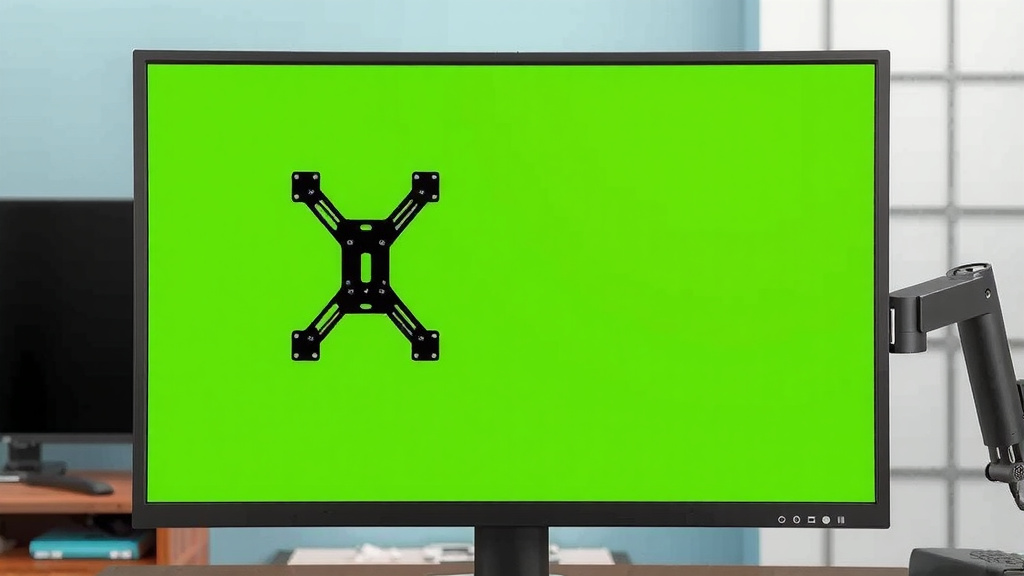
On the back of your monitor, you’ll typically see a square or rectangular pattern of four screw holes. These holes are evenly spaced. VESA patterns come in different sizes, usually measured in millimeters. The most common ones you’ll see are 75mm x 75mm and 100mm x 100mm. These are often labeled as VESA 75 or VESA 100.
How to Check Your Monitor for a VESA Pattern
The easiest way is to just look at the back of your monitor. Grab a flashlight if you need to. You’re looking for those four screw holes in that specific pattern. Sometimes, they might be hidden behind a plastic cover or a stand attachment. If you see them, great! You’re likely good to go.
If you can’t find them or they seem covered up, your next best bet is to consult your monitor’s manual. It will tell you if your monitor supports VESA mounting. You can also search online for your monitor’s model number along with “VESA” or “mounting specs.” We found that manufacturers are usually pretty upfront about this information.
What If My Monitor Doesn’t Have a VESA Pattern?
This is less common with newer monitors, but it can happen, especially with very old or specialized monitors. Some monitors, like all-in-one computers or certain iMac models, have proprietary mounting systems. If your monitor doesn’t have a VESA pattern, you might be out of luck for standard mounts. However, some third-party companies make adapter plates for specific models that don’t have VESA. These can add complexity and cost, so it’s often easier to stick with a VESA-compatible monitor if possible.
Weight and Size Matter: Choosing the Right Mount
Okay, so you’ve confirmed your monitor has a VESA pattern. Awesome! Now, let’s talk about the mount itself. It’s not enough for your monitor to *be* mountable; the mount needs to be able to *handle* your monitor.
Understanding Mount Weight Capacity
Every monitor mount has a maximum weight it can safely support. This is usually listed clearly in the product description. You need to know the weight of your monitor. You can usually find this in your monitor’s manual or by looking up its model number online.
Here’s why this is so important: exceeding the weight limit is a recipe for disaster. We’ve heard stories of mounts sagging, tilting unintentionally, or even failing completely. That’s not just a hassle; it could damage your monitor or anything it falls on. Always check the mount’s weight capacity against your monitor’s weight. Many experts recommend choosing a mount that can hold at least 2-4 pounds more than your monitor’s actual weight for added peace of mind.
Considering Monitor Size and VESA Compatibility
Monitors come in all sorts of sizes, from tiny 19-inch screens to massive 34-inch ultrawides and beyond. The VESA standard also covers these size differences. A VESA 100×100 pattern is common for most standard-sized monitors (around 21-27 inches). Larger or smaller monitors might use different VESA patterns. Always double-check that the mount you’re considering is compatible with your monitor’s specific VESA pattern (e.g., 75×75, 100×100, 200×200) and its diagonal screen size range.
Choosing Your Mount Type: Desk vs. Wall
Where do you envision your monitor living? This will determine the type of mount you need.
Desk Mounts: Stability and Flexibility
Desk mounts are incredibly popular because they don’t require drilling into your walls. They typically attach to the back edge of your desk using a clamp or a grommet mount (which goes through a pre-drilled hole). These mounts are great for adding adjustability. You can often swivel, tilt, and rotate your monitor easily. Many desk mounts can also hold multiple monitors, which is a huge space-saver for multitaskers.
When choosing a desk mount, consider your desk’s thickness and material. The clamp needs to be able to get a secure grip. If you have a thick or unusually shaped desk edge, you might need a mount with a wider clamping range or a grommet mount.
Wall Mounts: Clean Look and Space Saving
If you want that truly sleek, “floating” monitor look, a wall mount is the way to go. These attach directly to your wall using screws. This offers a very clean aesthetic and saves valuable desk real estate. Wall mounts come in various styles: fixed (holds the monitor flat against the wall), tilting (allows vertical adjustment), and full-motion (allows extension, swivel, and tilt).
Important note on wall mounts: Installation requires more care. You need to make sure you’re screwing the mount into a wall stud for maximum support. Drywall alone is not strong enough to hold a monitor safely. If you’re unsure about finding studs or mounting securely, it’s always best to consult a professional. Many guidelines recommend ensuring your wall mount is attached to at least one sturdy stud (U.S. Consumer Product Safety Commission).
Quick Checklist for Monitor Mountability
Ready to check if your monitor is mount-ready? Here’s a quick rundown:
- Check for VESA: Look for those four screw holes on the back of your monitor.
- Consult the Manual: If you can’t see them, check your monitor’s user guide.
- Know Your Monitor’s Weight: Weighing your monitor is essential for selecting a mount.
- Measure Your VESA Pattern: Ensure it matches the mount’s specifications (e.g., 75x75mm, 100x100mm).
- Consider Your Space: Decide if a desk or wall mount better suits your setup.
- Verify Mount Weight Limit: Make sure the mount can safely support your monitor’s weight.
Conclusion
You’ve learned that mounting your monitor is often straightforward! The key is checking for that standard VESA mounting pattern on the back of your display. Once you confirm its VESA compatibility, make sure your chosen mount’s weight capacity safely supports your monitor. Consider if a desk or wall mount best suits your space and needs. With these checks, you’re well on your way to a cleaner, more organized setup. Now, grab your monitor’s manual and let’s find those screw holes!
Frequently Asked Questions
Can I mount a monitor that’s older than 5 years?
Older monitors are less likely to have a VESA pattern. You’ll need to physically inspect the back for those four screw holes. If they aren’t present, you might be limited to using the original stand or exploring specialized adapters, which can be tricky.
What if my monitor’s VESA pattern is slightly different?
VESA patterns are standardized measurements, usually in millimeters like 75x75mm or 100x100mm. If your monitor has holes but they don’t match common VESA specs, it might not be compatible with standard mounts. Always double-check your monitor’s model number to confirm its exact VESA compliance.
Do I need to find a wall stud for any monitor mount?
You absolutely must find a wall stud for any wall-mounted monitor. Drywall alone cannot safely support the weight of a monitor, even with a strong mount. Desk mounts, however, typically attach to the desk itself, avoiding the need for wall drilling.
How do I know if my desk can support a desk mount?
Most sturdy desks can support a desk mount, but check your desk’s thickness and material. Ensure the clamp or grommet mechanism on the mount is compatible with your desk’s edge. Very thin or glass desks might require specific mounting solutions or heavier-duty clamps.
What’s the difference between a fixed, tilting, and full-motion wall mount?
A fixed wall mount holds your monitor flat against the wall with no adjustment. A tilting mount allows you to adjust the vertical angle up or down. A full-motion mount offers the most flexibility, letting you extend the monitor from the wall, swivel it left or right, and tilt it.