How to Get Your O2 Sensor Monitor Ready
Getting your O2 sensor monitor ready, often referred to as the Oxygen sensor readiness test, is a key step before a smog check. You can achieve this by driving your vehicle under specific conditions. This process ensures your car’s emissions control system is functioning correctly and has completed its self-checks, making it ready for inspection.
Your car’s onboard computer, or ECU, needs time to cycle through all its diagnostic routines. These routines check various emissions components, including the O2 sensor. Completing these checks is essential for passing many state emissions tests. It shows that your car has been running and collecting data properly.
- Drive at highway speeds for at least 15 minutes.
- Perform several stops and starts.
- Let the engine idle for a few minutes.
- Avoid clearing any diagnostic trouble codes.
Let’s break down how you can effectively get your O2 sensor monitor ready to pass that emissions test.
Preparing Your Vehicle for Emissions Testing
Getting your vehicle’s emissions system ready for a smog check involves a simple but important process. You need to ensure your car’s onboard computer has completed its self-diagnostic tests. These tests are often called “readiness monitors.” If they haven’t finished, your car might fail the inspection, even if there are no actual problems. Let’s make sure you’re prepared!
Understanding Readiness Monitors
Your car’s computer keeps an eye on various emissions-related components. It runs specific tests to see if everything is working as it should. These tests are like little check-ups for your engine’s pollution control systems. The most important one for your smog check is often related to the oxygen sensor, hence the term “O2 sensor monitor readiness.”
Why Are Readiness Monitors Important?
Most states require that most readiness monitors have completed their tests before you can pass an emissions inspection. If even one monitor is “not ready,” your car may be automatically failed. This is true even if your car isn’t throwing any warning lights (Check Engine Light). It’s a way for inspectors to ensure the system has been actively monitored and is functioning correctly.
What If My Check Engine Light is On?
If your Check Engine Light is on, your readiness monitors will likely be “not ready,” and you’ll probably have diagnostic trouble codes (DTCs) stored in your computer. You’ll need to get the underlying issue repaired first. After the repair, you’ll need to drive your car to complete the monitor cycles. Don’t clear any codes yourself before the test, as this resets the monitors.
The Driving Cycles for Readiness
The main way to get your monitors ready is by driving your vehicle through specific “drive cycles.” These cycles are designed to expose your car’s systems to different conditions, allowing the computer to run its tests. Think of it like giving your car a full workout to make sure all its parts are in good shape.
Common Drive Cycle Steps
While exact procedures can vary slightly by vehicle manufacturer, most readiness tests involve similar steps. You’re essentially trying to replicate normal driving conditions, including different speeds and loads on the engine.
Highway Driving
This is often the most critical part of the cycle. Driving at a steady highway speed for a sustained period allows the engine to reach optimal operating temperature. This is when many emissions tests, including those related to the catalytic converter and oxygen sensors, are performed. We found that a minimum of 15-20 minutes at highway speeds (55 mph or higher) is usually recommended.
Stop-and-Go Traffic
Your car’s computer also needs to see how the emissions system behaves during less steady conditions. Simulating city driving with stops and starts helps test other components. This allows the system to monitor emissions during acceleration, deceleration, and idling periods.
Idling and Cool-Down
Allowing your car to idle for a few minutes can also be part of the process. Some systems need this time to complete specific checks. Finally, letting the vehicle cool down after a drive can also trigger certain tests when it’s restarted cold.
A Sample Drive to Get Your Monitors Ready
Here’s a practical approach you can try. Remember, consistency is key. If your car is your daily driver, you’re likely completing these cycles without even realizing it!
- Start with a cold engine: Make sure your car has been sitting for at least 4-8 hours.
- Initial warm-up: Drive for about 10-15 minutes in city conditions. This includes some stopping and starting.
- Highway cruise: Find a stretch of highway and drive at a steady speed of 55 mph or higher for at least 15-20 minutes. Avoid hard acceleration or braking.
- More city driving: After your highway cruise, spend another 10-15 minutes in stop-and-go traffic. Include a few instances of light acceleration.
- Final idle: Park your car and let it idle for about 5 minutes.
- Shut off and rest: Turn off the engine. Some sources suggest letting the car sit for a few hours before checking readiness again.
Checking Monitor Status (For the Enthusiast)
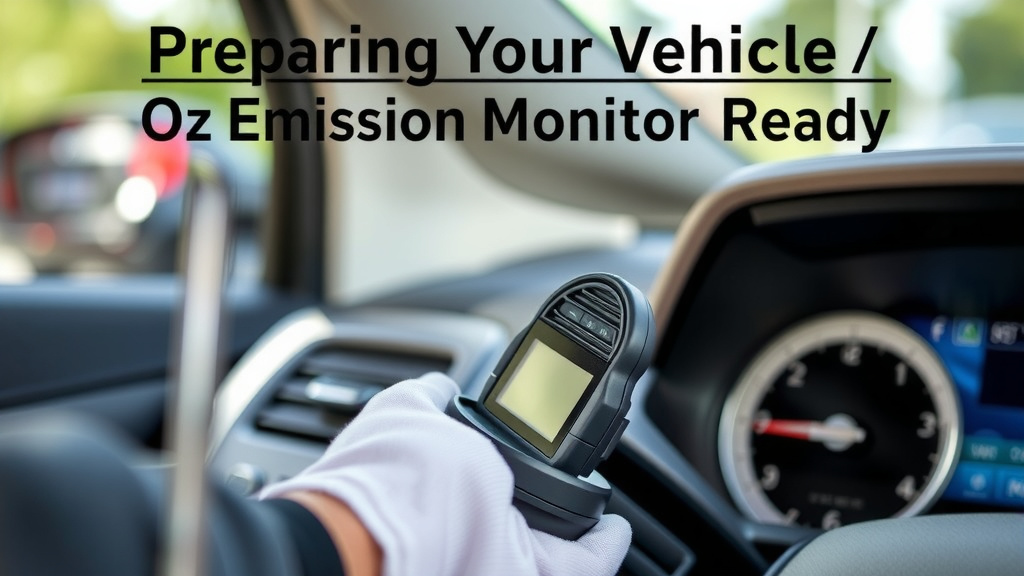
If you’re technically inclined, you can check your readiness monitor status yourself. You’ll need an OBD-II scanner tool. Plug it into your car’s diagnostic port (usually under the dashboard). Many scanners will show the status of each monitor as “Ready” or “Not Ready.” This can save you a trip to the smog station if they’re not yet complete.
What If You’re Still “Not Ready”?
Don’t panic if your monitors aren’t ready after your first attempt. Some vehicles are just trickier to get through their diagnostic cycles. You might need to repeat the drive cycle a few times. Ensure you’re following the steps as closely as possible and giving your car ample driving time under the right conditions.
Common Roadblocks
Sometimes, specific driving patterns or short trips can prevent monitors from completing. For example, only driving short distances to work and back might not be enough. You might also encounter issues if you recently had battery problems or disconnected your battery, as this can reset the onboard computer and its learned data.
When to Seek Professional Help
If you’ve tried multiple drive cycles and your monitors still won’t complete, there might be an underlying issue with an emissions component. In this case, it’s best to consult a trusted mechanic. They can use advanced diagnostic tools to pinpoint the problem and help get your vehicle ready for inspection.
Readiness Checklist: Your Quick Guide
Here’s a simple checklist to help you remember the key steps:
- Ensure your Check Engine Light is OFF.
- Drive your car on the highway for at least 15 minutes.
- Include periods of stop-and-go driving.
- Allow the engine to idle for a few minutes.
- Avoid clearing any diagnostic trouble codes yourself.
- If possible, check monitor status with an OBD-II scanner.
Conclusion
Getting your O2 sensor monitor ready is a straightforward process. By completing specific driving cycles, you help your car’s computer verify emissions components. This ensures your vehicle is prepared for its smog check. Remember, consistent driving, including highway stretches and city stops, is key. If you’ve followed the steps and are still not ready, don’t hesitate to seek professional advice. Your next step is to take your car out for a good drive, following the cycles we discussed, and aim for that passing smog inspection!
Frequently Asked Questions
How long does it take for O2 sensor monitors to become ready?
The time it takes varies by vehicle. Some cars complete their monitors after a single drive cycle. Others might need several days or multiple drive cycles to register as “ready.” Driving your car regularly in mixed conditions is your best bet.
Can I check the readiness status myself?
Yes, if you have an OBD-II scanner. You can plug it into your car’s diagnostic port. Many scanners will display the status of each monitor as “Ready” or “Not Ready.” This can save you a trip to the inspection station.
What if my Check Engine Light comes back on after repairs?
If your Check Engine Light returns after repairs, you’ll need to address that issue first. The readiness monitors will likely reset, and you’ll need to complete the drive cycles again. Don’t try to get an inspection until the light is off and monitors are ready.
Will short trips affect my O2 sensor monitor readiness?
Short trips can definitely hinder monitor readiness. Your car’s computer needs consistent driving at highway speeds and varied conditions to run its full diagnostic tests. Frequent short drives often don’t provide enough time for these checks to complete.
What should I do if I just disconnected my car battery?
If you’ve recently disconnected your car battery, your onboard computer has likely reset. This means your readiness monitors are now “not ready.” You’ll need to perform the full drive cycle again to get them to complete their self-tests.