What’s the Right 4K Monitor Size for You
For a 4K monitor, the ideal size is typically between 27 and 32 inches. This range offers a great balance. It lets you fully appreciate the sharp details of 4K resolution without needing to strain your eyes or crane your neck. You get an immersive experience that’s comfortable for long viewing sessions.
Choosing the right screen size depends on your viewing distance and what you plan to do. A larger screen can be amazing for gaming or watching movies. But if you sit very close, it might feel overwhelming. A smaller screen might not showcase all those beautiful 4K pixels. We found that ergonomics play a big role in your satisfaction.
- Ideal size: Generally 27-32 inches for 4K.
- Viewing distance matters: Sit further back for larger monitors.
- Use case is key: Gaming vs. productivity.
- Comfort is king: Avoid eye strain or neck pain.
Let’s break down how screen size impacts your 4K experience and find what works best for your setup.
Finding the Right 4K Monitor Size for Your Space
So, you’re eyeing a 4K monitor and wondering about the perfect size. It’s a fair question! That crystal-clear 4K resolution is amazing, but its impact really depends on how big the screen is and how far away you’ll be sitting. We’ve looked into what works best for most people, and it often comes down to a sweet spot.
Understanding Screen Size and Viewing Distance
Think of screen size like a window. A tiny window shows you a lot, but it feels far away. A huge window fills your vision but can be overwhelming if you’re too close. For 4K, you want a size that lets you see all those tiny pixels without having to move your head like you’re watching a tennis match.
The “Sweet Spot” for 4K Monitors
Many tech reviewers and ergonomics experts suggest that for a 4K monitor, sizes between 27 and 32 inches are often the sweet spot. Why? This range gives you enough screen real estate to appreciate the sharpness of 4K. You can see text clearly without zooming in too much. Plus, it’s comfortable for your eyes and neck.
If you sit at a typical desk distance, say 2 to 3 feet away, a 27-inch or 32-inch 4K monitor is usually a fantastic choice. You get an immersive view without feeling like you’re swimming in pixels.
What Happens if You Go Smaller?
What if you’re looking at a 24-inch 4K monitor? It’s definitely possible, and it will be incredibly sharp. However, the individual pixels will be so small that you might not notice a huge difference compared to a 1080p monitor at the same size. You’re not really getting the full benefit of those extra pixels unless you sit extremely close. Many users find they don’t get the “wow” factor.
And What About Going Bigger?
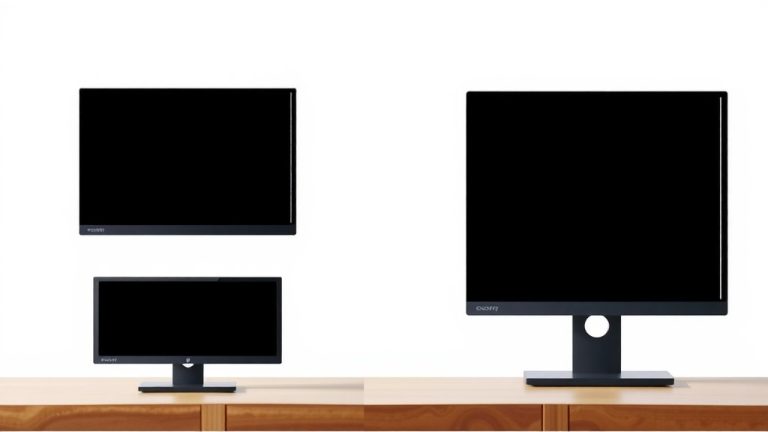
Larger screens, like 40 inches or more, can be incredible. Imagine a massive 4K display for gaming or watching movies! But here’s the catch: if you’re sitting at a standard desk, a screen that big might require you to move your head a lot to take it all in. This can lead to neck strain. Also, the pixel density might appear lower at normal viewing distances, making it less sharp than a smaller 4K screen. It’s a trade-off you need to consider.
Factors Influencing Your Ideal Monitor Size
Your perfect 4K monitor size isn’t just about the inches. It’s about how you’ll use it and where it will live.
Your Viewing Distance is Key
This is probably the most important factor. The American Optometric Association suggests that for comfortable viewing, you should sit about 2-2.5 times the diagonal screen measurement away from the monitor (American Optometric Association). So, for a 32-inch monitor, that’s roughly 4 to 5.5 feet. If your desk space is limited and you’re closer than that, a smaller monitor might be more comfortable.
If you have a lot of space and can sit further back, you can definitely go for a larger screen. A larger display can make games and movies feel more cinematic. Just make sure you’re not squinting or straining to see the edges!
What Will You Be Doing?
Your primary use case plays a big role. Are you a gamer, a graphic designer, a programmer, or just browsing the web?
- Productivity and Office Work: For tasks like writing documents, coding, or managing spreadsheets, a 27-inch to 32-inch 4K monitor is excellent. You get plenty of screen space to have multiple windows open side-by-side. Text will be super crisp and easy to read.
- Gaming: Gamers often love larger screens for the immersion. A 32-inch monitor is a popular choice for 4K gaming. Some even go for 40 inches or more if they have the space and sit further back. Ultrawide 4K monitors also offer a unique gaming experience.
- Creative Work (Photo/Video Editing): Professionals in these fields benefit from the detail 4K provides. A 32-inch monitor is a great starting point, offering enough screen real estate and color accuracy. Some may opt for even larger displays if their workspace allows.
- General Use and Media Consumption: If you mainly watch movies or browse the web, the ideal size depends on your personal preference and viewing distance. A 32-inch monitor can be very enjoyable for this.
Desk Setup and Ergonomics
Let’s be honest, how much space do you actually have? A giant 40-inch monitor might sound amazing, but if it fills your entire desk and forces you to hunch over, it’s not worth it. Good ergonomics are key to avoiding discomfort. Your monitor should be positioned at eye level, about an arm’s length away. If a monitor is too big for your setup, it can lead to neck pain and eye strain over time.
Many ergonomic guidelines suggest that the top of your screen should be at or slightly below eye level (Occupational Safety and Health Administration). With a massive monitor, achieving this comfortably might be tricky. Consider a monitor arm if you plan to go large, as it can help with positioning.
A Quick Size Guide for 4K Monitors
Here’s a simple breakdown to help you decide. Remember, these are general recommendations, and your personal comfort is the ultimate guide!
| Monitor Size | Best For | Notes |
|---|---|---|
| 27 Inches | Desk setups with limited space, general productivity, comfortable viewing | Excellent sharpness for 4K. Very popular. |
| 32 Inches | Most users, gaming, media, creative work, balanced immersion | The most commonly recommended size for 4K. Great balance. |
| 40+ Inches | Large desk spaces, immersive gaming, home theater setups | Can be overwhelming if too close. Check viewing distance. |
Making Your Final Choice
Choosing the right 4K monitor size is about finding that perfect blend of detail, comfort, and usability for your specific needs. Don’t just go for the biggest one you can find without thinking it through. Your eyes and your neck will thank you!
Checklist: What to Consider for Your 4K Monitor Size
- Measure your desk space. Know your limits!
- Determine your optimal viewing distance. How far will you sit?
- List your main monitor uses. Gaming? Work? Both?
- Prioritize comfort and ergonomics. Avoid strain.
- Consider a monitor arm for better positioning.
- Read reviews from users with similar setups.
By thinking through these points, you’ll be well on your way to picking a 4K monitor that you’ll love using every day.
Conclusion
Finding the right 4K monitor size is about balancing detail with comfort for your specific needs. We found that 27 to 32 inches often hits that sweet spot, offering sharp visuals without eye strain. Remember to consider your viewing distance and what you’ll primarily use your monitor for. Whether it’s productivity, gaming, or creative work, the ideal size ensures you enjoy those beautiful 4K pixels. Now, measure your desk, think about your viewing habits, and you’ll be set to pick a monitor that truly enhances your setup.
Frequently Asked Questions
Will a 27-inch 4K monitor look much sharper than a 27-inch 1440p monitor?
Yes, a 27-inch 4K monitor will be noticeably sharper than a 27-inch 1440p monitor. You’ll see finer details in text and images because the pixels are packed much more densely. This makes text easier to read and graphics more crisp, especially if you sit relatively close.
Can I use a 40-inch 4K monitor for everyday office work?
You can, but it depends heavily on your desk setup and seating distance. If you have ample space and can sit about 4-5 feet away, it can be great for multitasking with many windows. However, if your desk is smaller, you might experience neck strain from turning your head to see everything.
Is there a minimum viewing distance for a 32-inch 4K monitor?
For a 32-inch 4K monitor, a comfortable viewing distance is typically around 3 to 5 feet. Sitting closer than 3 feet might make the pixels too large to appreciate fully, and you may find yourself moving your head more often. Sitting further back enhances the immersive experience.
Do I need a special graphics card to use a 4K monitor?
Yes, you’ll need a graphics card capable of outputting a 4K resolution at your desired refresh rate. While basic 4K output might be possible on integrated graphics for simple tasks, gaming or demanding creative work will require a more powerful dedicated graphics card to ensure smooth performance.
How does monitor size affect eye strain with 4K resolution?
Monitor size directly impacts eye strain, especially with 4K. Too small, and you might strain to see detail. Too large and too close, and your eyes have to work harder to scan the entire screen. The recommended 27-32 inch range for 4K provides a good balance, allowing you to see details without excessive head or eye movement.