What’s the Actual Size of a 23.6 Inch Monitor
So, you’re wondering about a 23.6-inch monitor? You’re likely thinking about desk space and screen real estate. A 23.6-inch monitor has a screen that measures 23.6 inches diagonally. This is considered a medium-sized display, perfect for everyday tasks and casual gaming.
When we talk about monitor size, we’re usually referring to the diagonal measurement of the screen. A 23.6-inch screen offers a good balance between having enough viewing area and not overwhelming your desk. Many people find this size ideal for general computer use and productivity without feeling cramped.
- A 23.6-inch monitor measures 23.6 inches from corner to corner.
- This size is generally considered medium, fitting well on most desks.
- It’s a popular choice for everyday computing and office work.
- You get a decent viewing area without it feeling too large.
We’ve gathered the key details to help you picture exactly how big a 23.6-inch monitor truly is. Let’s break down what this size means for your setup and viewing experience.
Understanding Your 23.6-Inch Monitor’s Physical Size
So, you’ve got your eye on a 23.6-inch monitor. That diagonal measurement tells you about the screen itself, but what about the monitor’s actual footprint on your desk? It’s a question many people have when planning their workspace. We’ve found that the physical dimensions can be just as important as the screen size for fitting everything comfortably.
Screen vs. Bezel: What’s Really Showing?
When you see “23.6 inches,” that’s the screen measured from the bottom-left corner to the top-right corner. The bezels – the frames around the screen – add a little extra width and height. Modern monitors often have very thin bezels, sometimes called “borderless” or “slim bezel.” This means less wasted space and a more immersive viewing experience. You get more screen for your buck, so to speak.
For a 23.6-inch monitor, even with slightly thicker bezels, the overall dimensions usually remain quite manageable. Many manufacturers aim for a sleek design, so you’re less likely to find a bulky frame on a monitor this size these days. It’s a nice balance.
Width and Height: Giving You a Clear Picture
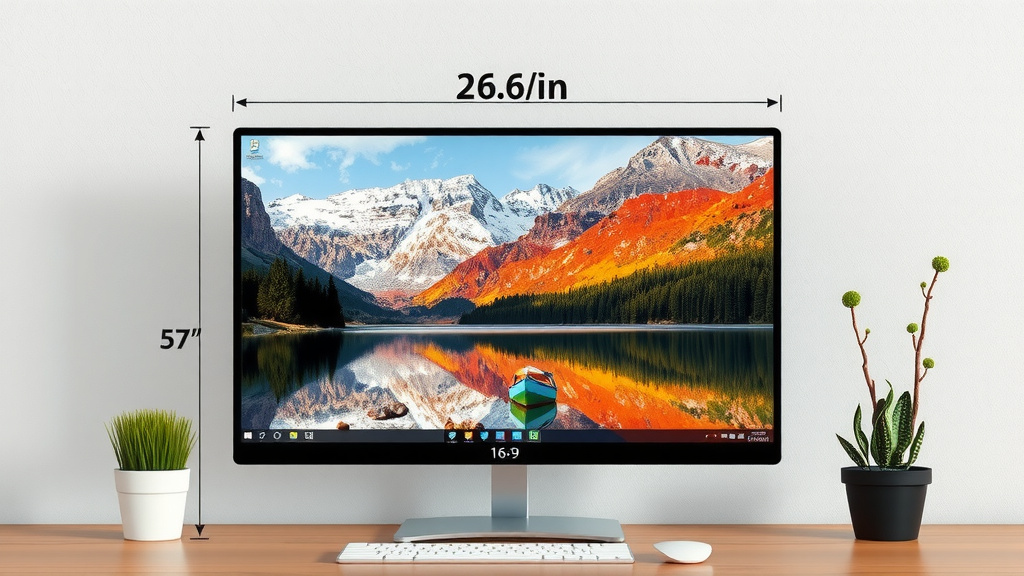
Let’s get down to the nitty-gritty. The actual width of a 23.6-inch monitor, including the stand, can vary. However, research suggests most fall into a range. Expect the monitor itself (the screen part) to be around 20 to 21 inches wide. The height of the screen is typically about 12 to 13 inches.
When you add the stand, the total width might increase slightly, perhaps by an inch or two, depending on the base design. The total height will also change, especially if the stand allows for height adjustment. Some stands are minimalist, while others have a larger footprint to provide stability.
Example Dimensions (Approximate)
To give you a better idea, let’s look at some typical measurements. Remember, these are estimates and can differ between brands and models:
- Screen Width (diagonal): 23.6 inches
- Actual Screen Width (horizontal): ~20.5 inches
- Actual Screen Height (vertical): ~12.8 inches
- Total Width (with typical stand): ~21.5 inches
- Total Height (with typical stand): ~16 inches (may vary with adjustments)
These numbers help you visualize how much horizontal and vertical space the monitor will occupy on your desk. It’s like figuring out if a new couch will fit through your doorway – you need the actual measurements!
How Does 23.6 Inches Compare?
Wondering where a 23.6-inch monitor fits in the grand scheme of monitor sizes? It’s a popular middle-ground option. Many experts suggest this size is a sweet spot for a lot of users. It offers more screen real estate than smaller, 20-inch or 21-inch displays but isn’t as expansive as larger 27-inch or 32-inch monitors.
Compared to Smaller Monitors (e.g., 21.5 inches)
A 23.6-inch monitor is just a bit bigger than a 21.5-inch model. You’re gaining maybe an inch or so in screen width and height. This might not sound like much, but it can translate to more comfortable reading and less side-to-side window switching. For tasks where you have multiple windows open, that extra space is appreciated.
Compared to Larger Monitors (e.g., 27 inches)
The jump from 23.6 inches to 27 inches is more noticeable. A 27-inch monitor offers significantly more screen area. You’ll find that text might appear smaller on a 27-inch screen at the same resolution, or you can use a higher resolution for sharper images. If you’re considering a 27-inch monitor, make sure you have ample desk space. A 23.6-inch monitor is generally a safer bet for smaller or more crowded desks.
A Quick Comparison Table
Let’s put these sizes into perspective:
| Monitor Size (Diagonal) | Approximate Screen Width | Approximate Screen Height | General Use Case |
|---|---|---|---|
| 21.5 inches | ~18.7 inches | ~10.5 inches | Basic tasks, small desks |
| 23.6 inches | ~20.5 inches | ~12.8 inches | Everyday computing, productivity, casual gaming |
| 27 inches | ~23.5 inches | ~13.2 inches | Gaming, professional work, multitasking |
As you can see, the 23.6-inch size hits a sweet spot. It’s not tiny, but it won’t dominate your entire desk. This makes it a really **versatile choice** for many people.
Why Choose a 23.6-Inch Monitor?
So, why do people opt for this particular size? Well, it often comes down to a few key factors. It’s about finding that perfect balance for your needs and your space. We found that users often appreciate its:
Desk Space Efficiency
This is a big one! If you have a smaller desk or just prefer a minimalist setup, a 23.6-inch monitor is a fantastic choice. It provides a comfortable viewing area without taking up too much valuable desk real estate. You can easily fit it alongside a laptop, keyboard, mouse, and maybe even a notepad or a small plant.
Comfortable Viewing Experience
For most people, sitting at a typical desk distance, a 23.6-inch monitor offers a very comfortable viewing experience. You don’t have to move your head or eyes excessively to see the whole screen. Studies on ergonomics suggest that screen size and viewing distance are important for reducing eye strain (Cleveland Clinic). This size generally hits a good balance for typical desk setups.
Great for Everyday Tasks and Productivity
Whether you’re browsing the web, answering emails, working on documents, or even doing some light photo editing, a 23.6-inch monitor is more than capable. It provides enough space to have a couple of windows open side-by-side without feeling too cramped. This can really boost your productivity.
Suitable for Casual Gaming and Entertainment
While hardcore gamers might prefer larger, higher-refresh-rate monitors, a 23.6-inch screen is perfectly fine for casual gaming and watching videos. You get an immersive enough experience without feeling overwhelmed. It’s a good all-rounder for a home office or a dorm room setup.
Making the Decision: Your Checklist
Before you commit, consider these quick points to ensure a 23.6-inch monitor is right for you:
- Measure your desk space: Ensure the monitor’s physical width and height will fit comfortably.
- Consider your primary use: Will it be for work, gaming, or general browsing?
- Think about viewing distance: How far will you typically sit from the screen?
- Assess your bezel preference: Do you want slim bezels or are you okay with a slightly larger frame?
- Evaluate your multi-tasking needs: How many windows do you usually have open at once?
- Check your budget: 23.6-inch monitors often offer excellent value.
By thinking through these questions, you can confidently decide if a 23.6-inch monitor is the **perfect fit for your setup** and your daily computing habits.
Conclusion
You’ve learned that a 23.6-inch monitor strikes a fantastic balance. It offers a comfortable viewing area for daily tasks, productivity, and casual entertainment without overwhelming your desk space. We found this size to be a sweet spot, providing more screen real estate than smaller options but remaining more manageable than larger displays. Its efficiency in fitting onto most desks and providing an ergonomic viewing experience makes it a smart choice for many users. Before you buy, remember to measure your desk and consider your primary computer use to make the perfect selection for your setup.
Frequently Asked Questions
Is a 23.6-inch monitor good for gaming?
Yes, a 23.6-inch monitor is generally good for casual gaming. It offers an immersive enough screen size for most games without requiring excessive head movement. For competitive or professional gaming, you might want to consider larger sizes or higher refresh rates, but for most home users, it’s perfectly suitable.
How much desk space does a 23.6-inch monitor actually take up?
A 23.6-inch monitor typically has a physical width of around 21 to 22 inches, including the stand. The depth of the stand can vary but is usually a few inches. This makes it quite manageable for most standard desks, allowing space for your keyboard and mouse.
Will a 23.6-inch monitor feel too small for multitasking?
For moderate multitasking, like having two windows open side-by-side (e.g., a document and your email), a 23.6-inch monitor works well. If you frequently need to view many large windows simultaneously or work with very detailed design software, you might find a larger monitor more beneficial.
What is the difference in screen size between a 23.6-inch and a 24-inch monitor?
The difference between a 23.6-inch and a 24-inch monitor is very small, often less than half an inch diagonally. In practical terms, they offer a very similar viewing experience and physical footprint. Manufacturers might round up or down slightly, so always check the actual dimensions if precision is key.
Can I easily fit a 23.6-inch monitor on a small desk?
Yes, a 23.6-inch monitor is an excellent choice for small desks. Its moderate physical dimensions mean it provides a good viewing area without dominating the limited space. You’ll likely have enough room left for essential peripherals like your keyboard and mouse.