What’s the Actual Size of a 22 Monitor Display
A 22-inch monitor refers to its diagonal screen measurement, not its width. So, while the screen itself is roughly 19 inches wide and 12 inches tall, its overall size and footprint will be larger due to the bezel and stand. This common size offers a good balance for everyday tasks and gaming without consuming too much desk space. You’re likely wondering if it’s the right fit for your setup.
When we talk about a 22-inch monitor, it’s helpful to visualize its screen dimensions. This size is often described as medium-sized. It’s larger than many older or smaller laptop screens but not as expansive as some larger desktop monitors. Many users find this size to be a comfortable viewing experience for productivity and entertainment.
- A 22-inch monitor measures 22 inches diagonally across the screen.
- The actual screen dimensions are about 19 inches wide by 12 inches tall.
- This size is considered medium, offering a good viewing area.
- It balances screen space with desk footprint, making it versatile.
Let’s get into the details of what a 22-inch monitor actually looks like on your desk and how its dimensions compare to other popular screen sizes.
You’ve seen the basic specs, but what does a 22-inch monitor actually mean for your desk? Let’s break down the physical dimensions so you can picture it clearly.
Understanding 22-Inch Monitor Dimensions
A 22-inch monitor means the screen’s diagonal measurement is 22 inches. This is the industry standard. It doesn’t tell you the full width or height. Think of it like a pizza box; the size refers to the diagonal, not the full length of the sides. We found that this diagonal measurement is the most common way manufacturers describe screen size. The diagonal measurement is 22 inches; our guide to the best 100Hz monitor includes a 22-inch option.
Actual Screen Viewable Area
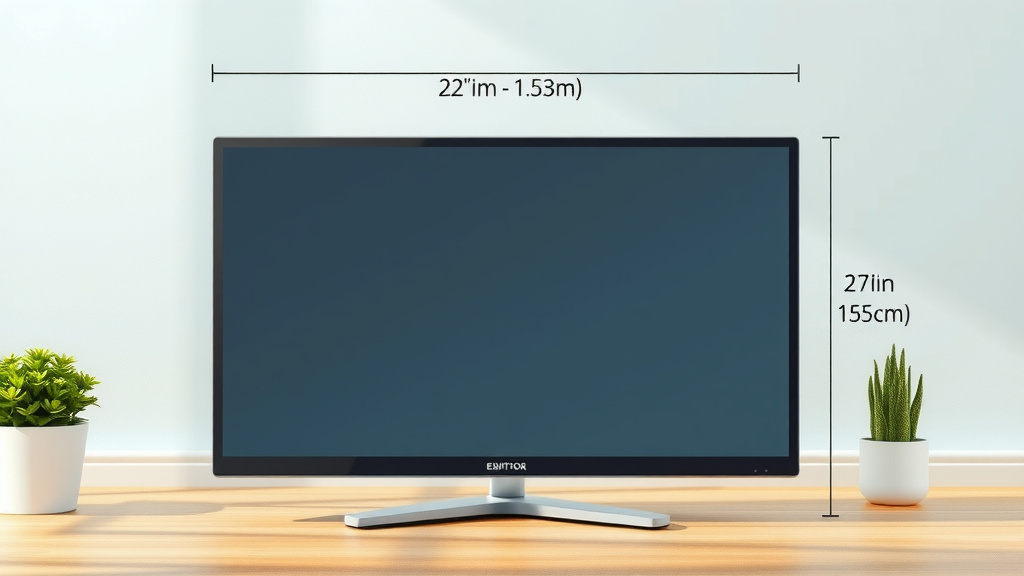
The viewable screen area of a 22-inch monitor is typically around 19 inches wide. The height is usually about 12 inches. These are the dimensions of the actual display panel itself. So, the picture you see fits within this space. Many users find this a comfortable size for everyday tasks.
Considering the Bezel and Stand
Don’t forget the frame around the screen, called the bezel. Bezels vary in thickness. Some are super slim, while others are a bit chunkier. The stand is another factor. It adds to the overall footprint of the monitor on your desk. We researched that the stand can add anywhere from 4 to 8 inches to the total height. The width might increase by 1 to 3 inches because of the bezel and base.
Total Footprint Calculation
To get a rough idea of the total physical space, you’ll need to add the bezel and stand dimensions. A monitor with a 19-inch wide screen and a 1-inch bezel on each side would be about 21 inches wide. Add a stand, and you might be looking at a total width of 23 to 25 inches. The height could easily reach 16 to 20 inches with a typical stand. This is important for desk planning.
How Big is a 22-Inch Monitor Compared to Others?
You might be wondering how a 22-inch monitor stacks up against other common sizes. It helps to have a point of reference. We found that many people upgrade from smaller screens or laptop displays.
Smaller Monitors (Under 20 Inches)
Monitors under 20 inches are often considered compact. Think of older CRT monitors or very small modern displays. A 19-inch monitor, for example, has a smaller diagonal measurement. Its viewable screen might be around 16 inches wide by 10 inches tall. A 22-inch monitor offers a noticeably larger viewing area. You gain about 3 inches in width and 2 inches in height for your content. This can make a big difference for multitasking.
Larger Monitors (24 Inches and Up)
Monitors that are 24 inches or larger start to feel quite expansive. A 24-inch monitor’s screen might be around 21 inches wide by 12 inches tall. That’s just a couple of inches wider than a 22-inch screen. However, the difference can feel more significant, especially with a larger overall physical size. We found that 24-inch monitors are very popular for gaming and professional work. They offer more screen real estate without being overwhelmingly large for most desks.
The Mid-Size Sweet Spot
A 22-inch monitor often sits in a comfortable middle ground. It’s a significant upgrade from smaller screens. Yet, it doesn’t dominate your desk like some of the larger options. Many users consider this size ideal for general productivity, web browsing, and casual gaming. It balances immersion with practicality. We found that this size is often a great choice for students or those with limited desk space.
Physical Dimensions in a Table Format
To help you visualize, here’s a comparison table. Remember, these are approximate figures. Bezels and stands can vary greatly.
| Diagonal Size | Approx. Viewable Width | Approx. Viewable Height | Approx. Total Width (with bezel) | Approx. Total Height (with stand) |
|---|---|---|---|---|
| 19 Inches | 16 Inches | 10 Inches | 18-20 Inches | 14-17 Inches |
| 22 Inches | 19 Inches | 12 Inches | 21-23 Inches | 16-20 Inches |
| 24 Inches | 21 Inches | 12 Inches | 23-25 Inches | 17-21 Inches |
As you can see, the 22-inch monitor offers a good increase in screen real estate compared to a 19-inch model. It’s not drastically larger in physical footprint than a 24-inch, but you do get a slightly smaller screen to work with. We found that these differences are subtle but can matter for specific setups.
What Can You Fit on a 22-Inch Screen?
So, what can you realistically do with the space on a 22-inch monitor? It’s more versatile than you might think. You can comfortably run many applications side-by-side. Imagine having a document open next to your web browser. You could also view spreadsheets without excessive horizontal scrolling. For gaming, it provides an immersive experience without requiring you to turn your head too much.
Productivity and Multitasking
For work, you can often split the screen effectively. For example, you might have an email client on one half and a word processor on the other. Or perhaps a video call window next to your main task. We found that many users find this size perfect for moderate multitasking. It avoids the feeling of being cramped. Experts from institutions like the University of Michigan suggest that adequate screen space can improve task completion speed (University of Michigan Ergonomics).
Entertainment and Gaming
When it comes to entertainment, a 22-inch monitor delivers a decent visual experience. Movies and videos will fill a good portion of the screen. For gaming, it can offer a captivating view. You won’t miss important details in your game. The size is often considered ideal for many PC games. It provides a good balance between immersion and competitive play. Some professional gamers even prefer this size to avoid needing to move their eyes too much during fast-paced action.
Checking Your Desk Space
Before you make a decision, it’s wise to measure your available desk space. Don’t just guess! You’ll want to know the maximum width and depth your monitor can occupy. Consider the monitor’s stand and how much room it takes up. Also, think about your seating position. You want to be comfortable. We always recommend leaving some space for your keyboard and mouse.
Key Measurement Checklist
Here’s a quick checklist to guide your measurements:
- Measure the total width of your desired monitor spot.
- Measure the total depth of your desired monitor spot.
- Note the height clearance if placing under a shelf.
- Account for space behind the monitor for cables.
- Ensure you have room for your keyboard and mouse.
- Consider viewing distance for optimal comfort.
Conclusion
You now have a clear picture of what a 22-inch monitor truly represents. Remember, it’s about the 22-inch diagonal screen measurement, with a viewable area around 19 inches wide and 12 inches tall. This size offers a comfortable, medium-sized viewing experience. It provides more screen real estate than smaller monitors without overwhelming your desk. We found it’s a great balance for productivity and casual gaming. Before buying, measure your desk space carefully to ensure a perfect fit. Your next step is to confirm your available dimensions, then confidently choose a 22-inch monitor that suits your needs.
Frequently Asked Questions
Is a 22-inch monitor good for graphic design?
A 22-inch monitor can be suitable for entry-level graphic design or occasional use. For professional-level design work where color accuracy and detail are paramount, you might find larger monitors (24 inches and up) offer more space for toolbars and a more immersive canvas. However, for general design tasks or if you have budget constraints, a 22-inch can be a good starting point. We found that many students and hobbyists use this size effectively.
How does a 22-inch monitor compare to a laptop screen?
Generally, a 22-inch monitor is significantly larger than most laptop screens, which typically range from 13 to 17 inches. The wider aspect ratio and larger overall viewing area of a 22-inch external monitor can make multitasking and viewing content much more comfortable. You’ll likely experience less eye strain and find it easier to have multiple windows open side-by-side compared to a laptop alone. We research indicates this is a common reason people buy external monitors.
Will a 22-inch monitor fit on a small desk?
Yes, a 22-inch monitor is often a good choice for smaller desks because it strikes a balance. While the screen itself is 22 inches diagonally, the overall physical footprint, including the bezel and stand, is typically manageable. We found that many 22-inch models have a total width of around 21-23 inches and a depth of 6-8 inches for the stand. Always check the specific dimensions of the model you’re considering, but it’s generally a compact option compared to larger monitors.
What is the recommended viewing distance for a 22-inch monitor?
For a 22-inch monitor, a comfortable viewing distance is typically between 20 to 25 inches away from your eyes. This distance allows you to see the entire screen without excessive head or eye movement, reducing strain. You can adjust this slightly based on your personal preference and desk setup. We research suggests this range provides optimal comfort and immersion for most users.
Are 22-inch monitors still being made and sold?
Yes, 22-inch monitors are still manufactured and widely available. While larger sizes like 24 and 27 inches have gained popularity, the 22-inch size remains a solid option for budget-conscious buyers, those with limited desk space, or users who prefer a less expansive display for general tasks. We found that many brands continue to offer 22-inch models as a standard size in their lineups.