10 Best 1440p Monitors (Non-OLED) for Gaming
The best 1440p non-OLED monitors offer a compelling blend of sharp visuals and smooth performance without the premium price tag or burn-in concerns of OLED panels. Standout picks include ASUS TUF VG27AQL5A, ASUS ROG XG27ACS, and ASUS TUF VG27AQ3A.
For gamers seeking blazing-fast refresh rates, the ASUS TUF VG27AQL5A stands out, while the ASUS ROG XG27ACS provides a fantastic option for high-refresh gaming experiences. If you’re looking for exceptional value gaming, the ASUS TUF VG27AQ3A delivers impressive features for its class. These displays are ideal for those wanting a significant upgrade in detail and responsiveness over 1080p.
We’ve evaluated numerous models to bring you our top 10 picks for the best 1440p non-OLED monitors currently available. Our testing focused on key performance metrics like motion clarity, color accuracy, and gaming features to ensure each recommendation meets high standards. Read on to find the perfect display for your setup, with options suited for every need and budget.
3 Standout Picks: Fastest Refresh, High Refresh Gaming, and Value Gaming
Start with these 3 standouts. Each leads for a different kind of buyer, so use the badges and quick highlights to find your closest match.


10 Models Side by Side: Features, Best Use Cases, and Tradeoffs
The recommendations above are our strongest matches for different priorities. Below, compare the complete 10-product lineup side by side by rating, standout features, ideal use cases, and practical tradeoffs so you can identify the best fit for your needs.
- 27 inch 1440p
- 210Hz refresh rate
- Fast IPS panel
- 27 inch 1440p
- 180Hz refresh rate
- Fast IPS panel
- 27 inch 1440p
- 180Hz refresh rate
- Fast IPS panel

- 27 inch QHD
- 180Hz refresh rate
- IPS panel

- 27 inch QHD
- 180Hz refresh rate
- IPS panel

- 27 Inch 1440p
- 120Hz refresh rate
- IPS panel
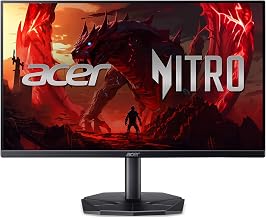
- 27″ WQHD
- 144Hz refresh rate
- IPS Gaming Monitor

- 27 Inch 1440p
- 100Hz refresh rate
- 1ms response time

- 27 Inch 1440p
- IPS panel
- 1ms response time

- 27 inch QHD
- 100Hz refresh rate
- IPS panel
10 Models Reviewed in Depth
#1. ASUS TUF VG27AQL5A
210Hz Refresh
Response Time
Vibrant Colors
For the absolute fastest gaming experience, the ASUS TUF Gaming VG27AQL5A is a top-tier choice, pushing an incredible 210Hz refresh rate with an ultra-low 0.3ms response time. This combination delivers unparalleled motion clarity, making fast-paced games incredibly smooth and responsive. The Fast IPS panel ensures vibrant colors with 130% sRGB coverage, and features like ELMB Sync and G-SYNC compatibility further enhance the competitive edge.
This monitor also offers practical benefits like a height-adjustable stand for better ergonomics. While it includes built-in speakers and HDR10 support, these are secondary to its primary strength: raw speed. If you demand the highest refresh rates for competitive gaming and want to minimize motion blur at all costs, this monitor is hard to beat.
Pros
- Extremely high 210Hz refresh rate
- Very fast 0.3ms response time
- Height-adjustable stand included
Cons
- HDR10 is not very impactful
- Built-in speakers are basic
- Premium price point
Specifications
#2. ASUS ROG XG27ACS
Performance Focus
Vibrant Colors
Fluid Motion
You’ll appreciate the ASUS ROG XG27ACS for its exceptional gaming performance, boasting a blistering 180Hz refresh rate and a rapid 1ms response time that ensures smooth, tear-free visuals. The Fast IPS panel delivers vibrant colors with 133% sRGB coverage, making both games and general content pop. Features like ELMB Sync and G-SYNC compatibility further enhance the gaming experience, providing clear motion and adaptive sync for competitive play.
While this monitor excels in gaming, its USB-C connectivity is a convenient bonus for productivity. However, some users might find the built-in speakers to be basic, and the peak brightness, while adequate for HDR400, won’t satisfy those seeking extreme HDR impact. It’s a fantastic choice for gamers prioritizing speed and visual fluidity.
Pros
- Extremely high refresh rate
- Fast IPS panel for great colors
- Excellent motion clarity
Cons
- Basic built-in speakers
- HDR performance is average
- Can be pricey
Specifications
#3. ASUS TUF VG27AQ3A
Durability Focus
Smooth Gameplay
Vibrant Visuals
The ASUS TUF Gaming VG27AQ3A offers a compelling package for gamers seeking high performance without breaking the bank. You get a sharp 1440p resolution paired with a super-fast 180Hz refresh rate and 1ms response time, ensuring smooth gameplay and minimal ghosting. The Fast IPS panel provides excellent color reproduction with 130% sRGB coverage, making visuals pop.
While it includes built-in speakers and supports HDR10, don’t expect top-tier audio or deep HDR contrast. The G-SYNC compatibility and ELMB Sync are great additions for competitive play. This monitor is an excellent value pick for gamers who prioritize refresh rate and image clarity on a budget.
Pros
- Excellent refresh rate for the price
- Vibrant colors with wide sRGB coverage
- Good for competitive gaming
Cons
- HDR10 support is basic
- Built-in speakers are average
- No USB-C input
Specifications
#4. Acer Nitro XV271U M3
Gaming Monitor
Smooth Motion
Adjustable Comfort
The Acer Nitro XV271U M3 strikes an excellent balance between gaming performance and usability, offering a smooth 180Hz refresh rate and a quick 0.5ms response time. Its 27-inch QHD IPS panel delivers sharp visuals and boasts a wide 95% DCI-P3 color gamut, making it suitable for both gaming and content creation. The inclusion of an ergonomic stand enhances comfort during long sessions.
This monitor provides a solid all-around experience with AMD FreeSync support for tear-free gaming. While it features built-in speakers and basic HDR, its strengths lie in its refresh rate, color accuracy, and adjustable stand. It’s a great choice for users who want a versatile 1440p monitor that excels in gaming but also offers good ergonomics and color performance.
Pros
- High 180Hz refresh rate
- Excellent color gamut coverage
- Ergonomic stand for comfort
Cons
- HDR performance is limited
- Built-in speakers are basic
- No USB-C connectivity
Specifications
#5. Acer Nitro KG271U N3
Gaming Series
Fluid Motion
Clear Images
The Acer Nitro KG271U N3 is a strong contender for budget-conscious gamers, offering a high 180Hz refresh rate and a swift 0.5ms response time for smooth, responsive gameplay. Its 27-inch QHD IPS panel provides sharp visuals and good color reproduction, covering 95% of the DCI-P3 color space, which is impressive for its price point.
While it lacks advanced gaming features found on pricier monitors, it includes essential connectivity like HDMI and DisplayPort. The built-in speakers are functional for basic audio needs. If you’re looking for a high-refresh-rate 1440p monitor without spending a fortune, this Acer model offers excellent value and performance.
Pros
- High 180Hz refresh rate
- Fast 0.5ms response time
- Wide DCI-P3 color coverage
Cons
- Basic HDR support
- Speakers are not high quality
- No USB-C port
Specifications
#6. ASUS ProArt PA278QGV
Calman Verified
Fluid Workflow
Connectivity
The ASUS ProArt PA278QGV is tailored for creative professionals who demand color accuracy and a smooth visual experience. You’ll appreciate its 1440p resolution and 120Hz refresh rate, which offers a noticeable improvement over standard monitors for both design work and general use. The IPS panel is Calman Verified with a Delta E < 2, ensuring exceptional color fidelity crucial for photo editing, video production, and graphic design.
With 95% DCI-P3 coverage and a built-in USB hub, this monitor is well-equipped for demanding workflows. While its 120Hz refresh rate is good, it might not satisfy hardcore gamers seeking the absolute highest frame rates. The ergonomic stand provides excellent adjustability for comfort. This is an outstanding choice for creatives needing precise color and a responsive display.
Pros
- Exceptional color accuracy (Delta E < 2)
- 120Hz refresh rate for smoother visuals
- Integrated USB hub
Cons
- Not the absolute highest refresh rate for gaming
- Premium price point
- HDR capabilities are basic
Specifications
#7. Acer Nitro KG270U P1
Gaming Series
Smooth Motion
Fast Response
The Acer Nitro KG270U P1 is a solid entry-level gaming monitor that provides a significant upgrade over standard displays. You’ll benefit from the 144Hz refresh rate and 1ms VRB response time, which deliver smoother motion and reduced blur in fast-paced games. The 27-inch WQHD IPS panel offers a sharp image with good color reproduction, covering 99% of the sRGB color space.
This monitor includes AMD FreeSync for tear-free gaming and supports HDR10 for enhanced contrast. While it’s a capable gaming monitor, the HDR performance is basic, and the built-in speakers are not a strong point. It’s a great choice for gamers on a budget looking for a noticeable improvement in visual fluidity and responsiveness at 1440p.
Pros
- 144Hz refresh rate for smooth gameplay
- Fast 1ms VRB response time
- Good color coverage
Cons
- Basic HDR implementation
- Speakers are not high quality
- No USB-C port
Specifications
#8. ViewSonic VS2725-2K
Focus Enhancer
Reduced Strain
Clean Look
The ViewSonic VS2725-2K is a solid choice for everyday productivity and general use, offering a sharp 1440p resolution on a 27-inch screen for ample workspace. While its 100Hz refresh rate is a step up from standard 60Hz monitors, it’s not ideal for high-end gaming. The 1ms response time ensures clear visuals for office tasks and media consumption, and the inclusion of Eye Care features helps reduce strain during long workdays.
This monitor provides essential connectivity with HDMI and DisplayPort. The frameless design is aesthetically pleasing and good for multi-monitor setups. If your primary need is a crisp, clear display for work and browsing, with occasional light gaming, this ViewSonic monitor offers good value. However, serious gamers should look for higher refresh rates.
Pros
- Sharp 1440p resolution
- Good for office tasks and productivity
- Frameless design
Cons
- 100Hz refresh rate is not for competitive gaming
- No built-in speakers mentioned
- Basic HDR capabilities
Specifications
#9. ASUS VA27AQ
Reliable Display
Wide Colors
Eye Comfort
The ASUS VA27AQ is a straightforward 1440p monitor suitable for general computing tasks and everyday use. Its 27-inch IPS panel provides a good viewing experience with decent color accuracy, covering 99% of the sRGB spectrum. The 1ms response time helps ensure clarity in motion, making it adequate for casual browsing and media consumption. Features like Low Blue Light and Flicker Free technology aim to improve user comfort during extended use.
This monitor includes built-in speakers and essential connectivity options. However, its refresh rate is not specified but likely standard (60-75Hz), making it less ideal for gaming. If you need a reliable, no-frills 1440p display for work or general use and aren’t concerned with high refresh rates, the VA27AQ is a reasonable option.
Pros
- Sharp 1440p resolution
- Good sRGB color coverage
- Comfort features for long use
Cons
- Likely standard refresh rate (not ideal for gaming)
- Basic HDR capabilities
- No advanced gaming features
Specifications
#10. Acer KB270U E2
Productivity
Smooth Motion
Color Accuracy
The Acer KB270U E2 offers a decent 1440p resolution on a 27-inch IPS panel, providing sharp visuals for everyday tasks and productivity. With a 100Hz refresh rate and 1ms response time, it offers a smoother experience than standard 60Hz monitors, making general use and light gaming more fluid. The 99% sRGB coverage ensures good color accuracy for most users.
While it includes modern HDMI 2.1 ports, its gaming capabilities are limited by the 100Hz refresh rate. The monitor also features blue light filtering and flickerless technology for eye comfort. If you’re looking for a budget-friendly 1440p monitor for general use, web browsing, and office work, this Acer model is a functional choice, but it won’t satisfy demanding gamers.
Pros
- Sharp 1440p resolution
- Smoother than 60Hz with 100Hz refresh
- Good color accuracy
Cons
- 100Hz is not high-end gaming
- Basic HDR support
- No advanced gaming features
Specifications
Sharpen Your View: Finding Your Next 1440p Display
You’re looking for a monitor that offers a significant visual upgrade without breaking the bank on the latest OLED tech. A 1440p resolution strikes a fantastic balance, delivering noticeably crisper images than standard 1080p, while remaining more accessible. This sweet spot means you can enjoy more detail in games, sharper text for productivity, and a more immersive viewing experience for movies and creative work. Investing a little thought now will ensure you get a display that truly enhances your daily digital life.
Decoding the Display’s DNA
When you’re evaluating 1440p monitors that aren’t OLED, a few key elements will dictate your satisfaction. Paying attention to these will help you narrow down the field and find a panel that fits your needs perfectly.
- Panel Type: The underlying technology, such as IPS, VA, or TN, significantly impacts color accuracy, viewing angles, and response times. IPS generally offers great colors and wide viewing angles, VA excels in contrast, and TN prioritizes speed.
- Refresh Rate: Measured in Hertz (Hz), this determines how many times the screen updates per second. A higher refresh rate leads to smoother motion, which is especially beneficial for gaming and fast-paced content.
- Response Time: This refers to how quickly a pixel can change color. Lower response times (often measured in milliseconds, ms) reduce motion blur and ghosting, making fast action appear clearer.
- Color Gamut & Accuracy: For creative work or simply enjoying vibrant media, look for monitors that cover a wide range of colors (like sRGB or DCI-P3) and are factory-calibrated for accuracy.
- Connectivity Options: Ensure the monitor has the ports you need, such as HDMI and DisplayPort, and that they support the latest standards for your graphics card.
- Sticking to your budget: While 1440p offers great value, prices can vary. Prioritize the features most important to you and be prepared to make small compromises on less critical aspects if necessary.
Common Missteps to Sidestep
Navigating the monitor market can sometimes lead to less-than-ideal choices. Here are a few common pitfalls to avoid when you’re on the hunt for a great 1440p non-OLED display.
- Overlooking Refresh Rate for Static Content: If your primary use isn’t gaming, a super-high refresh rate might be overkill and inflate the price unnecessarily. Focus on panel quality and color if your work involves spreadsheets or writing.
- Ignoring Viewing Angles: If you often have people watching content with you or tend to move around your desk, a monitor with poor viewing angles can lead to washed-out colors and reduced contrast from off-center positions.
- Assuming All 1440p Monitors Are Equal: Resolution is just one piece of the puzzle. The panel type, refresh rate, and color reproduction can lead to vastly different visual experiences, even at the same pixel count.
Your Ultimate 1440p IPS Gaming & Productivity Powerhouse
For top-tier gaming performance and vibrant visuals, the ASUS TUF Gaming VG27AQL5A shines as the best all-arounder, while the ASUS ROG XG27ACS offers advanced features for serious gamers. If professional color accuracy is your priority, the ASUS ProArt PA278QGV is your undisputed champion. For budget-conscious gamers seeking high refresh rates, the Acer Nitro series, particularly the XV271U M3, delivers exceptional value.
No matter your specific needs, these 1440p IPS monitors offer a fantastic upgrade. Don’t wait – check the latest pricing and availability for your perfect pick now!
Final 3 Picks: Fastest Refresh, High Refresh Gaming, and Value Gaming
Ready to decide? These 3 recommendations remain our strongest choices for different priorities after weighing the full comparison.