
How to Get Rid of an Old Computer Monitor
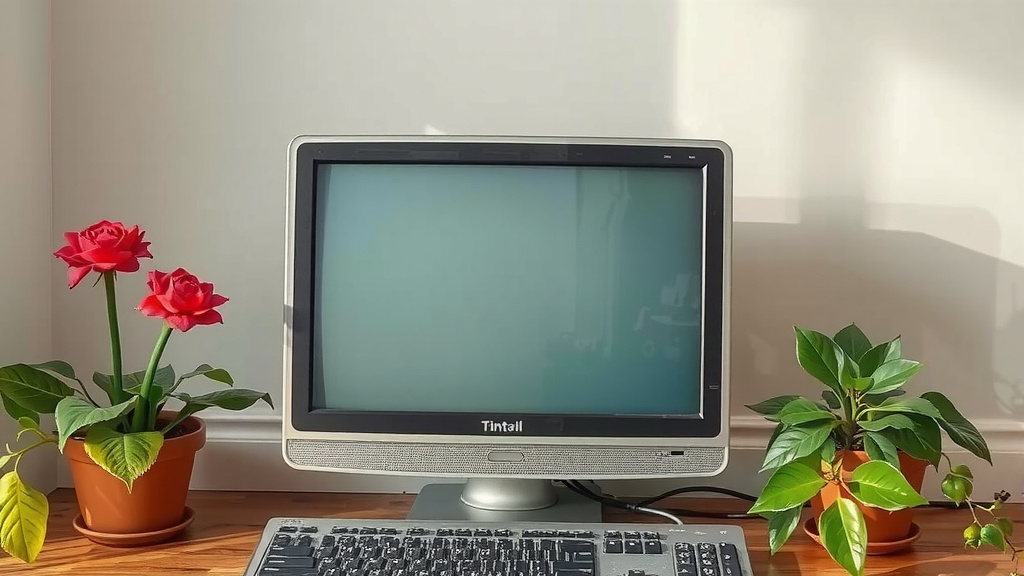
You’re probably wondering what to do with that old computer monitor collecting dust. The easiest way to get rid of an old computer monitor is to recycle it responsibly. Many electronics retailers and local waste management facilities offer free recycling programs for monitors. You can also look into donating working monitors to schools or charities.
Getting rid of old tech can feel overwhelming, but it doesn’t have to be. We found that old monitors often contain materials that are harmful to the environment if not disposed of properly. Responsible recycling ensures these components are handled safely and resources are recovered. It’s important to avoid tossing them in your regular trash bin.
- Recycle through electronics retailers or local programs.
- Donate working monitors to schools or charities.
- Check manufacturer take-back programs.
- Never throw monitors in regular household trash.
- Look for certified e-waste recyclers.
Let’s walk through the best options to get that old screen off your hands the right way.
What to Do With an Old Computer Monitor
So, your trusty old monitor has seen better days. Maybe it’s flickering, maybe it’s just too darn small compared to today’s screens. Whatever the reason, you’re likely wondering about the best way to say goodbye to it. Fortunately, you have several good options that help the planet and your peace of mind.
Recycling is Your Best Bet
When it comes to old monitors, recycling is often the most responsible choice. These devices contain materials that can be harmful if they end up in a landfill. They also hold valuable components that can be recovered and reused.
Electronics Retailer Take-Back Programs
Many big box stores that sell electronics also offer recycling programs. You can often bring your old monitor right back to the store. Some might even offer a small discount on a new purchase. It’s always wise to check their website or call ahead to confirm their specific policies for monitors.
Manufacturer Recycling Initiatives
Did you know the company that made your monitor might have a program to take it back? Many manufacturers understand their responsibility for the products they create. They often have mail-in or drop-off options for recycling. Doing a quick search for “[Your Monitor Brand] recycling program” can help you find this.
Local E-Waste Collection Events and Centers
Your local community is a great resource. Many towns and cities host special e-waste collection days throughout the year. These events make it easy to drop off electronics like monitors. Some areas also have permanent e-waste recycling centers.
You can usually find information on these programs through your city or county’s waste management website. They’ll tell you where and when you can drop off your old screen. It’s a fantastic way to ensure your monitor is handled by certified professionals.
What to Look For in a Recycler
Not all recycling operations are created equal. For monitors, it’s important to use a recycler certified by organizations like R2 or e-Stewards. These certifications mean the recycler meets strict environmental and worker safety standards. We found that using certified recyclers gives you the greatest assurance that your monitor is being processed correctly.
Donating a Working Monitor
Is your old monitor still in good working condition? Don’t let it go to waste! Donating it can give it a second life and help someone in need. Schools, community centers, and non-profit organizations are often looking for gently used computer equipment.
Who Might Need Your Monitor?
Think about local charities, libraries, or after-school programs. Many operate on tight budgets and would be thrilled to receive a working monitor. Sometimes, programs even help individuals or families get back on their feet by providing them with essential tech.
Preparing Your Monitor for Donation
Before you donate, make sure the monitor is clean and functional. Test it thoroughly to ensure there are no dead pixels or connection issues. Also, remember to include any necessary cables, like the power cord and the video cable. This makes it easier for the recipient to set it up right away.
Selling Your Old Monitor
If your monitor is fairly recent and in excellent condition, you might consider selling it. While you won’t get a fortune, you can recoup some of your costs. Online marketplaces and local classifieds are good places to start.
Where to Sell Your Monitor
Websites like eBay, Craigslist, or Facebook Marketplace allow you to list items for sale. You can also check out dedicated tech resale sites. Remember to be honest about the monitor’s condition. Good quality photos and a detailed description will help attract buyers.
Pricing Your Monitor
Do a little research to see what similar monitors are selling for. Consider the brand, model, size, and age. A fair price will help it sell faster. You might also want to factor in the cost of shipping if you plan to sell it online.
Responsible Disposal: What NOT to Do
It’s crucial to avoid tossing your old monitor in the regular trash. We found that monitors, especially older CRT (cathode ray tube) models, contain hazardous materials like lead. These substances can leach into the soil and water if not disposed of properly. Municipal landfills are not equipped to handle these hazardous components.
This is why electronic waste, or e-waste, needs special handling. Following responsible disposal methods protects the environment and human health. So, please, skip the curb-side bin for your old screen.
Checklist for Responsible Monitor Disposal
Here’s a quick rundown to help you get rid of your old monitor the right way:
- Confirm it works: If so, consider donation or selling.
- Research local recycling: Check retailer or city e-waste programs.
- Look for certification: Choose R2 or e-Stewards certified recyclers.
- Gather cables: Include power and video cords if donating/selling.
- Wipe data: Ensure any personal data is removed from attached devices.
- Never use regular trash: Always opt for specialized disposal.
Conclusion
You’ve learned that getting rid of an old computer monitor doesn’t have to be a hassle. Responsible disposal is key to protecting our environment from harmful materials. Whether you choose to recycle through a certified program, donate a working unit, or even sell a newer model, you’re making a smart choice. Always remember to never toss it in your regular trash. Your next step is to identify the best local option based on your monitor’s condition.
Frequently Asked Questions
How do I find a certified e-waste recycler near me?
You can find certified recyclers by searching online for “R2 certified recycler” or “e-Stewards recycler” followed by your city and state. Many local government waste management websites also list approved facilities. These certifications ensure your monitor is handled safely and ethically.
Can I sell an old CRT monitor?
Selling older CRT monitors can be challenging as they are bulky and less in demand. While some people might still seek them for specific uses, you’ll likely have better luck donating a working CRT or recycling it responsibly. Focus your selling efforts on newer LCD or LED models.
What happens to monitors at a recycling facility?
At a recycling facility, monitors are carefully dismantled. Components like glass, plastic, and metals are separated. Hazardous materials are treated and disposed of safely, while other materials are processed for reuse in new products. This prevents pollution and conserves resources.
Is it safe to transport an old monitor myself?
Yes, it is generally safe to transport an old monitor yourself to a recycling center or drop-off location. Just handle it with care to avoid dropping or damaging it, especially if it’s a glass-screen CRT model. Ensure it’s secured in your vehicle so it doesn’t shift during transit.
What if my monitor is broken and not working?
If your monitor is broken, recycling is your primary option. Do not attempt to repair it yourself unless you have experience with electronics and safety precautions. Look for local e-waste recycling events or designated drop-off locations that accept non-working electronics. These facilities are equipped to handle damaged items.