What’s a Normal Monitor Size? Your Definitive Guide
A normal monitor size typically ranges from 21 to 27 inches diagonally. While smaller monitors exist, this range offers a good balance for most tasks. You can find monitors as small as 19 inches or much larger, but 24 inches is often considered the sweet spot for general computer use and gaming. Many factors influence what’s “normal” for you, including your desk space and what you use your computer for.
When we talk about monitor size, we’re referring to the diagonal measurement of the screen, from corner to corner. The aspect ratio (like 16:9 or 16:10) also plays a role in how much space the screen takes up. Beyond just size, screen resolution and refresh rate are also important factors to consider for your viewing experience. Think about how much space you have and what you want to see.
- Monitor sizes are measured diagonally.
- Typical sizes are 21 to 27 inches.
- 24 inches is a very common and versatile size.
- Your needs and desk space matter most.
We found that choosing the right monitor size really depends on your personal needs. Let’s break down what you should consider to find your perfect fit.
So, you’re wondering about “how big is a typical computer screen?” It’s a great question because screen size can really change how you use your computer. We’re not just talking about how much desk space it takes up. The right size can make work easier and gaming more immersive. Let’s figure out what’s considered normal and what might be best for your setup.
Understanding Monitor Dimensions
When folks talk about monitor size, they’re usually talking about the diagonal measurement of the screen. Think of measuring from the very bottom-left corner to the very top-right corner. This is a standard way to compare different monitors.
The Role of Aspect Ratio
But it’s not just the diagonal number. The aspect ratio matters too. This is the ratio of the screen’s width to its height. The most common aspect ratio today is 16:9. This is often called “widescreen.” It’s great for watching movies and most modern applications. Some older monitors, or those designed for specific creative tasks, might use a 16:10 or even a 4:3 aspect ratio. A 16:9 screen will look wider than a 4:3 screen of the same diagonal size. So, two monitors with the same diagonal measurement could feel different in terms of how much content they show horizontally.
The Most Common Monitor Sizes You’ll See
We found that most people are looking at monitors somewhere between 21 and 27 inches. This range hits a sweet spot for a lot of users. Let’s break down why this is so popular.
Small to Medium: The 21 to 23-Inch Range
Monitors in this size range are often found in offices or for people who don’t have a lot of desk space. They are perfectly fine for everyday tasks like checking email, browsing the web, or working on documents. You might even find some gaming monitors in this size. They take up less room and are usually a bit more affordable.
The Sweet Spot: 24-Inch Monitors
If you ask many people, a 24-inch monitor is the most “normal” size you can get. It’s a fantastic all-around choice. For work, it offers enough screen real estate to have two windows open side-by-side without feeling cramped. For gaming, it provides a good balance. You get a decent view of the action without needing to move your head too much. Many competitive gamers prefer 24 inches because they can see the whole screen easily and react quickly. We found that 24 inches is a really versatile size for most users.
Larger Options: 25 to 27 Inches
Stepping up to 25 or 27 inches gives you more room to play with. A 27-inch monitor is a popular choice for both productivity and entertainment. You can comfortably run multiple applications at once, making it great for multitasking. Video editors, graphic designers, and even programmers often find this size very useful. Gamers might enjoy the more immersive experience. However, a 27-inch monitor will take up more desk space and might require you to move your eyes or head more to take in the whole screen. Think about your desk dimensions carefully.
Beyond “Normal”: What Else to Consider
While the 21-27 inch range is common, size isn’t the only thing that defines a “normal” or “good” monitor for you. Other factors can influence your choice just as much, if not more.
Your Desk Space Matters
You might love the idea of a giant 32-inch monitor, but if you only have a small corner desk, it’s just not going to work. Measure your desk first! You need to account for the monitor itself, plus your keyboard, mouse, and any other accessories. You also need space to sit comfortably. We found that You might love the idea of a giant 32-inch monitor, but if you only have a small corner desk, it’s just not going to work.desk space is often the biggest limiting factor for many people.
What Will You Be Doing?
Your computer usage is a huge clue. Are you a student who just needs to write papers and browse the web? A 22-inch monitor might be perfectly fine. Are you a graphic designer who needs to see every tiny detail of an image? You’ll likely want something larger, perhaps 27 inches or more. For gaming, it’s a mix. Fast-paced games might benefit from smaller, quicker-to-scan screens, while immersive RPGs can shine on larger displays. Consider your primary activities.
Resolution: More Than Just Size
A big screen with a low resolution can look fuzzy or pixelated. Resolution refers to the number of pixels on the screen – more pixels mean a sharper image. For a 24-inch monitor, 1920×1080 (Full HD) is very common and looks good. For a 27-inch monitor, many people recommend 2560×1440 (QHD or 1440p) for a much sharper picture. A 32-inch monitor might even benefit from 3840×2160 (4K UHD). We found that pairing the right resolution with your monitor size makes a A high refresh rate is important for smooth visuals, especially for gaming.big difference in clarity.
Viewing Distance
How far away do you sit from your screen? If you sit very close, a larger screen might feel overwhelming. If you sit further away, a smaller screen might feel tiny. A good rule of thumb is to sit about an arm’s length away from your monitor. For most people, this distance works well with monitors in the 24 to 27-inch range.
Ultrawide and Curved Monitors
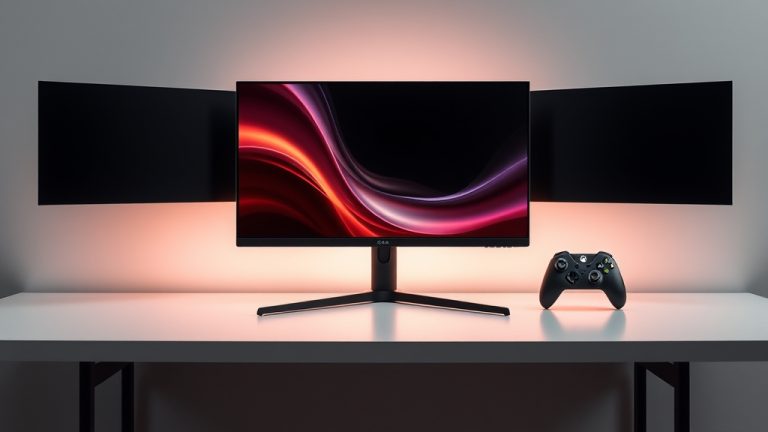
You might also see “ultrawide” monitors. These are much wider than they are tall, often with aspect ratios like 21:9 or 32:9. They can be very immersive for gaming and great for multitasking, letting you have three or four windows open easily. Curved monitors are designed to wrap around your field of vision, which can reduce eye strain and improve immersion. These are typically larger monitors, so desk space is a key consideration.
Checklist for Finding Your Ideal Monitor Size
- Measure your desk space first.
- Think about your main computer tasks.
- Consider how far you sit from the screen.
- Don’t forget about resolution for clarity.
- What kind of games or movies do you enjoy?
- Do you need to multitask often?
Conclusion
So, what’s a normal monitor size? We found that while 21 to 27 inches is the typical range, a 24-inch display often hits the sweet spot for most users. It offers a great balance for work and play without demanding too much desk space. Ultimately, the best size for you depends on your specific needs, desk setup, and how far you sit from the screen. By considering these factors, you can confidently choose a monitor that enhances your computing experience.
Take a moment to measure your desk and think about your daily tasks. This will help you pinpoint the perfect screen size for your setup.
Frequently Asked Questions
What is the most common monitor size for home offices?
For home offices, we found that 24-inch monitors are extremely popular. They provide enough screen real estate for comfortable multitasking and productivity without taking over your entire desk. Many users also find the 27-inch size works well if they have a bit more space and need to view multiple windows simultaneously.
Can a 27-inch monitor be too big for my desk?
Yes, a 27-inch monitor can feel quite large, especially on smaller desks. We recommend measuring your available desk width and depth before purchasing. Consider how much space you need for your keyboard, mouse, and comfortable arm movement. A larger monitor might also require you to sit slightly further back to view the entire screen comfortably.
Is a 24-inch monitor good for gaming?
Absolutely. We found that a 24-inch monitor is considered a fantastic choice for gaming by many. Its size allows you to see the entire screen at a glance, which is great for fast-paced games where quick reactions are key. It also offers a good balance between immersion and practicality, fitting well on most desks.
How does resolution affect my perception of monitor size?
Resolution plays a big role in how sharp and clear your monitor appears, regardless of size. For example, a 27-inch monitor with a lower resolution (like 1080p) might look less sharp than a 24-inch monitor with the same resolution. We found that pairing a higher resolution, like 1440p or 4K, with larger monitors (27 inches and up) provides a much more detailed and pleasant viewing experience.
Are ultrawide monitors considered “normal” monitor sizes?
While ultrawide monitors (like 21:9 or 32:9 aspect ratios) are becoming more common, they are generally not considered a “normal” size in terms of width. They are typically larger overall and take up significantly more desk space than standard 16:9 monitors. We often see them chosen by users who prioritize immersion for gaming or need extensive screen real estate for demanding work tasks.