What’s the Standard Computer Monitor Size Explained
A standard computer monitor isn’t one single size. Most common monitors today are between 21 and 27 inches measured diagonally. You’ll also find larger ones, but this range is considered the typical sweet spot for everyday use. It’s about finding the right fit for your desk and your eyes.
When we talk about monitor size, we’re referring to the viewable screen area. This measurement is always diagonal. Beyond the standard, sizes can go much smaller or much larger, depending on your needs. Think about screen resolution and aspect ratio, as these also affect how much you see and how it looks on your screen.
- Most monitors are 21-27 inches.
- Size is measured diagonally.
- Larger and smaller options exist.
- Resolution matters for screen real estate.
- Choose based on your desk and tasks.
Ready to get a clearer picture? Below, we break down exactly what goes into monitor sizing and help you figure out what’s best for your setup.
Understanding Your Monitor’s True Size
So, you’re wondering about monitor sizes. It’s not as simple as just picking a number off a shelf. We’ve found that understanding how screen size is measured is the first step to finding the right monitor for your needs.
Diagonal Measurement: The Standard Story
When shops or manufacturers talk about monitor size, they almost always mean the diagonal measurement of the screen. This is the distance from one corner to the opposite corner. Think of it like measuring a rectangle from top-left to bottom-right. This measurement is standardized across the industry, so a 24-inch monitor is generally a 24-inch monitor, no matter the brand.
This diagonal measurement refers specifically to the viewable image size (VIS). This means it’s the actual part of the screen you can see content on, not including the plastic bezel that surrounds it. We found this distinction is important because sometimes the physical dimensions of the monitor are larger than the visible screen.
Why Not Width and Height?
You might wonder why we don’t use width and height. Well, monitors come in different shapes, or aspect ratios. The most common is 16:9, which is wider than it is tall. Older monitors might be 4:3, which is closer to a square. Measuring diagonally gives a single, consistent number that accounts for both width and height variations.
We found that focusing on the diagonal is the simplest way to compare monitor sizes quickly. It’s a universal language for screen dimensions.
Common Monitor Sizes and What They Mean
Most people looking for a standard computer monitor land in a specific size range. Let’s break down what those common sizes usually mean for your day-to-day use.
The Sweet Spot: 21 to 27 Inches
As mentioned, this range is where most users find their perfect fit. For general tasks like browsing the web, checking email, or working on documents, a 21 to 24-inch monitor is often plenty. You get a good amount of screen real estate without overwhelming your desk space.
Stepping up to a 27-inch monitor offers a noticeable increase in screen area. This can be fantastic for multitasking, allowing you to have two windows side-by-side with ease. Many gamers and creative professionals also find 27 inches to be an excellent balance between immersion and practicality. We found that 27 inches is frequently cited as a popular choice for both work and play.
Beyond the Standard: Smaller and Larger Options
What if you need something different? Smaller monitors, often in the 17 to 20-inch range, are still around. These are great for limited desk space, basic computer needs, or as secondary displays. They usually come with lower resolutions, so detailed work might feel cramped.
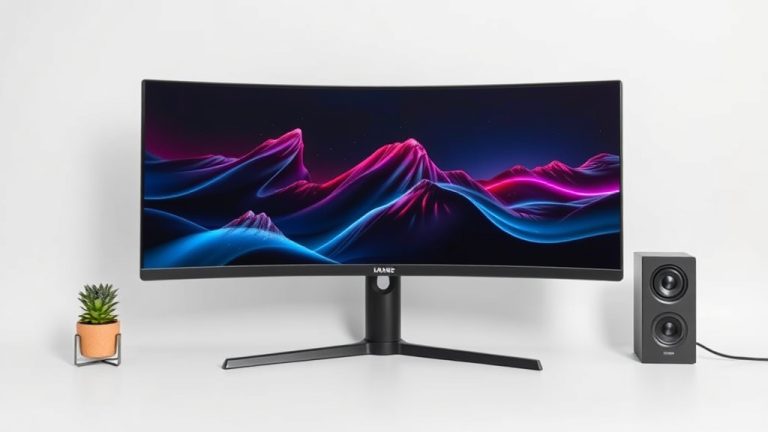
On the other end, you’ll find monitors that are 30 inches and larger. These are often considered ultra-wide or even ultrawide curved displays. They offer a massive amount of screen space, ideal for complex video editing, detailed graphic design, or immersive gaming experiences. However, they require significant desk real estate and can sometimes be too large for comfortable viewing if you sit too close.
It’s Not Just Size: Resolution and Aspect Ratio Matter
While the diagonal size is the first number you see, it’s not the whole story. The screen’s resolution and its aspect ratio play huge roles in how much you can see and how clear it looks.
Resolution: More Pixels, More Space
Resolution tells you how many pixels make up the screen image. More pixels mean a sharper image and, crucially, more usable space on your screen. A higher resolution on the same size monitor will let you fit more windows or more content on your screen.
For example, a 24-inch monitor with a 1920×1080 (Full HD) resolution will have less screen real estate than a 24-inch monitor with a 2560×1440 (QHD) resolution. We found that many users upgrade their resolution before they upgrade their physical screen size. This is because it directly impacts productivity. Many guidelines suggest QHD for 27-inch monitors to maintain sharp visuals (PCMag).
Aspect Ratio: The Screen’s Shape
The aspect ratio describes the proportion of the screen’s width to its height. The most common aspect ratio today is 16:9. This is the standard for most TVs and monitors, offering a widescreen view that’s great for movies and modern applications.
You might also encounter 21:9 or even 32:9 aspect ratios. These are known as ultrawide monitors. They are significantly wider than they are tall. This extra width is fantastic for multitasking, side-by-side comparisons, or immersive gaming. However, some older content or applications might not display correctly on such a wide screen, showing black bars on the sides.
| Diagonal Size | Common Resolutions | Typical Use Cases |
|---|---|---|
| 21-24 inches | 1920×1080 (Full HD) | Everyday computing, office work, general browsing, basic gaming. |
| 25-27 inches | 1920×1080 (Full HD), 2560×1440 (QHD) | Multitasking, productivity, gaming, casual creative work. |
| 30+ inches (Standard Widescreen) | 2560×1440 (QHD), 3840×2160 (4K UHD) | High-end gaming, professional creative work, multiple applications. |
| 34+ inches (Ultrawide) | 3440×1440 (Ultrawide QHD), 5120×1440 (Dual QHD) | Advanced multitasking, extensive coding, immersive gaming, video editing. |
Choosing the Right Size for You
Ultimately, the “standard” monitor size is the one that works best for your specific needs and workspace. Don’t just pick a size because it’s popular. Consider these factors:
Your Desk Space
Measure your desk! It sounds simple, but a huge monitor can make a small desk feel cramped and uncomfortable. You need space for your keyboard, mouse, and comfortable arm positioning. We found that a 27-inch monitor is often the largest that fits comfortably on many standard desks without feeling overwhelming.
Your Tasks and Activities
What will you be doing most often? For basic tasks, a smaller, simpler monitor is fine. For heavy multitasking, coding, or graphic design, a larger screen or higher resolution is beneficial. Gamers often look for a balance of size, refresh rate, and resolution. Gamers often look for a balance of size, refresh rate, and resolution.
Your Viewing Distance
How far away do you sit from your monitor? If you sit close, a massive screen might mean you’re constantly moving your head to see everything. A good rule of thumb is to have the monitor about an arm’s length away. For this distance, many find 24 to 27 inches to be ideal.
Your Budget
Larger monitors and those with higher resolutions generally cost more. While a 32-inch 4K monitor might be tempting, a 24-inch 1080p or 27-inch 1440p monitor could be a more budget-friendly and practical choice.
Quick Checklist for Your Monitor Choice:
- Measure your desk space first.
- List your main computer tasks (work, gaming, browsing).
- Consider how far you sit from the screen.
- Think about your budget for the monitor.
- Decide if multitasking is a priority.
- Don’t forget resolution for sharpness and space.
Conclusion
You’ve learned that a “standard” computer monitor size isn’t a single dimension, but typically falls between 21 and 27 inches. We’ve seen how diagonal measurements, aspect ratios, and resolutions all impact your viewing experience and screen real estate. Don’t pick a size just because it’s common; consider your desk space, how far you sit, and your primary computer tasks.
Your next step is to measure your desk and think about what you do most on your computer. This will help you confidently choose a monitor size that truly fits your needs and enhances your daily computing.
Frequently Asked Questions
What is the most common computer monitor size today?
The most common monitor sizes you’ll find for everyday use are between 21 and 27 inches diagonally. This range offers a good balance between screen space and desk footprint for most people.
Does monitor size include the bezel?
No, the advertised monitor size refers to the viewable image size (VIS). This is the diagonal measurement of the actual screen area, not including the plastic frame or bezel surrounding it.
How does resolution affect my monitor’s usable screen size?
Higher resolution means more pixels packed into the screen. On the same-sized monitor, a higher resolution allows you to fit more content and applications side-by-side, making it feel like you have more screen space.
Should I choose a larger monitor if I multitask a lot?
Yes, if you frequently work with multiple windows open, a larger monitor (like 27 inches or more) or an ultrawide monitor can significantly improve your multitasking efficiency.
How far should I sit from my computer monitor?
A good rule of thumb is to sit about an arm’s length away from your screen. For this viewing distance, monitors in the 24 to 27-inch range are often ideal for comfortable viewing without excessive head movement.