How to Clean Your Monitor Safely and Effectively
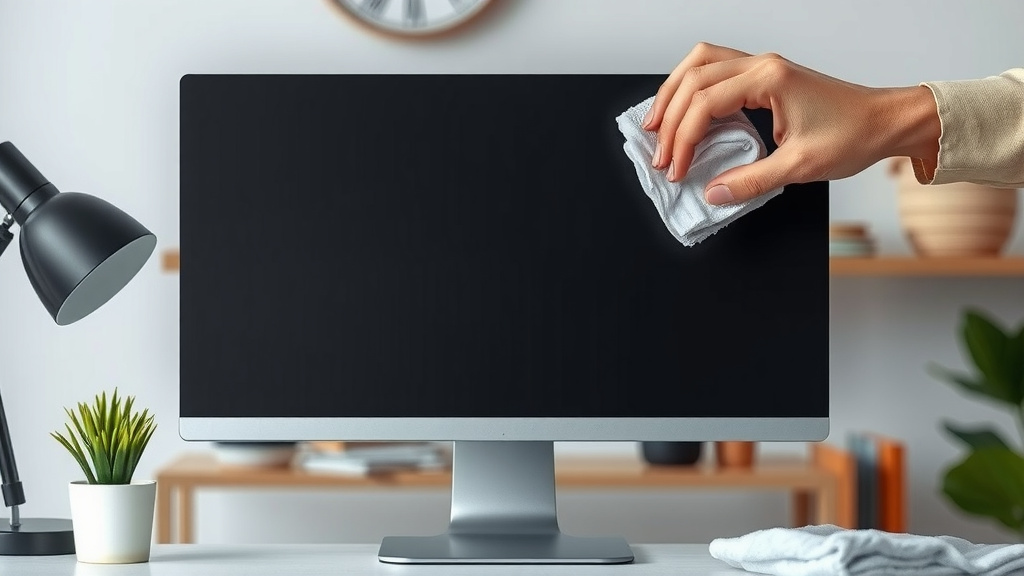
The easiest way to clean your monitor is by using a microfiber cloth dampened with distilled water or a specialized screen cleaner. You can tackle smudges and dust effectively without causing damage. Just remember to never spray liquid directly onto the screen.
Keeping your monitor clean makes a big difference in your viewing experience. It’s not just about appearances; a clean screen can reduce eye strain and make content clearer. We found that a consistent cleaning routine is key to maintaining your monitor’s performance and longevity.
- Use a soft microfiber cloth.
- Dampen with distilled water or screen cleaner.
- Wipe gently, don’t scrub.
- Never spray liquid directly on the screen.
- Turn off your monitor first!
Ready to get that screen looking like new? Let’s walk through the simple steps to safely clean your monitor so you can enjoy a crystal-clear view.
Getting Your Monitor Screen Sparkling Clean
You want your monitor to be crystal clear. A dirty screen can really distract you. It can make images fuzzy and colors dull. Cleaning it properly is simpler than you might think. We’re going to guide you through the best methods. You’ll be amazed at the difference a clean screen makes.
The Right Tools for the Job
Before you even think about touching your monitor, gather your supplies. Having the right tools prevents damage. You wouldn’t use steel wool on a baby’s blanket, right? The same care applies to your screen.
Your Go-To Cleaning Cloth
The hero of monitor cleaning is the microfiber cloth. Why microfiber? These cloths are super soft. They have tiny fibers that trap dust and grime effectively. They also won’t scratch your delicate screen surface. Always use a clean one. A dirty cloth can just spread the mess around.
Many experts recommend having at least two microfiber cloths handy. One for the initial dusting and one for polishing. This keeps you from pushing dirt around. Think of it like washing your car: you use one mitt for soap and another for rinsing. You don’t want to mix those!
Choosing Your Cleaning Solution
Distilled water is your safest bet for most smudges. Tap water can contain minerals. These minerals can leave streaks or even tiny scratches over time. Distilled water is pure and gentle. It’s like giving your monitor a spa day.
For tougher grime, like fingerprints or sticky residue, a specialized screen cleaner is ideal. These are formulated to be safe for electronic screens. They cut through grease without damaging coatings. Always check the label to ensure it’s suitable for your monitor type (LCD, LED, OLED). We found that most readily available screen cleaners are effective and safe for general use.
What about common household cleaners? We strongly advise against them. Ammonia, alcohol, and window cleaner can strip away protective coatings. They might even cause permanent damage. It’s not worth the risk to save a few dollars. Many tech support sites warn against using these abrasive cleaners (TechRadar).
Step-by-Step Monitor Cleaning Guide
Now that you have your tools, let’s get cleaning! Following these steps ensures a safe and effective clean. Remember, patience is key here. You’re not scrubbing a tough stain on a kitchen counter; you’re caring for delicate electronics.
Preparation is Key: Power Down!
First and foremost, turn off your monitor. Seriously, do it now. Cleaning a powered-on screen can lead to visual artifacts. It also makes it harder to see dust and smudges against a dark background. Unplug it from the power source for extra safety. This is a simple step many overlook, but it’s vital.
The Dry Wipe: Dust Be Gone
Start with a dry microfiber cloth. Gently wipe the screen in one direction. Move from top to bottom or side to side. This removes loose dust particles. Don’t press hard. You’re just coaxing the dust away. It’s like gently brushing a cobweb from a delicate sculpture.
If you notice dust bunnies clinging to the edges or bezel, use a clean, dry cloth to wipe those areas too. Some people use a can of compressed air for stubborn dust in vents, but be cautious. Hold the can upright and use short bursts from a distance to avoid moisture buildup.
The Damp Wipe: Tackling Smudges
If the dry wipe didn’t get everything, it’s time for a slightly damp cloth. Lightly dampen your second microfiber cloth with distilled water or your screen cleaner. Never spray liquid directly onto the monitor screen. This is the golden rule of screen cleaning. Liquid can seep into the bezel and damage internal components. We learned this the hard way with an old tablet once!
Gently wipe the screen in a consistent pattern. Circular motions can sometimes cause micro-scratches. Instead, use smooth, horizontal or vertical strokes. Overlap your strokes slightly. Apply just enough pressure to lift the smudge, not to push it around. Imagine you’re gently polishing a mirror.
For stubborn spots, you might need to go over them a couple of times. You can also hold the damp cloth on the spot for a few seconds to let the cleaner work. Then, wipe gently. If a spot is particularly resistant, a dedicated screen cleaner spray on the cloth is usually more effective than water alone. Many display manufacturers emphasize using a cleaner specifically designed for screens (Dell Support).
The Drying Touch: No Streaks Allowed
After the damp wipe, there might be residual moisture. Use a third, completely dry microfiber cloth to gently buff the screen. This removes any remaining dampness. It also helps polish the screen to a streak-free shine. Again, use gentle, overlapping strokes. You’re aiming for a perfectly clear finish.
Allow the monitor to air dry completely before turning it back on. This ensures no moisture is trapped anywhere. It’s a small detail, but it adds another layer of protection. Think of it as letting a freshly painted wall cure.
Specific Screen Types and Their Needs
While the basic steps are the same, some screen types might have slight variations in care. Most modern monitors are LCD or LED, which are covered by the methods above. However, if you have an older model or a specialized screen, a little extra knowledge helps.
Touchscreen Monitors
Touchscreens tend to accumulate fingerprints and smudges faster. The process is the same as for regular monitors. However, you might find yourself cleaning them more often. A good quality screen cleaner and microfiber cloths are essential here. Be extra gentle around the edges where the glass meets the frame.
Matte vs. Glossy Screens
Glossy screens can show smudges more prominently. Matte screens tend to hide dust better but can be more prone to static cling. The cleaning methods remain largely the same. The key is gentle pressure and the right cleaning agents. We found that matte screens sometimes benefit from a slightly less damp cloth to avoid attracting more dust.
Quick Checklist for a Clean Monitor
Ready for that crystal-clear view? Here’s a quick rundown:
- Turn off and unplug your monitor.
- Use a clean microfiber cloth for dusting.
- Dampen a cloth with distilled water or screen cleaner (never spray screen directly).
- Wipe gently in consistent strokes.
- Buff dry with another clean microfiber cloth.
- Ensure the screen is completely dry before powering on.
Conclusion
You’ve now got the simple, safe steps to keep your monitor looking its best. Remember, the key is using the right tools like a microfiber cloth and being gentle. Avoiding harsh chemicals and never spraying liquid directly on the screen protects your investment. A clean monitor means a better viewing experience and can even reduce eye strain. Make this quick cleaning routine a habit, and your screen will thank you with clear, vibrant visuals for years to come. Now, go ahead and give your monitor that much-needed polish!
Frequently Asked Questions
How often should I clean my monitor?
For optimal viewing and to prevent buildup, we recommend a quick dusting with a dry microfiber cloth at least once a week. A more thorough damp cleaning can be done every two to four weeks, or whenever you notice smudges or dust.
Can I use a paper towel to clean my monitor?
No, it’s best to avoid paper towels, tissues, or old t-shirts. These materials can be abrasive and leave behind lint or even scratch your screen. Always stick to a soft, lint-free microfiber cloth for safe cleaning.
What if I don’t have distilled water?
If distilled water isn’t readily available, a dedicated screen cleaner formulated for electronics is your next best option. If you’re in a pinch and need to clean a minor smudge, a slightly dampened cloth with filtered water is a safer alternative to tap water.
My monitor has stubborn spots. How do I remove them?
For tough spots, apply a small amount of specialized screen cleaner to your microfiber cloth (never directly to the screen). Gently work the spot in a circular or side-to-side motion. You may need to let the cleaner sit for a few seconds before gently wiping it away.
Is it safe to clean my laptop screen the same way?
Yes, the cleaning methods for monitors generally apply to laptop screens as well. Always use a microfiber cloth and a gentle cleaning solution like distilled water or a screen-specific cleaner. Be extra careful with laptops, as their screens are often more integrated into the device.