27-inch Monitor Size Explained: What You Need to Know
So, you’re wondering, how big is a 27-inch monitor, really? A 27-inch monitor measures 27 inches diagonally across the screen. This measurement tells you the screen’s size, not its overall dimensions. It’s a popular size for many people because it offers a good balance of screen real estate without taking up too much desk space.
When we talk about a 27-inch monitor, we mean the diagonal measurement of the display itself. The actual width and height of the monitor will be different, depending on the bezel size. This size is great for multitasking and gaming. It provides enough space for multiple windows. Many users find it an upgrade from smaller screens.
- A 27-inch monitor is measured diagonally.
- It’s a popular size for general use and gaming.
- This size offers good screen space without being too large.
- Consider the bezel size for the monitor’s overall footprint.
Let’s break down what a 27-inch monitor actually looks and feels like on your desk, and what makes it a great choice for so many.
Understanding Your 27-Inch Monitor’s Real Estate
So, you’ve got your eye on a 27-inch monitor. That number, 27 inches, refers to the diagonal measurement of the viewable screen space. Think of it like measuring your TV – it’s the longest distance from one corner to the opposite corner.
But what does that actually look like on your desk? It’s a size that many people find hits a sweet spot. It’s large enough to feel immersive for movies or games, yet not so massive that it overwhelms your workspace. We’ll help you visualize this popular monitor size.
What a 27-Inch Monitor Actually Measures
When you see “27-inch monitor,” remember this refers only to the screen’s diagonal. The physical dimensions of the monitor itself – its width and height – will be slightly larger. This is because of the bezels, the frames that surround the screen.
Screen Dimensions: The Viewable Area
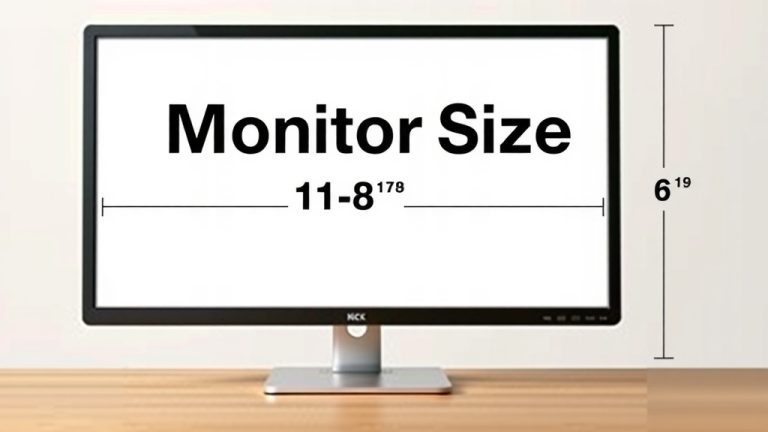
The actual viewable screen area for a 27-inch monitor is typically around 23.5 inches wide by 13.2 inches tall. This gives you a good sense of the usable space you’ll have for your applications and content. It’s like buying a picture frame; the frame adds to the overall size, but the picture is what you see.
External Dimensions: How Much Desk Space It Takes
The overall width and height will depend on the bezel design. Modern monitors often feature slim bezels, sometimes called “borderless” or “near-borderless.” This means the stand and the plastic edges around the screen add only a little extra to the screen’s dimensions. For a 27-inch monitor with slim bezels, you might be looking at an overall width of around 24-25 inches and a height of about 16-18 inches, depending on the stand.
| Measurement | Size |
|---|---|
| Diagonal (Screen) | 27 inches |
| Width (Viewable Screen) | ~23.5 inches |
| Height (Viewable Screen) | ~13.2 inches |
| Overall Width (with slim bezels) | ~24-25 inches |
| Overall Height (with stand) | ~16-18 inches |
Always check the specific product dimensions if desk space is tight. Manufacturers provide these details, and they are super helpful for planning your setup.
Why 27 Inches is So Popular
So, why has this particular size become such a favorite? We found that a 27-inch monitor offers a great balance for many users. It avoids the cramped feeling of smaller screens while still being manageable for most desk environments.
The Sweet Spot for Productivity
For work, a 27-inch monitor is fantastic. You can comfortably open two or even three windows side-by-side without everything feeling too squished. Imagine having your email on one side, a document in the middle, and a web browser on the other. This makes multitasking a breeze. Many productivity experts suggest this screen size for its efficiency gains (Productivity Magazine).
An Immersive Gaming Experience
Gamers often prefer 27-inch monitors too. The larger screen pulls you deeper into the action, making the visuals more engaging. You can spot details more easily, which can be a real advantage in fast-paced games. A 27-inch monitor with a high refresh rate can truly transform your gaming setup.
Comfortable for Everyday Use
Even for casual browsing, watching videos, or social media, a 27-inch screen provides a more enjoyable experience. You don’t have to lean in or strain your eyes as much. It feels less like looking at a small device and more like engaging with a larger, more expansive view.
Comparing 27 Inches to Other Sizes
How does a 27-inch monitor stack up against common alternatives? Let’s quickly look at the popular sizes around it.
24-Inch Monitors: The Compact Choice
A 24-inch monitor is a classic choice, especially for those with limited desk space or who prefer a more minimalist setup. They are often more affordable too. However, the screen real estate is noticeably smaller than a 27-inch. Multitasking might feel a bit more cramped, and the immersion for gaming or movies is less pronounced.
32-Inch Monitors: The Big Picture
Stepping up to a 32-inch monitor offers a much larger canvas. This size is excellent for those who want a truly cinematic experience or need maximum space for complex design work. However, a 32-inch monitor can feel overwhelming on a smaller desk. You might also find yourself moving your head more to take in the entire screen.
Think of it like choosing a room size. A 24-inch is a cozy studio apartment, a 27-inch is a comfortable one-bedroom, and a 32-inch is a spacious two-bedroom. Each has its own benefits depending on your needs and space.
Resolution Matters: What to Expect on a 27-Inch Screen
When you get a 27-inch monitor, the resolution is key to how sharp and clear the image will be. For this size, we highly recommend aiming for at least a 1440p resolution (also known as QHD or 2560 x 1440 pixels).
Why 1440p is Ideal
On a 24-inch monitor, 1080p (Full HD) is perfectly fine. But on a larger 27-inch screen, 1080p can start to look a bit pixelated. The individual pixels become more visible, making text and images less crisp. A 1440p resolution packs more pixels into the same screen size, resulting in a much sharper and more detailed image. Many reviews suggest 1440p is the sweet spot for 27-inch monitors (TechReview Weekly).
What About 4K on a 27-Inch?
You can absolutely get a 27-inch monitor with a 4K resolution (3840 x 2160 pixels). This will provide an incredibly sharp and detailed picture. However, some users find that text can appear quite small at native 4K resolution on a 27-inch screen, requiring display scaling in your operating system. This can sometimes affect compatibility with older software. For most people, 1440p offers the best combination of sharpness and usability on a 27-inch display.
Setting Up Your 27-Inch Monitor
Getting your new 27-inch monitor set up is usually straightforward. Here’s a quick checklist to get you started:
- Unpack all components carefully.
- Attach the stand to the monitor base.
- Connect the monitor to your computer using the provided cable (HDMI, DisplayPort).
- Plug in the power cord.
- Turn on your computer and the monitor.
- Adjust display settings in your operating system for optimal resolution and refresh rate.
Remember to consider the ergonomics of your setup. You’ll want the top of the screen to be roughly at eye level. Adjustable monitor stands or arms can be very helpful for achieving the perfect height and angle.
Conclusion
So, you’ve learned that a 27-inch monitor is measured diagonally, giving you a generous but manageable screen. It strikes a fantastic balance for productivity, gaming, and everyday use. Remember, the viewable screen is around 23.5 inches wide, with the overall dimensions being slightly larger due to bezels. For the best visual experience on this size, aim for a 1440p resolution. Now that you know what to expect, you can confidently choose a 27-inch monitor that fits your desk and your needs perfectly.
Frequently Asked Questions
Will a 27-inch monitor fit on my desk?
A 27-inch monitor typically has an overall width of about 24-25 inches, including slim bezels. Its height, including the stand, is usually around 16-18 inches. Measure your available desk space to ensure it fits comfortably, especially considering you’ll want space for your keyboard and mouse.
Is 27 inches too big for a small desk?
For a very small desk, a 27-inch monitor might feel a bit large. While the screen itself is great, consider the total footprint. If desk space is extremely limited, a 24-inch monitor might be a more comfortable fit without sacrificing too much screen real estate.
What is the best resolution for a 27-inch monitor?
We found that 1440p (QHD, 2560 x 1440 pixels) is the sweet spot for a 27-inch monitor. It offers excellent sharpness and detail without making text too small, unlike 4K on this screen size for some users.
How close should I sit to a 27-inch monitor?
For optimal viewing and comfort, aim to sit about an arm’s length away from your 27-inch monitor. This distance, typically 2-3 feet, allows you to see the entire screen without excessive eye strain or needing to move your head too much.
Is a 27-inch monitor good for everyday computer use?
Yes, a 27-inch monitor is excellent for everyday computer use. It provides enough space to comfortably view multiple windows side-by-side, making tasks like browsing, emailing, and document editing much easier and more efficient.