Monitor Size Explained: How Inches Are Measured
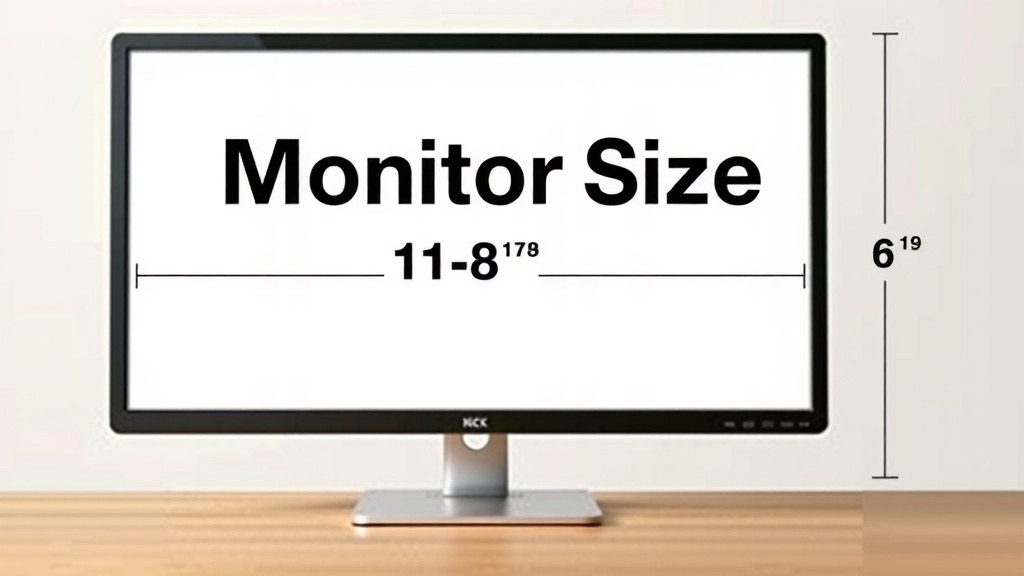
Monitors are measured diagonally across the screen’s viewable area. This measurement tells you the screen’s size from one corner to the opposite corner. It’s a standard way to quickly understand how large a monitor will be on your desk. You’ll typically see sizes like 24 inches, 27 inches, or even larger.
This diagonal measurement is purely for the screen itself, not the entire monitor unit. It excludes the bezel, which is the frame around the screen. Understanding this helps you avoid confusion when comparing different monitors and their advertised sizes. Think of it like buying a picture frame – the size refers to the artwork inside, not the frame itself.
- Monitors are measured diagonally.
- This is the viewable screen size.
- It doesn’t include the outer frame (bezel).
- Common sizes are 24, 27, and 32 inches.
Let’s break down exactly how this measurement works and what it means for you.
Understanding Your Monitor’s Diagonal Screen Size
So, you’re looking at new monitors, and the sizes seem straightforward, right? 24 inches, 27 inches, 32 inches… but how exactly do manufacturers arrive at those numbers? It’s not as simple as measuring the width or height. We’ve all wondered about this at some point, and the answer might surprise you a little.
The Diagonal Measurement Explained
The measurement you see advertised for a monitor refers to the length of its diagonal line. This line stretches from one corner of the viewable screen to the exact opposite corner. Think of it like measuring a square or rectangle. You’re not measuring the sides individually; you’re going straight across from corner to corner. This standard ensures everyone is talking about the same part of the screen.
This is why you’ll often hear the term “screen real estate.” A larger diagonal measurement means more space to spread out your windows, see more detail in images, or enjoy a more immersive gaming experience. It’s a quick way to gauge how much visual real estate you’ll have on your desk.
Why Not Width or Height?
You might be thinking, “Why not just measure the width or height?” Well, screen aspect ratios have changed over the years. Older monitors often had a 4:3 aspect ratio, meaning they were closer to a square. Modern monitors are typically widescreen, with a 16:9 or even 21:9 ratio. If you only measured width, a 16:9 monitor would seem much larger than a 4:3 monitor of the same diagonal size.
Using the diagonal measurement provides a consistent **point of comparison** across different aspect ratios. It’s a universal language for screen size. This method is used across the industry for TVs, laptops, and, of course, computer monitors. It simplifies things for consumers when they’re trying to figure out which size fits their needs best.
The Viewable Area vs. The Physical Monitor
It’s really important to remember that the inch measurement applies only to the active display area. This is the part of the screen where you actually see images and text. The physical monitor itself, including the bezels (the plastic or metal frame around the screen), is larger than the advertised diagonal measurement. So, if you’re concerned about the total desk space a monitor will take up, you’ll need to consider those outer dimensions too.
We’ve seen people get caught out by this, expecting a 27-inch monitor to be just that size in terms of overall footprint. But the bezel adds to the width and height. It’s always a good idea to check the product specifications for the monitor’s full dimensions if desk space is a tight squeeze.
How the Diagonal Measurement Works in Practice
Let’s talk about how this diagonal measurement actually translates to a monitor’s size and what you should consider when choosing one.
Common Monitor Sizes and What They Mean
You’ll encounter a few standard sizes frequently. Understanding these can help you visualize them on your desk:
- 21.5 to 24 inches: These are often considered entry-level or standard sizes. They’re great for general office work, web browsing, and casual gaming. They don’t take up a huge amount of desk space, making them a good fit for smaller setups.
- 27 inches: A very popular size is 27 inches, offering a good balance between screen real estate and desk footprint. This is a very popular size for a reason. It offers a good balance between screen real estate and desk footprint. Many users find 27 inches ideal for multitasking, gaming, and content creation.
- 32 inches and larger: These are considered large monitors. They offer an expansive viewing experience, perfect for immersive gaming, watching movies, or serious productivity where you need a lot of information visible at once. Be prepared, though; they demand a good amount of desk space.
Understanding Screen Resolution and Size
While the diagonal measurement tells you the physical size, it doesn’t tell you about the clarity or sharpness of the image. That’s where resolution comes in. Resolution refers to the number of pixels on the screen, arranged horizontally and vertically.
A monitor with a higher resolution (like 1440p or 4K) will display images and text much more sharply than a lower-resolution monitor (like 1080p) of the same diagonal size. For example, a 27-inch monitor with 4K resolution will look significantly crisper than a 27-inch monitor with 1080p resolution. You might see more pixels on the 1080p screen if you look closely.
Many sources, like tech review sites, point out that the combination of screen size and resolution is key to your visual experience. You want a resolution that’s appropriate for the screen size. For instance, 1080p is generally fine for 21.5-inch to 24-inch monitors. For 27-inch and larger monitors, 1440p (QHD) or 4K (UHD) resolutions offer a much better pixel density, making everything look sharper (Rtings.com).
Aspect Ratio: The Shape of Your Screen
We touched on aspect ratio earlier, but it’s worth revisiting. This is the ratio of a monitor’s width to its height. The most common aspect ratio today is 16:9, which is standard for most HDTVs and widescreen monitors. This ratio is excellent for watching movies and playing most modern games.
However, you might also see ultrawide monitors. These have aspect ratios like 21:9 or even 32:9. They are significantly wider than they are tall. An ultrawide monitor, say 34 inches diagonally, offers a much broader field of view. This is fantastic for simulators, certain types of gaming, and having multiple documents side-by-side without feeling cramped.
The diagonal measurement is still the primary way these are sold. A 34-inch ultrawide monitor will have a diagonal screen measurement of 34 inches. However, its width will be considerably more than a standard 16:9 monitor of the same diagonal size. This affects how much desk space it occupies laterally.
Why This Measurement Matters for You
Knowing how monitors are measured helps you make informed decisions. You can better compare specs and understand what you’re actually getting. Are you looking for a monitor to game on? A larger screen with a higher refresh rate might be your priority. Need something for work? Maybe a 27-inch monitor with a good resolution will let you see more code or spreadsheets.
Think about your primary use case. If you have limited desk space, a smaller diagonal size might be best. If you want to feel completely immersed in your games or movies, a larger, higher-resolution display could be a great investment. We found that users often upgrade their monitor size after experiencing how much more comfortable they are with a larger screen for productivity tasks.
| Diagonal Size | Common Resolutions | Best For |
|---|---|---|
| 21.5″ – 24″ | 1080p (Full HD) | Budget setups, general use, students |
| 27″ | 1080p, 1440p (QHD) | Gaming, multitasking, general productivity |
| 32″+ | 1440p (QHD), 4K (UHD) | Immersive gaming, content creation, home theater |
Quick Checklist for Choosing Your Monitor Size
Before you click “buy,” run through this quick mental checklist:
- Desk Space: Measure your available area.
- Viewing Distance: How far will you sit from the screen?
- Primary Use: Gaming, work, or general browsing?
- Resolution Needs: Do you need sharp text or detailed images?
- Budget: Larger, higher-resolution monitors cost more.
- Desk Setup: Will it fit with your keyboard and mouse?
Conclusion
You’ve learned that your monitor’s size is measured diagonally across its viewable screen area. This standard measurement helps you compare screens regardless of their aspect ratio. Remember, this number excludes the bezel, so the physical monitor is larger. Understanding this helps you choose the right display for your desk space and viewing needs.
Now that you know how monitor sizes work, take a moment to measure your desk and consider what you’ll be using your monitor for most. This knowledge will guide you to a screen that enhances your experience, whether for work, gaming, or entertainment.
Frequently Asked Questions
Does the inch measurement include the bezel of the monitor?
No, the inch measurement refers only to the viewable screen area. The bezel, which is the frame around the screen, is not included in this diagonal measurement. You’ll need to check the monitor’s full dimensions if you’re concerned about its overall size on your desk.
Why is the diagonal measurement used instead of width or height?
Using the diagonal measurement provides a consistent point of comparison across different screen aspect ratios, like 16:9 or 21:9. This standardized method ensures that consumers can easily compare screen sizes without worrying about the screen’s shape differences.
Can I assume a 32-inch monitor will fit my desk based on its diagonal size alone?
Not entirely. While the 32-inch measurement refers to the screen’s diagonal, the monitor’s actual footprint will be larger due to the bezel. Always check the product’s full width and depth specifications to ensure it fits your available desk space.
Does monitor size directly relate to image sharpness?
No, monitor size refers to the physical dimensions of the screen, while sharpness is determined by resolution (the number of pixels). A larger screen with a lower resolution might appear less sharp than a smaller screen with a higher resolution.
How does an ultrawide monitor’s diagonal size compare to a standard monitor’s?
An ultrawide monitor is measured the same way – diagonally. However, for the same diagonal size, an ultrawide monitor will be significantly wider than a standard 16:9 monitor. This means it will occupy more lateral space on your desk.