Choosing the Right Big Monitor Size for Your Needs
Deciding on the right monitor size can seriously transform your computing experience. Generally, monitors range from small 19-inch screens to massive 40-inch behemoths. For most people, a 24-inch to 27-inch monitor hits the sweet spot for productivity and gaming.
But “big” is relative! What feels huge to one person might be just right for another. We found that the best monitor size depends heavily on how you’ll use it, your desk space, and even your viewing distance. Think about whether you’re gaming, coding, or just browsing. Your eyes will thank you.
- Monitor sizes vary a lot, from small to super-large.
- 24-inch to 27-inch screens are great for most users.
- The ideal size depends on your specific needs and setup.
- Consider your desk space and how far away you’ll sit.
Ready to find the perfect monitor size for your needs? Let’s break down what factors really matter.
Choosing the Right Monitor Size for You
So, you’re looking to upgrade your screen. That’s exciting! Picking the perfect monitor size can really make a difference. It’s not just about getting a bigger screen for the sake of it. It’s about finding a size that fits your desk, your eyes, and how you actually use your computer.
We’ve seen countless setups, and one thing is clear: there’s no single “best” size for everyone. What feels massive and productive for one person might feel overwhelming or just plain too large for another. Let’s figure out what works for your specific needs.
Understanding Monitor Dimensions
First off, how do we even talk about monitor size? It’s all about the diagonal measurement of the screen. Think of measuring from the bottom left corner to the top right corner. This measurement is usually in inches. So, a 27-inch monitor has a screen that measures 27 inches diagonally.
But wait, there’s more! The actual viewable area can differ slightly. Also, the bezel around the screen can make a monitor feel physically larger or smaller than its advertised screen size. We usually focus on the screen size itself, as that’s where the magic happens.
Where Will You Be Sitting? Viewing Distance Matters
This is super important. How far away will you be from your monitor? If you’re sitting at a standard desk, maybe two to three feet away, a smaller screen might be too tiny to see comfortably. Conversely, if you’re sitting way back from a giant screen, you’ll be craning your neck.
For typical desk setups, many find that a 24-inch to 27-inch range is just right for viewing distance. You can see everything clearly without excessive eye strain or needing to move your head around too much. If your desk is deeper or you prefer to lean back, you might consider going a bit larger.
What Will You Be Doing on Your Monitor?
Your primary activities play a huge role. Are you a gamer? A coder? A student writing papers? Or just browsing the web and watching videos?
For Productivity and Everyday Use
If your main goal is getting work done or general web browsing, you want a screen that lets you multitask easily. A 24-inch monitor is a solid choice. It’s compact enough for most desks and provides a good amount of screen real estate. You can often fit two windows side-by-side comfortably.
Stepping up to a 27-inch monitor offers even more space. This is fantastic if you often work with multiple documents open, spreadsheets, or need to compare information. Many people find 27 inches to be the sweet spot for productivity, offering a noticeable upgrade without feeling overwhelming. It’s a popular size for a reason!
For Gaming
Gamers often have different priorities. Immersion is key! A larger screen can pull you into the game world. For many PC gamers, 27-inch monitors are incredibly popular. They offer a great balance between immersion and ensuring you can still see the whole screen easily without excessive head movement. This is important for reacting quickly in fast-paced games.
Some hardcore gamers might even opt for 32-inch or larger displays, especially those with ultrawide aspect ratios (more on that later). The idea is to fill your field of vision. However, we’ve found that very large monitors can sometimes make it harder to track action across the entire screen in competitive gaming scenarios. So, 27 inches remains a fantastic all-around choice for gaming.
For Creative Professionals (Video Editing, Graphic Design)
If you’re in a field like video editing, graphic design, or 3D modeling, screen real estate is crucial. You need space for toolbars, timelines, and your actual project. Many professionals find that 27 inches and larger are essential. This provides enough room to work without constant zooming and panning.
Color accuracy and resolution also become much more important here. So, while size is key, don’t forget to look at those specs too! Many professionals also turn to ultrawide monitors for these tasks. We found that the extra horizontal space on an ultrawide is a huge benefit for timelines and complex workflows.
Consider Your Desk Space and Setup
Let’s be honest, you can’t fit a monster truck on a compact car’s parking spot. The same goes for monitors. Measure your desk! How much width and depth do you have available? A giant 34-inch ultrawide might look amazing, but if it dominates your desk and leaves no room for your keyboard or mouse, it’s not practical.
Also, think about ergonomics. If you have a deep desk, a larger monitor might be fine. If your desk is shallow, a smaller monitor might be a better fit to maintain that optimal viewing distance. You don’t want to feel like you’re practically touching the screen!
What About Ultrawide and Super Ultrawide Monitors?
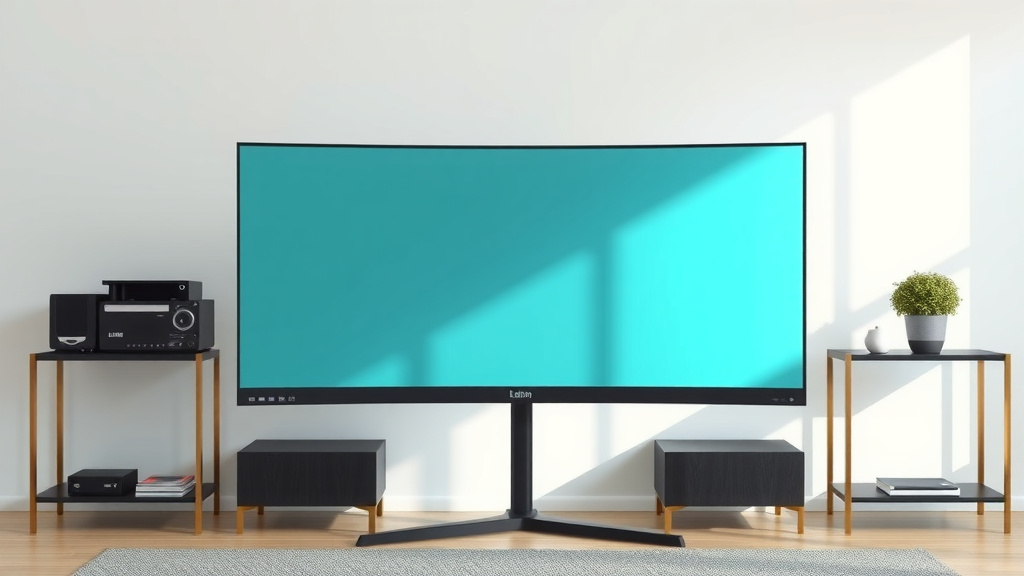
These are the cinematic screens of the monitor world. Ultrawide monitors (usually 34 inches) have a 21:9 aspect ratio instead of the standard 16:9. They are significantly wider than a typical monitor of the same diagonal size. This extra width is great for multitasking, gaming immersion, and creative work.
Super ultrawide monitors push this even further, often with a 32:9 aspect ratio. Think of them as two standard monitors placed side-by-side without a bezel in the middle. They offer an incredible amount of screen space, but they also require a lot of desk real estate and can be overkill for some users. We found they are best suited for specific professional workflows or for users who truly want to maximize their desktop real estate for extensive multitasking.
Let’s Sum It Up: Your Monitor Size Checklist
To help you decide, think about these points:
- Your primary use: Gaming, work, general browsing?
- Your viewing distance: How far will you sit from the screen?
- Your desk space: How much room do you realistically have?
- Your budget: Larger monitors often cost more.
- Your comfort: Does the size feel right for your eyes?
Most research and user feedback points to the 24-inch to 27-inch range as the sweet spot for the majority of users. They offer a great balance of features, price, and usability. But if your needs or space dictate something different, don’t be afraid to go larger or even explore the ultrawide options!
Conclusion
So, you’re on your way to finding the perfect monitor size! We’ve seen that the best monitor isn’t just about going as big as possible. It’s about finding that sweet spot that fits your viewing distance, your desk, and how you actually use your computer day-to-day. Remember, for many, a 24-inch to 27-inch monitor offers the ideal balance for both productivity and immersive gaming.
Take a moment to think about your setup and primary tasks. Once you’ve considered your needs, you’ll be well-equipped to make a choice you’ll love. Happy monitor hunting!
Frequently Asked Questions
Is a 27-inch monitor too big for a small desk?
It can be, depending on your desk dimensions and viewing distance. While a 27-inch screen offers more space, it also takes up more physical room. If your desk is shallow or very narrow, it might feel cramped. Measure your available space and consider if it allows for comfortable viewing from about two to three feet away.
Can I use a 32-inch monitor for coding?
Yes, many coders find 32-inch monitors beneficial. The larger screen real estate allows you to see more code at once, potentially reducing the need to scroll. However, ensure it fits your desk and you can maintain a comfortable viewing distance to avoid eye strain. Some prefer ultrawide versions for even more horizontal space.
What’s the difference between a 24-inch and a 27-inch monitor for gaming?
A 27-inch monitor generally offers a more immersive gaming experience due to its larger size, pulling you more into the game world. However, a 24-inch monitor can be better for competitive gaming as it allows you to see the entire screen at a glance, potentially improving reaction times. Both are excellent choices, but it depends on your gaming style.
Are ultrawide monitors worth it for multitasking?
Ultrawide monitors can be fantastic for multitasking if your workflow benefits from having multiple windows open side-by-side without a bezel. They offer significantly more horizontal space than standard monitors. However, they require ample desk space and can be overkill if you primarily use just one application at a time.
How far away should I sit from my monitor?
A good rule of thumb is to sit about an arm’s length away, roughly two to three feet. This distance helps reduce eye strain and allows you to comfortably see the entire screen without excessive head movement. If you have a larger monitor, you might need to sit slightly further back to maintain this optimal viewing distance.