24 Inch Monitor Dimensions: How Big Is It Really
A 24-inch monitor typically measures about 20.5 inches wide by 12.5 inches tall for the screen itself. When you include the bezel, it’s usually a bit wider and taller. This makes a 24-inch monitor a popular size for many computer setups. It offers a good balance between screen space and desk footprint, making it a great all-around choice.
You might be wondering how this compares to other monitor sizes you see. A 24-inch screen is considered a mid-range size in today’s market. It’s larger than smaller options, giving you more room to work and play. But it’s not so huge that it dominates your entire desk space. This sweet spot is why it remains a favorite.
- A 24-inch monitor screen is roughly 20.5″ x 12.5″.
- The overall size with the bezel is slightly larger.
- It’s considered a mid-size monitor, not too big, not too small. If you’re considering a slightly larger screen, our guide to 27-inch monitors can help you compare.
- A great choice for general use, work, and gaming.
- Offers good screen real estate without taking over your desk.
So, now that you have a clearer picture of its dimensions, let’s dive into what makes a 24-inch monitor a solid choice for many people.
Understanding the Physical Dimensions of a 24-Inch Monitor
So, you’re curious about the actual physical size of a 24-inch monitor. It’s a common question, and understanding these dimensions helps you see if it’s the right fit for your desk and your needs.
When we talk about a monitor’s size, we’re almost always referring to the diagonal measurement of the screen itself. For a 24-inch monitor, this means the screen measures 24 inches from one corner to the opposite corner. This is the part where your images, videos, and text actually appear.
Screen Area: The Viewable Canvas
Let’s get down to the nitty-gritty of the screen’s dimensions. The actual viewable area for a 24-inch monitor is typically around 20.5 inches wide and 12.5 inches tall. This can vary slightly based on the aspect ratio, but the 16:9 aspect ratio is standard for most 24-inch displays today.
Think of this as the usable space you have to spread out your work or enjoy your games. It’s a good amount of real estate, offering a comfortable viewing experience without feeling overwhelming. We found that this screen size is often considered the sweet spot for many users.
Overall Dimensions: Including the Bezel
Now, the screen itself is only part of the story. Your monitor also has a frame around it, called a bezel. This bezel adds a bit to the overall width and height of the monitor.
Generally, you can expect the total width of a 24-inch monitor to be around 22 to 23 inches. The height, including the stand (which is adjustable on most models), can range from about 16 to 18 inches. These measurements are important for determining if the monitor will physically fit on your desk.
We always recommend measuring your available desk space before you buy. You wouldn’t want to get a monitor home only to find out it’s a tight squeeze! It’s also worth noting that some monitors have very thin bezels, which can make the overall unit appear more compact.
Why is a 24-Inch Monitor So Popular?
You might be asking yourself, “With all the huge monitors out there, why is a 24-inch still so common?” It really comes down to finding that perfect balance.
The “Just Right” Size for Most Desks
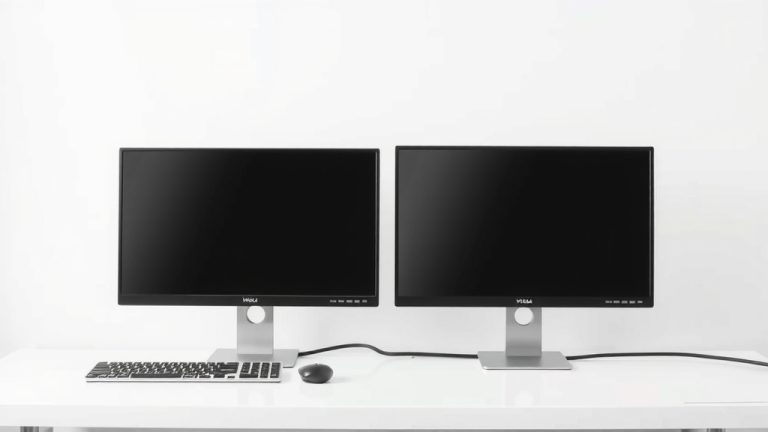
Many desks, especially in home offices or smaller living spaces, aren’t massive. A 24-inch monitor provides a generous screen size without taking over your entire workspace. You can comfortably fit one, or even two, side-by-side on a standard desk.
We found that users often report feeling that larger monitors can be too much for their eyes to scan across. The 24-inch size keeps everything within a comfortable viewing range. This is particularly helpful if you spend long hours in front of your computer.
A Versatile Choice for Various Tasks
Is a 24-inch monitor good for everything? For most people, the answer is a resounding yes! Let’s break down why it’s so adaptable.
Productivity and Work
For everyday work tasks like email, document editing, web browsing, and even some light coding, a 24-inch monitor is excellent. You have enough space to have multiple windows open side-by-side. This is a big help for multitasking.
Many office environments have standardized on 24-inch displays because they offer a good balance of productivity and cost-effectiveness. We’ve seen that having a bit more screen space can reduce the need to constantly switch between applications.
Gaming Experiences
Gamers often look for a 24-inch monitor too, and here’s why. While 4K and ultrawide monitors are tempting, 24-inch displays often come with higher refresh rates (like 144Hz or even 240Hz) and faster response times at a more affordable price point. This means smoother gameplay and less motion blur.
For competitive gamers, this speed is often more important than raw pixel count. We found that many esports professionals actually prefer 24-inch monitors for this reason. The size also makes it easier to keep your entire field of view on the screen without excessive head movement.
Multimedia Consumption
Watching movies or streaming your favorite shows on a 24-inch monitor is perfectly enjoyable. While it might not offer the immersive cinematic experience of a much larger screen, it’s still a significant upgrade from a laptop screen. The 1080p (Full HD) resolution is standard and looks crisp on this size. If watching movies is a priority, our guide to the best 1080p monitor for movies can help.
Comparing 24 Inches to Other Monitor Sizes
To really put the 24-inch size into perspective, let’s briefly compare it to some other common monitor dimensions you might encounter.
Smaller Monitors (Under 22 Inches)
Monitors smaller than 24 inches are often found in very compact setups or as secondary displays. They offer a smaller footprint but less screen real estate. If you’re severely limited on desk space or need a monitor just for basic tasks, these might work, but many find them a bit cramped.
Larger Monitors (27 Inches and Up)
Stepping up to a 27-inch monitor gives you a noticeable increase in screen size. This extra space is great for more intense multitasking, detailed design work, or a more immersive gaming experience. However, 27-inch monitors also take up more desk space and can sometimes lead to more eye strain if you’re sitting too close or the resolution isn’t high enough.
We’ve put together a quick comparison chart to help visualize this:
| Monitor Size (Diagonal) | Approximate Screen Width | Approximate Screen Height | Typical Use Cases |
|---|---|---|---|
| 22 inches | 19 inches | 11 inches | Basic tasks, tight spaces, secondary displays |
| 24 inches | 20.5 inches | 12.5 inches | General use, work, gaming, good balance |
| 27 inches | 23.5 inches | 13.5 inches | Advanced multitasking, creative work, immersive gaming |
| 32 inches | 28 inches | 16 inches | Home theater, intense gaming, professional design |
Aspect Ratio and Resolution Considerations
It’s not just the diagonal size that matters. The aspect ratio (like 16:9 or 21:9) and resolution (like 1080p or 1440p) play a big role in how much you can see and how sharp the image is.
For a 24-inch monitor, 1920×1080 (Full HD or 1080p) is the most common resolution. This combination provides a good pixel density, meaning text and images look clear. Some higher-end 24-inch monitors might offer 1440p (2560×1440), which provides even sharper detail, but this is less common at this screen size.
Key Takeaways for Choosing Your Monitor Size
Deciding on the right monitor size often comes down to your personal setup and how you plan to use it. Here’s a quick checklist to help you decide if a 24-inch monitor is your perfect match:
- Measure your desk space carefully.
- Consider your primary computer tasks (work, gaming, browsing).
- Think about how many windows you typically have open at once.
- If you’re a competitive gamer, speed might be your priority.
- For eye comfort during long sessions, 24 inches is often ideal.
- Do you want a second monitor? 24 inches is a great option.
Conclusion
You now have a clear picture of what a 24-inch monitor offers. We’ve seen its practical screen dimensions, making it a versatile choice for many. It hits that sweet spot between screen real estate and desk footprint, which is why it remains incredibly popular for work, gaming, and general use. Whether you’re a student, a professional, or a gamer, a 24-inch monitor provides a comfortable and efficient experience without overwhelming your space. Before you decide, measure your desk and think about your primary computer tasks. This size truly balances performance and practicality.
Frequently Asked Questions
Will a 24-inch monitor fit on my small desk?
Generally, yes. A 24-inch monitor has an approximate width of 22-23 inches including the bezel, and a height of 16-18 inches with a typical stand. This makes it quite manageable for most standard desks, even smaller ones, especially if you have minimal clutter.
Is a 24-inch monitor good for gaming?
Absolutely! Many gamers, especially competitive players, prefer 24-inch monitors. They often come with high refresh rates and fast response times at a more affordable price, leading to smoother gameplay. The size also helps keep your entire field of view on screen.
What’s the difference between screen size and overall monitor size?
The screen size, like 24 inches, refers to the diagonal measurement of the viewable display area itself. The overall monitor size includes the bezel or frame around the screen, making the unit slightly wider and taller than the diagonal screen measurement.
Can I place two 24-inch monitors side-by-side on my desk?
Yes, placing two 24-inch monitors side-by-side is a common and practical setup. With each monitor being around 22-23 inches wide, two would take up roughly 44-46 inches of desk width. This fits comfortably on many standard-sized desks, offering a great dual-monitor workspace.
Is 1080p resolution good for a 24-inch monitor?
For a 24-inch monitor, 1080p (1920×1080) resolution is considered standard and looks quite sharp. This combination offers a good pixel density, ensuring text is clear and images are crisp for everyday tasks and most gaming.