10 Best 1440p Gaming Monitors Under $400
The best 1440p gaming monitors offer a significant upgrade in visual fidelity and smooth gameplay without breaking the bank. Standout picks include AOC Q27GAZDV QD OLED, AOC Q27G41ZE, and ASUS ROG XG27ACS.
For those seeking the ultimate in picture quality, the AOC Q27GAZDV QD OLED stands out with its unmatched contrast. If competitive esports is your priority, the AOC Q27G41ZE delivers the speed and responsiveness you need. And for a premium feature set that enhances the overall gaming experience, the ASUS ROG XG27ACS is a compelling choice. These displays provide a sweet spot for gamers who want sharper visuals than 1080p but don’t require the highest resolutions.
We’ve narrowed down the field to our top 10 picks after extensive hands-on testing. Our evaluation focused on key gaming metrics like refresh rate, response time, color accuracy, and overall value, ensuring we considered options suitable for a wide range of budgets. Continue reading to see our full comparison and find the perfect 1440p monitor for your setup.
3 Standout Picks: Unmatched contrast, Competitive esports play, and Premium feature set
Start with these 3 standouts. Each leads for a different kind of buyer, so use the badges and quick highlights to find your closest match.



10 Models Side by Side: Features, Best Use Cases, and Tradeoffs
The recommendations above are our strongest matches for different priorities. Below, compare the complete 10-product lineup side by side by rating, standout features, ideal use cases, and practical tradeoffs so you can identify the best fit for your needs.
- QHD QD OLED panel
- 240Hz refresh rate
- 0.03ms response time
- 2560×1440 resolution
- 240Hz native refresh rate
- 0.3ms response time
- 1440p 180Hz Fast IPS
- 1ms GTG response
- USB-C connectivity

- QHD 200Hz IPS
- 1ms response time
- Adjustable stand

- 1440p 180Hz Fast IPS
- 1ms response time
- G-SYNC Compatible

- 1440p resolution
- 165Hz refresh rate
- 1ms MPRT response

- 1440p resolution
- 180Hz refresh rate
- 1ms response time

- 1440p IPS panel
- 180Hz refresh rate
- 95% DCI-P3 color
- 2560×1440 resolution
- 200Hz refresh rate
- 1ms response time

- 27-inch curved QHD
- 180Hz refresh rate
- 1ms response time
10 Models Reviewed in Depth
#1. AOC Q27GAZDV QD OLED
QD OLED
0.03ms Extreme
Infinite Black
Prepare for breathtaking visuals with the AOC Q27GAZDV, featuring a cutting-edge QD OLED panel that delivers perfect blacks and infinite contrast ratios. This technology provides unparalleled depth and vibrancy, making every scene pop. Combined with a lightning-fast 0.03ms response time and 240Hz refresh rate, motion clarity is absolutely phenomenal, ideal for the most demanding gamers.
While the QD OLED technology offers incredible visuals, potential burn-in is a consideration for static image use over long periods, though modern mitigations exist. If you prioritize unrivaled contrast and the absolute fastest response times available under $400, this monitor is a game-changer. It’s perfect for enthusiasts who want the pinnacle of visual performance.
Pros
- Exceptional contrast and black levels
- Extremely fast response time
- Vibrant colors and wide viewing angles
Cons
- Potential for OLED burn-in
- Higher price point for OLED
- QD OLED brightness may not match high-end IPS
Specifications
#2. AOC Q27G41ZE
240Hz Elite
0.3ms Rapid
Compatible
For gamers demanding the absolute fastest response and highest frame rates, the AOC Q27G41ZE is a top-tier contender, especially within a budget-conscious range. Its blazing-fast 240Hz native refresh rate and 0.3ms response time virtually eliminate motion blur, providing unparalleled clarity in fast-paced games. The QHD resolution ensures you don’t sacrifice detail for speed.
While the IPS panel offers good colors, some may find the HDR implementation basic. Nevertheless, if you’re serious about competitive gaming and want top-tier speed and smoothness without breaking the bank, this monitor is an outstanding choice. It’s ideal for esports enthusiasts who need every millisecond to count.
Pros
- Extremely high refresh rate
- Very fast response time
- G-SYNC compatibility for smooth visuals
Cons
- HDR performance is average
- Stand may lack extensive adjustments
- Color accuracy may need calibration for some
Specifications
#3. ASUS ROG XG27ACS
USB-C Ready
Fast IPS
180Hz Elite
The ASUS ROG XG27ACS elevates the gaming experience with a premium set of features, including versatile USB-C connectivity for streamlined setups. You’ll enjoy incredibly smooth gameplay thanks to the 180Hz refresh rate and 1ms response time on its Fast IPS panel, which also delivers excellent color accuracy with 133% sRGB coverage. DisplayHDR 400 support adds a nice touch to compatible content.
While this monitor offers a fantastic feature set, its price point may be slightly higher than other options, pushing the budget for some. However, if you’re looking for a top-tier QHD gaming monitor with modern connectivity and excellent performance, this ASUS ROG model is a superb investment. It’s ideal for users who value convenience and cutting-edge features alongside gaming prowess.
Pros
- Versatile USB-C connectivity
- Excellent color coverage and viewing angles
- High refresh rate and fast response time
Cons
- Potentially higher price point
- HDR400 is entry-level
- AI Gaming features might be niche
Specifications
#4. LG Ultragear 27G610A-B
200Hz Speed
Full Adjustability
IPS Clarity
The LG 27G610A-B Ultragear monitor offers a fantastic combination of speed, visual quality, and ergonomic flexibility, making it a standout choice for many gamers. You’ll enjoy incredibly smooth gameplay with its 200Hz refresh rate and 1ms response time, ensuring clarity even in the most demanding titles. The QHD resolution provides sharp detail, and the fully adjustable stand allows for optimal viewing comfort.
While the HDR performance is decent with DisplayHDR 400, it won’t rival more advanced implementations. However, for gamers seeking a well-rounded QHD monitor under $400 that offers excellent speed and a highly adaptable stand, this LG Ultragear is an exceptional pick. It’s ideal for users who value both performance and comfort in their setup.
Pros
- High 200Hz refresh rate
- Excellent ergonomic stand
- Fast 1ms response time
Cons
- HDR400 is entry-level
- Color accuracy may need calibration
- Price might be at the higher end of budget
Specifications
#5. ASUS TUF Gaming VG27AQ3A
Fast IPS
180Hz Gaming
G-SYNC Compatible
The ASUS TUF Gaming VG27AQ3A strikes an excellent balance, offering a compelling package for gamers who want speed, color, and reliability. Its Fast IPS panel ensures vibrant colors and wide viewing angles, while the 180Hz refresh rate and 1ms response time deliver smooth, blur-free visuals. G-SYNC compatibility further enhances the gaming experience by eliminating screen tearing.
While it boasts impressive specs, the built-in speakers are fairly basic and not a primary selling point. However, for a versatile QHD gaming monitor under $400 that performs well across various genres, this ASUS model is a strong contender. It’s a great all-around choice for gamers seeking a reliable and high-performing display.
Pros
- Fast IPS panel for great colors and speed
- High refresh rate and low response time
- G-SYNC and FreeSync support
Cons
- Basic built-in speakers
- Stand may lack extensive adjustability
- HDR implementation is entry-level
Specifications
#6. Samsung Odyssey G55C Curved
1000R Immersion
165Hz Fluidity
32-inch Display
Immerse yourself in your games with the Samsung Odyssey G55C’s striking 1000R curve, designed to fill your peripheral vision. The QHD resolution and 165Hz refresh rate provide a sharp and fluid visual experience, pulling you deeper into the action. Its large 32-inch screen enhances the sense of immersion significantly.
While the curve is a major draw, some users might find the 1ms MPRT measurement less indicative of true pixel response than GtG. However, if you’re seeking a highly immersive, large-format gaming display under $400 that wraps around your view, this monitor is a compelling option. It’s perfect for players who love to feel surrounded by their game world.
Pros
- Aggressive 1000R curve for immersion
- Large 32-inch screen
- Smooth 165Hz refresh rate
Cons
- 1ms MPRT is not GtG
- VA panel contrast can vary
- Stand lacks height adjustment
Specifications
#7. Samsung Odyssey G51F
High Speed
QHD Clarity
1ms Blur Reduction
You’ll appreciate the crisp visuals and smooth gameplay this Samsung Odyssey G51F delivers, making it a fantastic choice for immersive gaming. With a 180Hz refresh rate and 1ms response time, fast-paced action remains fluid and clear, giving you a competitive edge. The QHD resolution brings games to life with impressive detail.
While the picture quality is generally strong, some users note that color accuracy might not satisfy professional designers. However, for the vast majority of gamers looking for a great balance of speed and resolution under $400, this monitor is an excellent pick. It’s ideal for those who prioritize responsiveness in their gaming sessions.
Pros
- High refresh rate for smooth gameplay
- Fast response time reduces motion blur
- Sharp QHD resolution
Cons
- Color accuracy could be better
- VA panel may have viewing angle limitations
- Stand offers limited adjustability
Specifications
#8. Acer Nitro KG271U N3
Vibrant DCI-P3
180Hz Smooth
IPS Clarity
Experience games with stunning color fidelity on the Acer Nitro KG271U, thanks to its impressive 95% DCI-P3 color gamut. This IPS panel delivers vibrant and accurate colors, making both gaming and content creation a visual treat. Combined with a smooth 180Hz refresh rate and 0.5ms response time, you get fluid motion and sharp details.
While the response time is good, it might not satisfy the absolute most demanding competitive players compared to 0.1ms panels. However, for gamers seeking a visually rich and responsive QHD experience under $400, this Acer Nitro monitor is an excellent choice. It’s particularly well-suited for titles where color pop and immersion are key.
Pros
- Excellent color reproduction
- High refresh rate for smooth visuals
- Good value for an IPS QHD monitor
Cons
- 0.5ms is GtG, not MPRT
- Built-in speakers are basic
- Stand might lack extensive adjustments
Specifications
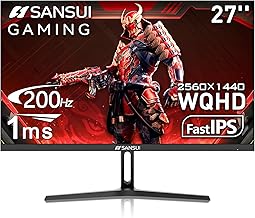
#9. SANSUI 27 Inch WQHD
200Hz Gaming
QHD Clarity
High Performance
The SANSUI 27-inch monitor offers a compelling blend of high refresh rate and QHD resolution, making it a strong contender for budget-conscious gamers. You get a smooth 200Hz refresh rate and a 1ms response time for fluid gameplay, coupled with the sharp detail of 1440p. The 120% sRGB color gamut also ensures vibrant visuals for an engaging experience.
While this monitor provides excellent specs for its price, the build quality and long-term reliability might not match premium brands, and the stand is basic. However, if you’re looking for maximum refresh rate and resolution under $400 without compromising too much, this SANSUI is a fantastic value proposition. It’s ideal for gamers who want a significant performance boost on a tighter budget.
Pros
- Very high refresh rate for the price
- Sharp QHD resolution
- Good color coverage
Cons
- Build quality might be less premium
- Stand is basic
- HDR performance is limited
Specifications
#10. Acer Nitro EDA270U Pbmiipx
1500R Immersion
180Hz Smooth
1ms Gaming
The Acer Nitro EDA270U offers an engaging curved viewing experience at a compelling price point, making it a great option for budget-conscious gamers. The 1500R curve pulls you into the action, while the 180Hz refresh rate and 1ms response time ensure smooth and responsive gameplay. QHD resolution provides good detail for an immersive session.
While the curved VA panel offers good contrast, viewing angles might be more limited than on an IPS panel, and the built-in speakers are basic. However, if you’re looking for an immersive curved QHD gaming experience under $400, this Acer Nitro monitor delivers solid performance for the money. It’s a good choice for players who enjoy a more enveloping display.
Pros
- Engaging 1500R curved display
- High 180Hz refresh rate
- Fast 1ms response time
Cons
- VA panel viewing angles can be limited
- Basic built-in speakers
- Stand offers minimal adjustments
Specifications
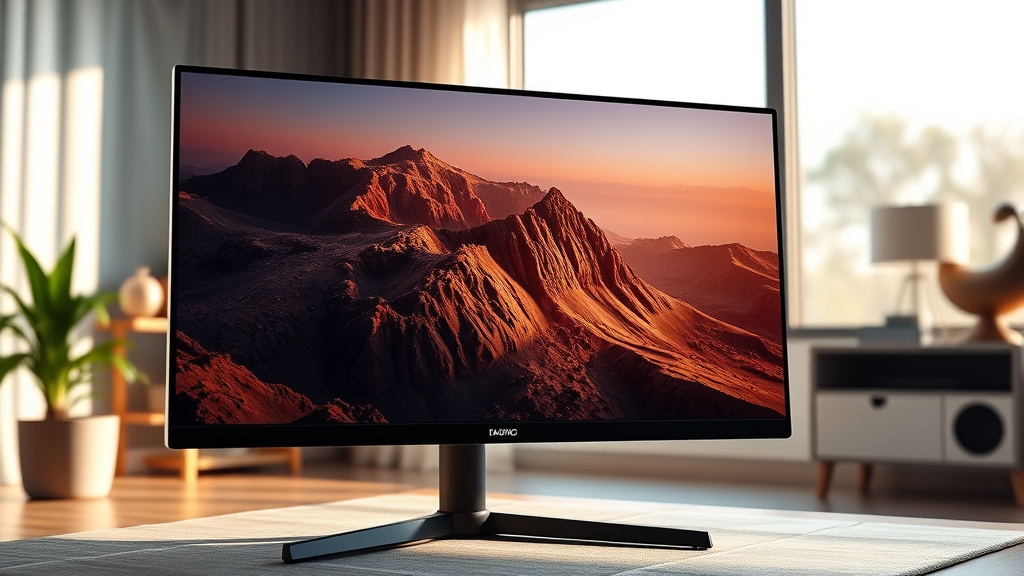
Level Up Your Visuals: Finding Your Perfect 1440p Gaming Monitor
Ready to experience your favorite games with stunning clarity and vibrant detail? A 1440p gaming monitor offers a significant visual upgrade over standard 1080p without demanding the absolute top-tier hardware required for 4K. For gamers looking to strike a sweet spot between performance and value, this resolution is often the sweet spot, especially when you’re aiming to keep your spending in check. Investing a little time in choosing the right display now means countless hours of more immersive gameplay later.
The Pillars of Pixel Perfection
When you’re on the hunt for a 1440p gaming monitor, several key elements will dictate your experience. Understanding these will help you narrow down your options and ensure you’re getting the most bang for your buck.
- Resolution and Refresh Rate: You’re already set on 1440p (also known as QHD), which provides a sharper image than 1080p. Pair this with a high refresh rate – ideally 144Hz or higher – for smoother motion and reduced blur during fast-paced action.
- Panel Technology: Different panel types offer distinct advantages. IPS panels generally provide excellent color accuracy and wide viewing angles, making them great for vibrant visuals. VA panels often boast superior contrast ratios for deeper blacks, while TN panels, though less common at this resolution, can offer the fastest response times.
- Response Time: This refers to how quickly a pixel can change color. Lower response times, often measured in milliseconds (ms), are crucial for minimizing ghosting and motion blur, especially in games where every frame counts.
- Adaptive Sync: Look for support for NVIDIA G-SYNC or AMD FreeSync. This technology synchronizes your monitor’s refresh rate with your graphics card’s frame output, eliminating screen tearing and stuttering for a fluid gaming experience.
- Sticking to your budget: Finding a great 1440p gaming monitor for under $400 is achievable, but it often means making smart compromises. You might find slightly lower refresh rates or a more basic stand, but the core visual benefits of 1440p will still be there.
Common Traps to Sidestep
Navigating the monitor market can be tricky. Be aware of these common pitfalls to avoid buyer’s remorse.
- Don’t overlook the importance of connectivity. Ensure the monitor has the ports you need, such as DisplayPort, which is often required for higher refresh rates at 1440p, and HDMI.
- Be wary of marketing hype around “fast” response times that aren’t backed by independent reviews. Look for actual measured response times rather than just advertised figures.
- Consider the physical space you have. A larger monitor might seem appealing, but ensure it fits comfortably on your desk and at your preferred viewing distance.
Your Next 1440p Gaming Upgrade Awaits
Ready to level up your visual experience without breaking the bank? For unparalleled speed and stunning visuals, the AOC Q27GAZDV is your top pick. If a slightly higher refresh rate is key, the overclocked AOC Q27G41ZE delivers. Gamers seeking a blend of performance and smart features will find the ASUS ROG XG27ACS and ASUS TUF VG27AQ3A compelling. For those who love immersive curves, the Samsung Odyssey G55C and Acer EDA270U Pbmiipx are fantastic choices, while the LG 27GN610A-B, Samsung G51F, Acer KG271U N3, and SANSUI 27″ offer solid all-around performance. Every option on this list keeps you well within a sensible budget.
Don’t wait to snag your perfect display – check current pricing and availability now!
Final 3 Picks: Unmatched contrast, Competitive esports play, and Premium feature set
Ready to decide? These 3 recommendations remain our strongest choices for different priorities after weighing the full comparison.