OLED Burn In: How Bad Is It Really
Burn-in on OLED monitors is a real concern, but for most users, it’s **not a major issue anymore**. Modern OLED technology includes features designed to **prevent permanent image retention**, making it much less likely to happen with typical use.
While early OLEDs were more susceptible, newer panels are built with improved **pixel aging compensation** and other safeguards. You can enjoy vibrant colors and deep blacks without constant worry. We found that **vigilant care** is still good practice, but the fear of permanent damage is often overstated.
- OLED burn-in is less common on newer monitors.
- Built-in features help prevent permanent image retention.
- Typical daily use usually doesn’t cause burn-in.
- Static images displayed for very long periods are the main risk.
Let’s take a closer look at what burn-in really means for your OLED monitor and what you can do to keep it looking its best.
Is OLED Burn-In Actually a Big Problem for You?
We know you’re probably wondering about OLED burn-in. It’s a topic that gets a lot of attention, and for good reason. You want to know if your new, shiny OLED monitor will end up with permanent ghost images. The short answer? For most people, it’s **much less of a concern than it used to be**.
Think of it like this: early smartphones with OLED screens had a higher chance of showing static logos. But technology has come a long way. Manufacturers have made some **smart improvements** to OLED panels. These help protect your screen during everyday use. So, while it’s not impossible, it’s far from the common problem it once was.
Understanding What OLED Burn-In Really Is
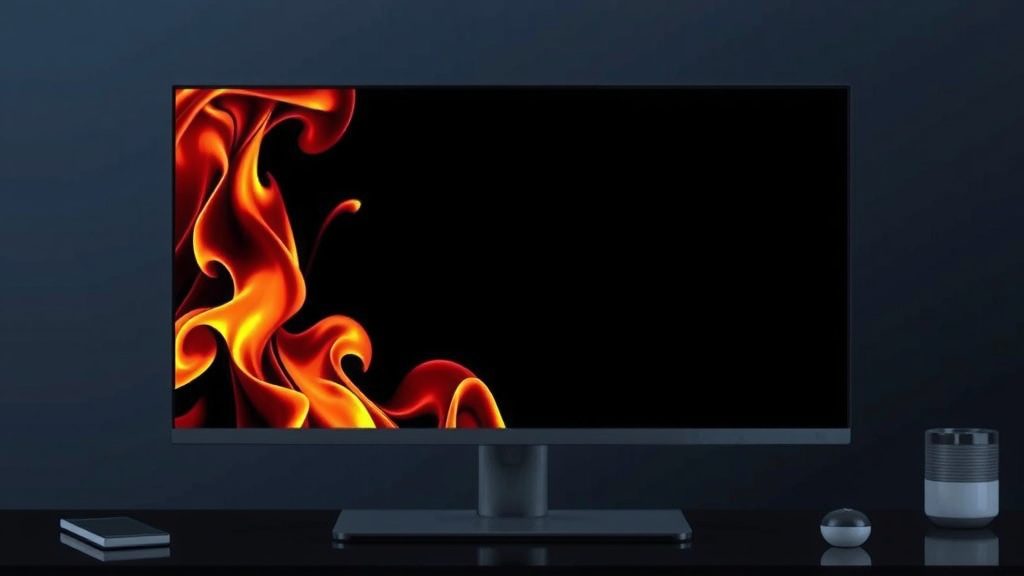
Let’s break down what “burn-in” actually means. It’s not like a fire hazard, don’t worry! It’s more about image retention. When certain pixels on your OLED screen display the same bright image for a very long time, they can wear out unevenly. This uneven wear causes a faint, permanent ghost of that image to show up. You might see it when you display something different.
The Science Behind OLED Pixels
OLED stands for Organic Light-Emitting Diode. Each tiny pixel in an OLED display is an organic compound that lights up when electricity passes through it. Because these pixels are organic, they degrade over time. This is normal for any display technology. However, with OLEDs, if some pixels degrade faster than others, you can get that permanent image retention we call burn-in.
It’s kind of like having a favorite T-shirt. If you wear it out every single day, washing it each time, the fabric in certain areas might get thinner faster than others. That’s a bit like how OLED pixels can wear out differently.
What Causes OLED Burn-In?
The primary culprit for OLED burn-in is **static content**. This means an image that doesn’t change. Think of:
- Taskbars that are always visible.
- Channel logos on a TV that stay in the same spot for hours.
- Video game HUDs (Heads-Up Displays) that are fixed.
- Desktop icons and system menus.
Displaying these kinds of images for **extended, continuous periods** is what puts your OLED screen at risk. The longer the static image stays, and the brighter it is, the higher the chance of uneven pixel wear.
How Modern OLED Monitors Fight Burn-In
You’ll be happy to know that manufacturers are very aware of this. They’ve built in several features to combat burn-in. These safeguards work behind the scenes to keep your display looking great. Many experts agree these features are quite effective for normal use (PCMag).
Pixel Shifting and Compensation
One common technique is called **pixel shifting**. Your monitor will subtly move the entire image on the screen by a few pixels every so often. You won’t even notice it happening! This ensures that no single pixel is stuck displaying the exact same thing for too long. It’s like gently rotating a picture frame so the sunlight doesn’t hit the same spot.
Another method is **pixel refresher** or **pixel aging compensation**. This is a process your monitor can run. It analyzes the pixels and adjusts their brightness to even out any wear. Most monitors do this automatically when you turn them off. It’s a background maintenance task.
Automatic Brightness Limiting (ABL)
Many OLED displays also use Automatic Brightness Limiting. If a large portion of your screen shows a very bright image, ABL will slightly dim the overall brightness. This prevents pixels from being pushed too hard. It’s a smart way to manage power and pixel stress simultaneously. It’s a useful tool for preventing excessive wear.
Logo Detection
Some advanced OLED TVs and monitors can even detect static logos. When they identify a logo that’s been on screen for a while, they might subtly dim that specific area. This reduces the strain on those particular pixels. It’s a clever way to protect commonly displayed static elements.
Your Role in Preventing Burn-In
While technology has improved, you still play a part. A little bit of awareness goes a long way. Think of it as regular maintenance for your car – it keeps it running smoothly for longer. We found that by following a few simple tips, you can significantly reduce the risk.
Best Practices for Your OLED Monitor
Here’s a handy checklist to help you keep your OLED looking pristine:
- Vary your content. Don’t leave the same static image on for days.
- Use screen savers. Let them kick in after a short period of inactivity.
- Hide your taskbar. Set it to auto-hide in your operating system settings.
- Reduce time for auto-power off. Set your monitor to turn off after a shorter period.
- Avoid extreme brightness. Keep your OLED brightness at a comfortable, moderate level.
- Be mindful of game HUDs. If possible, use in-game options to fade or hide static elements.
When to Actually Worry (and When Not To)
If you’re a typical computer user – browsing the web, typing documents, watching videos, and playing games with dynamic elements – you’re probably **safe**. The built-in features are designed to handle this kind of usage. You should only really worry if you plan to leave a single, bright, static image on your screen for many, many hours every single day, without any breaks or changes.
For instance, using an OLED monitor as a digital photo frame that displays the *exact same photo* 24/7 is a scenario where burn-in is more likely. Or, running a cryptocurrency ticker that’s constantly showing the same unchanging numbers in the same spot for weeks on end. Those are the extreme cases.
| Factor | Impact on Burn-In Risk | Mitigation Tip |
|---|---|---|
| Static Content Duration | High (hours/days) | Vary content, use screen savers |
| Image Brightness | High (very bright) | Reduce overall brightness |
| Frequency of Static Display | High (daily, continuous) | Hide taskbars, auto-hide menus |
| Pixel Refresh Cycles | Low (when used) | Allow monitor to run refresh cycles |
Many display experts agree that for the average user, the fear of burn-in on modern OLEDs is overblown. The technology has matured significantly. You can enjoy the amazing visual benefits of OLED without constant anxiety. Just be sensible, and let the built-in features do their job.
Conclusion
You’ve learned that OLED burn-in isn’t the widespread threat it once was. Modern OLED monitors come equipped with smart features designed to protect your screen. These technologies, like pixel shifting and automatic refresh cycles, work to prevent permanent image retention during typical daily use. While extreme scenarios of prolonged static images could still pose a risk, your everyday browsing, gaming, and working habits are very likely safe. So, enjoy your vibrant OLED display! Just remember to employ a few simple best practices to keep it looking its best for years to come.
Frequently Asked Questions
Can I use my OLED monitor for gaming without worry?
Yes, for most gaming sessions, you can game on your OLED monitor with peace of mind. Modern OLEDs have safeguards that protect against burn-in from typical gaming elements. Just be mindful of HUDs that remain static for extremely long periods and consider varying your gaming content or using in-game options to fade them if available.
Is it safe to leave my OLED monitor on overnight?
It’s generally not recommended to leave your OLED monitor on all night with a static image displayed. While many monitors have screen savers or auto-off timers, the safest bet is to turn it off or set a short auto-off timer if you’re stepping away for an extended period. This minimizes the risk of any permanent image retention.
Will watching TV on my OLED cause burn-in?
Watching TV on your OLED monitor is typically safe, especially with modern sets. Features like logo detection and pixel refreshers are designed to handle common broadcast elements. You might want to avoid leaving a channel with a permanently fixed logo on for many consecutive hours without changing the content.
How often should I run a pixel refresher cycle on my OLED?
Most OLED monitors and TVs run pixel refresher or compensation cycles automatically when the display is turned off after a certain amount of usage. You usually don’t need to manually initiate these cycles. Just ensure your monitor has a chance to power down properly so these maintenance routines can run.
What’s the difference between image retention and burn-in on an OLED?
Image retention is a temporary ghosting effect that usually disappears after displaying different content or running a refresh cycle. Burn-in, on the other hand, is permanent. It occurs when pixels age unevenly from displaying static images for too long, causing a persistent discoloration or shadow on the screen.