How a CRT Monitor Works: The Science Explained
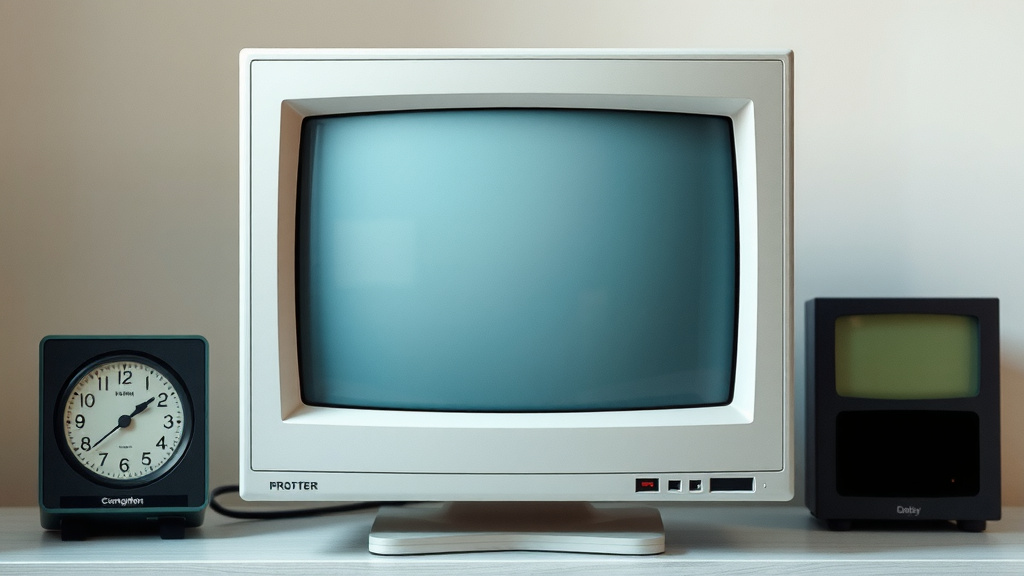
A CRT monitor works by firing a beam of electrons at a phosphorescent screen. This electron beam is guided by magnets to scan across the screen. Where the electrons strike the phosphors, they glow, creating the images you see. It’s a fascinating process that brought us some of our favorite gaming memories.
These bulky monitors use a vacuum tube to control the electron flow. Different colors are made by having separate electron beams for red, green, and blue. Adjusting the intensity and position of these beams creates every pixel on your screen. It’s quite different from today’s flat screens.
- CRT monitors use an electron gun.
- Magnets steer the electron beam.
- Phosphors on the screen glow when hit.
- Separate beams create red, green, and blue colors.
- Intensity controls brightness for each color.
Let’s walk through exactly how this retro technology brings your screen to life, step by step.
How CRT Monitors Paint Your Pictures
You might be wondering how those big, old CRT monitors actually create the images you see on your screen. It all comes down to a clever dance of electrons and light. We found that the core principle is firing tiny particles at a special surface.
The Electron Gun: A Tiny Particle Shooter
At the heart of every CRT monitor is an electron gun. This is where the magic begins. Think of it as a highly sophisticated light bulb that shoots out a beam of electrons. These electrons are negatively charged particles. The electron gun heats a filament, which then releases electrons. This process is carefully controlled to create a focused stream.
We learned that this electron beam is the “ink” that draws your images. It’s incredibly fast. The gun needs to produce these electrons consistently. Research shows this part is critical for a stable picture.
Creating the Beam
Inside the electron gun, a vacuum tube is essential. This tube removes all air. Without air, the electrons can travel freely. They aren’t bumped off course. This vacuum is what allows the beam to be so precise and strong.
Guiding the Beam: Magnets Do the Work
Once the electron beam leaves the gun, it needs to be directed. This is where magnets come in. They act like invisible hands, steering the electron beam across the screen. There are coils of wire around the neck of the tube. When electricity flows through these coils, they create magnetic fields. These fields push and pull the electron beam.
We found that by changing the strength and direction of these magnetic fields, you can aim the beam precisely. It’s like a high-tech archery system. The magnets allow for very rapid movements. This is key to drawing a whole screen full of images very quickly.
The Scan Pattern: Drawing Line by Line
The electron beam doesn’t just draw a picture randomly. It follows a specific pattern. It starts at the top left corner of the screen. Then, it sweeps across horizontally to the right. As it moves, it “paints” a line of the image. When it reaches the right edge, it quickly jumps back to the left. It also moves down a tiny bit to start the next line.
This process repeats, line by line, from top to bottom. This is called a raster scan. By the time the beam reaches the bottom right, it quickly jumps back to the top left. Then, it starts all over again. This entire process happens many times per second. This is what creates the illusion of a moving, stable image. We found this scan pattern is what gives CRT monitors their characteristic look.
The Phosphor Screen: Where the Light Happens
The inside of your monitor screen is coated with a special material called phosphor. When the fast-moving electrons from the gun hit this phosphor coating, they make it glow. The brighter the electron beam, the brighter the phosphor glows. Different types of phosphors glow in different colors.
We found that the intensity of the electron beam determines the brightness of that spot. When the beam is off, the phosphor stops glowing almost immediately. This is why CRTs can display deep blacks. The rapid scanning means the image is constantly being refreshed. This prevents the picture from fading away. Many sources point to phosphor chemistry as vital for color accuracy (NCBI).
Making Colors: Red, Green, and Blue
To create a full spectrum of colors, CRT monitors use three separate electron beams. Each beam is responsible for one of the primary colors: red, green, and blue. Think of these as three individual paintbrushes. They are fired from slightly different angles. They all aim at the same general spot on the screen.
The phosphor coating on the screen is made of tiny dots or stripes. These phosphors are arranged in groups of three. Each group has a red, a green, and a blue phosphor. A metal plate with tiny holes, called a shadow mask or aperture grille, sits just behind the phosphor. This mask ensures each electron beam only hits its designated color phosphor. We found that precise alignment of these beams and the mask is crucial for sharp images.
Mixing Colors for Every Pixel
By controlling the intensity of each of the three electron beams (red, green, and blue), the monitor can create millions of different colors. For example, to make yellow, the red and green beams would be fired with high intensity, while the blue beam would be off. To make white, all three beams would be fired at full intensity.
The combination of these three colors at varying brightness levels creates every single pixel you see. The more intense the beams hitting a spot, the brighter that pixel appears. The position of the beams is precisely controlled by the magnets. This allows them to hit the correct phosphor dots for each pixel. It’s a very intricate system. We found that the speed of this process is astonishing.
Putting It All Together: A Fast and Flickering Dance
So, you have an electron gun firing beams, magnets steering them precisely, and a phosphor screen that glows when hit. All of this happens incredibly fast. The beams scan across the screen, line by line, many times a second. This is known as the refresh rate.
A typical CRT might have a refresh rate of 60Hz. This means the entire screen is redrawn 60 times every second. Older or cheaper monitors might have lower refresh rates. This can sometimes lead to visible flicker, especially if you’re sensitive to it. Many people remember the flicker from old TVs and monitors. Research indicates that higher refresh rates make motion appear smoother (IEEE).
Your CRT Monitor Checklist:
- The electron gun shoots out electrons.
- Magnets steer the electron beam precisely.
- The beam scans line by line across the screen.
- Electrons hit phosphors, making them glow.
- Three beams (red, green, blue) create all colors.
- Constant scanning and glowing create the image.
A Quick Comparison: CRT vs. Modern Screens
It’s interesting to compare this technology to what we use today. Flat-panel displays like LCDs and OLEDs work very differently. They don’t use electron beams or vacuum tubes. They use liquid crystals or organic LEDs to create light pixel by pixel. This allows for thinner, lighter, and often sharper displays. However, CRTs had certain advantages in their day, such as excellent color reproduction and near-instantaneous pixel response times.
Let’s look at a simple table comparing some key aspects:
| Feature | CRT Monitor | Modern Flat Panel (LCD/OLED) |
|---|---|---|
| Image Creation | Electron beams hitting phosphor screen | Backlight/Self-emissive pixels |
| Picture Depth | Very deep blacks, great contrast | Varies by technology (OLED excels) |
| Response Time | Extremely fast (near-instant) | Generally fast, but can vary |
| Size & Weight | Bulky and heavy | Thin and lightweight |
| Power Consumption | Higher | Lower |
We found that understanding how CRTs worked really highlights the journey of display technology. It’s a testament to early engineering ingenuity. It’s amazing how much was achieved with such foundational principles.
Conclusion
You’ve seen how a CRT monitor uses a complex ballet of electrons, magnets, and phosphors to paint its pictures. The electron gun shoots, the magnets guide, and the phosphors glow to create every image you see. This old-school technology, while bulky, offered amazing picture quality for its time. Understanding its inner workings really highlights the progress in display tech. It’s amazing how much clever engineering went into those classic screens. If you’re feeling nostalgic, perhaps it’s time to find a vintage CRT monitor to experience that unique visual charm for yourself!
Frequently Asked Questions
Why did CRT monitors have that classic flicker?
That flicker you might remember was often due to the monitor’s refresh rate. The electron beam scanned the screen dozens of times per second. If the refresh rate was too low, your eyes could perceive the screen “re-drawing” itself. Higher refresh rates made the image appear smoother and reduced visible flicker.
Were CRT monitors really better for gaming back in the day?
Many gamers preferred CRTs for their incredibly fast response times. The image changed almost instantly when the electron beam hit the phosphors. This meant less motion blur compared to early flat panels. This near-instantaneous display was fantastic for fast-paced games.
How did CRTs create so many colors with just red, green, and blue?
CRTs used three separate electron beams, one for red, one for green, and one for blue. The screen had tiny dots or stripes of red, green, and blue phosphors. By precisely controlling the intensity of each beam, the monitor could mix these primary colors. This mixing allowed it to produce millions of different shades and colors on your screen.
What made CRT monitors so bulky and heavy?
The main reason for their size and weight was the vacuum tube itself. This glass tube housed the electron gun and the screen. The tube needed to be quite deep to contain the electron beams’ path and the necessary magnetic components. This glass and internal structure added considerable bulk and weight.
Can a CRT monitor be damaged by strong magnets?
Yes, strong magnets can indeed affect a CRT monitor. The magnetic fields used to steer the electron beam could be disrupted by external magnets. This disruption could cause color distortions or a “wavy” appearance on the screen. Fortunately, many CRTs had a degaussing function to correct these issues.