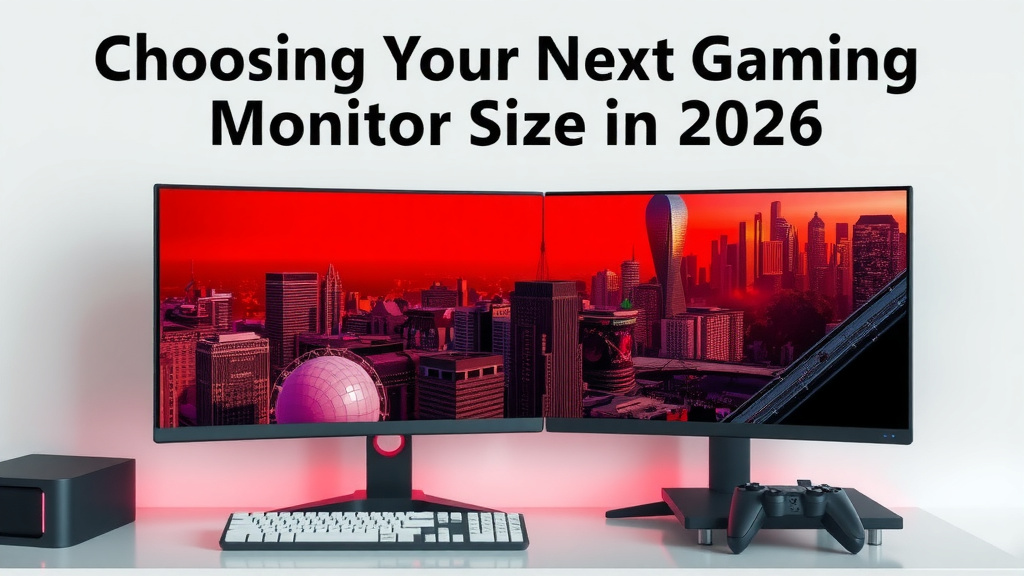
Choosing Your Next Gaming Monitor Size in 2026
The best monitor size for gaming really depends on your setup and what games you play. For most gamers, a 24-inch to 27-inch monitor offers a fantastic balance of immersion and performance. Smaller screens can feel cramped, while larger ones might make you turn your head too much during fast-paced games.
When choosing, think about desk space and how far you sit from your screen. A bigger monitor isn’t always better if it means you can’t see the whole picture without moving. We found that monitor size also ties into resolution and refresh rate for the best gaming experience.
- 24-27 inches is the sweet spot for most gamers.
- Consider your desk size and viewing distance.
- Larger isn’t always better for fast-paced games.
- Match monitor size with resolution and refresh rate.
- Personal preference plays a big role!
Let’s dive into the details and help you find the perfect monitor size for your gaming adventures!
HTML:So, you’re wondering, how big should your gaming monitor be? It’s a question that pops up for every gamer looking to upgrade their setup. We’ve done the research, and the answer isn’t a simple one-size-fits-all. It really comes down to what feels right for your eyes and your gaming style. Let’s break down the common sizes and what works best.
Picking the Right Monitor Size for Your Games
Finding the perfect screen size for gaming is about striking a sweet spot. You want it big enough to feel immersed, but not so big that it overwhelms your vision. We found that desk space and how far you sit play huge roles here.
The Popular Sweet Spot: 24 to 27 Inches
For a lot of gamers, the 24-inch to 27-inch range hits the mark. These sizes offer a great balance. They’re large enough to draw you into the game world. You won’t feel like you’re squinting at tiny details. Plus, they generally fit well on most desks without feeling cramped. Many experts say this range is ideal for 1080p and 1440p resolutions, giving you sharp visuals.
Why 27 Inches is Often Recommended
Many gamers find 27 inches to be the “goldilocks” size. It provides that extra bit of screen real estate over a 24-inch monitor. This can be especially nice for games with lots of information on the screen, like strategy titles or MMOs. We found that at a typical desk viewing distance, a 27-inch monitor doesn’t require you to move your head much. This is key for comfortable, long gaming sessions.
The Case for 24 Inches
Don’t count out the 24-inch monitor! It’s a classic for a reason. We found that for competitive gaming, especially first-person shooters, a 24-inch screen is often preferred. It lets you see the entire screen easily. Your crosshair stays in view without any eye strain. Smaller screens can also mean higher refresh rates are more affordable, which is a big win for twitchy gameplay.
Stepping Up: 30 to 32 Inches and Beyond
Thinking bigger? Monitors in the 30 to 32-inch range offer a more immersive experience. This is where you really start to feel like you’re *in* the game. These larger sizes are fantastic for cinematic single-player games, racing sims, or anything where you want to soak in the environment. We found that 4K resolution often pairs best with these larger screens to keep visuals crisp.
Considerations for Bigger Screens
However, bigger isn’t always better. With a 32-inch monitor, you might need to sit a bit further back. If your desk is small, it could feel overwhelming. You might find yourself turning your head more, which can be distracting in games that demand quick reactions. Research suggests that for these larger displays, 2160p (4K) resolution is highly recommended to avoid seeing individual pixels.
Ultra-Wide Monitors: A Different Kind of Big
Ultra-wide monitors (like 34-inch or 38-inch) offer a different kind of immersion. They have a wider aspect ratio (21:9 or even 32:9). This expands your field of view dramatically. We found these are amazing for simulators, RPGs, and even multitasking. You get more screen real estate side-to-side. Just be aware that not all games support these wider aspect ratios perfectly. Some might stretch or show black bars. We found that many graphics cards also need to work harder to push all those extra pixels.
Viewing Distance and Desk Space Matter Most
Let’s talk about your setup. How far do you usually sit from your monitor? This is often more important than the diagonal screen size alone. Think of it like watching TV. A small TV up close can be fine. A huge TV too close might give you a headache. Experts often recommend a viewing distance of about 1.5 to 2.5 times the screen diagonal for comfortable viewing. For gaming, many prefer to be a bit closer for more immersion.
Here’s a quick guide we found:
| Monitor Size (Diagonal) | Recommended Viewing Distance (Arm’s Length) | Best For |
|---|---|---|
| 24 inches | ~20-30 inches | Competitive FPS, General Gaming, Smaller Desks |
| 27 inches | ~25-35 inches | All-Around Gaming, Immersive Worlds, 1440p Resolution |
| 32 inches | ~30-40 inches | Cinematic Games, Sims, 4K Resolution, Larger Desks |
| 34+ inches (Ultra-wide) | ~30-45 inches | Simulators, RPGs, Multitasking, Unique Immersion |
Measuring Your Space
Before you buy, grab a measuring tape. Measure the depth of your desk. Then, figure out where your eyes will be when you’re sitting in your gaming chair. This simple step can save you from buying a monitor that’s too big or too small for your physical space. We found that often, people underestimate how much space a large monitor truly takes up.
Resolution and Refresh Rate: The Perfect Partners
Monitor size isn’t the only thing to consider. It works hand-in-hand with resolution and refresh rate. A huge 40-inch monitor with a 1080p resolution can look grainy. You’ll see the pixels clearly. That’s not ideal for gaming. Many sources suggest matching your resolution to your monitor size for the best visual clarity.
Matching Resolution to Size
- 1080p (Full HD): Works great on 24-inch monitors. It’s also acceptable on 27-inch screens if you’re on a budget or prioritize refresh rate.
- 1440p (QHD): The sweet spot for 27-inch monitors. It offers sharper images than 1080p without the demanding system requirements of 4K.
- 4K (UHD): Ideal for 32-inch and larger monitors. This resolution provides incredible detail and clarity on bigger displays.
Refresh Rate’s Role
Refresh rate (how many times per second the image updates) is super important for smoothness. Higher refresh rates (144Hz, 240Hz) make games feel more fluid. We found that for competitive play, higher refresh rates are often prioritized over screen size. A smaller, faster monitor can sometimes outperform a larger, slower one. Think about what kind of games you play most often.
Your Personal Preference is Key
Ultimately, the “best” size is subjective. What feels right to us might not feel right to you. Some people love having a massive screen engulf their vision. Others prefer a more controlled, compact view. We found that personal preference plays the biggest role. Don’t be afraid to go to a store and see different sizes in person if you can. Your eyes will thank you!
Quick Checklist Before You Buy:
- Measure your desk and viewing distance.
- Consider the types of games you play most.
- Decide on a resolution that fits your hardware.
- Think about how much space you have.
- Don’t forget about refresh rate for smooth gameplay.
- Trust your gut on what looks and feels best to you.
Conclusion
Finding the right gaming monitor size is a journey. It’s about balancing immersion with practicality for your unique setup. We’ve seen that 24 to 27 inches often hits the sweet spot for most. Larger screens like 32 inches can offer incredible immersion, especially with 4K. Remember to consider your desk space and viewing distance; these factors are often more important than screen size alone. Matching your monitor’s resolution and refresh rate to its size will ensure the best visual experience. Ultimately, trust your instincts and choose what feels best for your eyes and your games. Now, go measure your desk and find that perfect fit!
Frequently Asked Questions
Is a 24-inch monitor too small for gaming?
For many gamers, especially those playing competitive titles, a 24-inch monitor is still an excellent choice. We found it provides a focused view of the action without excessive eye or head movement, which is key for quick reactions. You can still have a very immersive experience, especially with a good refresh rate.
Will a 32-inch monitor be too big for my desk?
A 32-inch monitor definitely requires more space. We found that you’ll likely need a deeper desk and will sit a bit further back. It’s crucial to measure your desk’s depth and your typical gaming distance before committing. A monitor that’s too large for your space can actually detract from your enjoyment.
Should I get an ultra-wide monitor for gaming?
Ultra-wide monitors offer a unique, expansive field of view that’s fantastic for simulators and RPGs. We found they can greatly enhance immersion in supported games. However, not all games perfectly adapt to the wider aspect ratio, and they demand more graphical power from your PC.
How does viewing distance affect monitor size choice?
Your viewing distance is a critical factor. We found that sitting too close to a large monitor can cause eye strain and force you to move your head too much. Conversely, sitting too far from a small monitor can make details hard to see. Aim for a distance where you can comfortably see the entire screen without strain.
Can I use a 27-inch monitor with 1080p resolution?
Yes, you can use a 27-inch monitor with 1080p resolution, especially if your budget is limited or you prioritize a high refresh rate. However, we found that on a 27-inch screen, you might notice individual pixels more compared to a smaller screen with the same resolution. 1440p is generally considered the sweet spot for 27-inch displays for sharper visuals.