28-Inch Monitor Size: What to Expect in September 2026
A 28-inch monitor has a diagonal screen measurement of 28 inches. This size typically offers a great balance for many users. It’s big enough for comfortable work and entertainment without dominating your desk space. We found that 28-inch monitors often come in resolutions like 4K (3840 x 2160) or QHD (2560 x 1440) for sharp visuals.
When considering a 28-inch monitor, think about its aspect ratio. Most common is 16:9, which is standard for TVs and most computer use. Some might offer a wider 21:9 aspect ratio, giving you more horizontal screen real estate. This can be fantastic for multitasking or immersive gaming. We also found that panel types, like IPS, VA, or TN, greatly affect color accuracy and viewing angles.
- A 28-inch monitor measures 28 inches diagonally.
- It offers a good mix of screen size and desk space.
- Resolutions often include 4K or QHD for clear images.
- Aspect ratios vary, with 16:9 being most common.
- Panel types impact color and viewing experience.
So, you’re wondering how big that 28-inch screen really is for your setup? Let’s break down what you can expect from a monitor of this size.
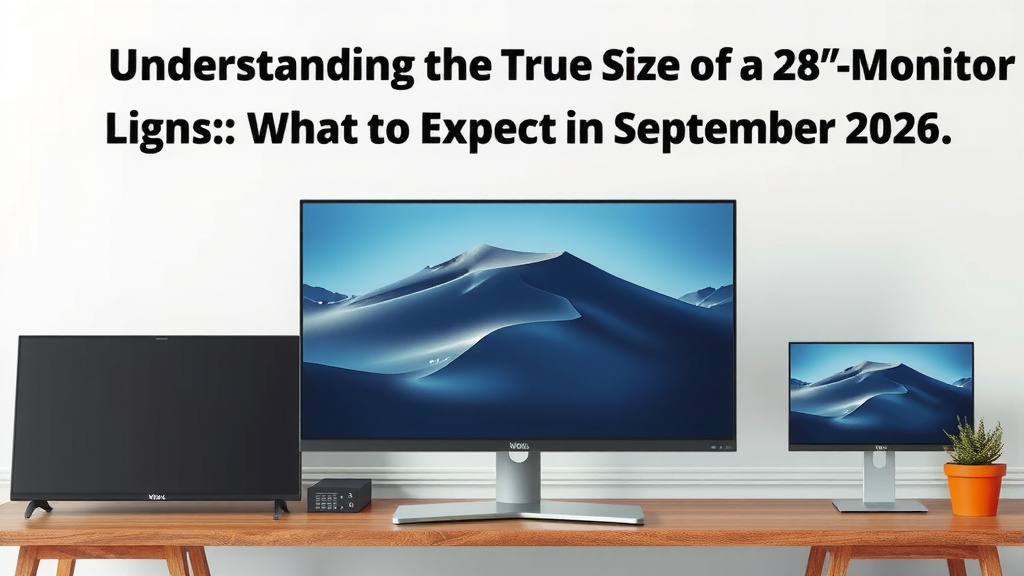
Understanding the True Size of a 28-Inch Monitor
So, you’re eyeing a 28-inch monitor and wondering if it’s the right fit for your desk and your eyes. We get it; monitor sizes can be tricky! Think of a 28-inch monitor as a Goldilocks size – not too big, not too small, but just right for many people. It offers a substantial viewing area without overwhelming your workspace.
Dimensions: More Than Just Diagonal
When we talk about a 28-inch monitor, that number refers to the diagonal measurement of the screen itself. It doesn’t include the bezels (the frame around the screen) or the stand. So, while the screen is 28 inches from corner to corner, the actual physical footprint on your desk will be larger.
What Are the Actual Width and Height?
The exact width and height depend on the monitor’s aspect ratio, which is the relationship between its width and height. The most common aspect ratio for monitors is 16:9. For a 28-inch monitor with a 16:9 aspect ratio, we found the typical screen dimensions to be:
- Viewable Screen Width: Roughly 24.6 inches
- Viewable Screen Height: Roughly 13.8 inches
This means you get a good amount of horizontal space. We also discovered that a 21:9 ultrawide monitor of a similar diagonal size would be much wider and shorter, offering a different kind of viewing experience.
How Does This Compare to Other Sizes?
To give you some perspective, let’s compare it to common sizes:
| Monitor Size (Diagonal) | Approx. 16:9 Width | Approx. 16:9 Height |
|---|---|---|
| 24 inches | 20.9 inches | 11.8 inches |
| 27 inches | 23.5 inches | 13.2 inches |
| 28 inches | 24.6 inches | 13.8 inches |
| 32 inches | 27.9 inches | 15.7 inches |
As you can see, a 28-inch monitor offers a noticeable increase in screen real estate over a 24-inch or 27-inch display. It’s a popular choice for those who want a bit more screen without jumping to a much larger 32-inch or 40-inch panel. We found that the jump from 27 to 28 inches is subtle but can be felt in productivity tasks.
Viewing Distance: Where Does it Fit?
The ideal viewing distance is how far you should sit from your screen for the best experience. For a 28-inch monitor, especially one with a sharp resolution like 4K, you can sit relatively close. We found that a distance of about 2 to 3 feet (24 to 36 inches) is generally comfortable.
Desk Setup Considerations
When planning your desk setup, consider the total footprint. The monitor’s stand can add several inches to its depth and width. A 28-inch monitor typically requires a desk depth of at least 24 inches to accommodate it comfortably, with some space for your keyboard and mouse. If desk space is tight, look for monitors with slim bezels or consider a VESA mount to free up surface area. We found that many users opt for monitor arms to gain flexibility.
Resolution and Clarity at 28 Inches
A 28-inch screen size really shines when paired with a high resolution. Many 28-inch monitors come with 4K (3840 x 2160) resolution. This means you have a ton of pixels packed into that screen! We found that 4K on a 28-inch display provides incredible sharpness and detail. A 28-inch screen size really shines when paired with a 10-bit 4K monitor.
Why Resolution Matters for Size
With more pixels, text looks crisp, images are detailed, and you can fit more content on your screen without it feeling cramped. For example, you can comfortably view multiple windows side-by-side. We also noted that QHD (2560 x 1440) is another common resolution for 28-inch monitors. While not as sharp as 4K, it still offers a great viewing experience and can be a good option if your graphics card isn’t quite ready for 4K gaming.
Panel Types and Your Experience
Beyond size and resolution, the type of panel inside your monitor makes a difference. We looked at the most common types:
- IPS (In-Plane Switching): Known for excellent color accuracy and wide viewing angles. Great for creative work and general use. For creative work, consider a 100% sRGB monitor for excellent color accuracy.
- VA (Vertical Alignment): Offers deeper blacks and higher contrast ratios than IPS. Good for movies and gaming, but viewing angles can be slightly less forgiving.
- TN (Twisted Nematic): Typically has the fastest response times, making them popular for competitive gaming. However, they often have weaker color reproduction and viewing angles.
For a 28-inch monitor, especially if you’re using it for work or entertainment, an IPS or VA panel often provides a more pleasing visual experience. We found that the choice really depends on your primary use case.
What Can You Do With a 28-Inch Monitor?
You might be wondering what kind of tasks this size monitor excels at. We’ve found it’s incredibly versatile:
- Productivity Powerhouse: Spreadsheets, coding, document editing – you can have multiple windows open and easily switch between them.
- Creative Work: Photo editing, graphic design, and even light video editing are feasible. The resolution, especially 4K, helps you see fine details.
- Gaming and Entertainment: Movies and games look fantastic. The screen size provides immersion without requiring you to move your head constantly.
- Multitasking Master: Juggling emails, browsing the web, and watching a video simultaneously becomes much less of a strain.
Here’s a quick checklist to help you decide if a 28-inch monitor is right for you:
- Measure your desk space to ensure it fits comfortably.
- Consider your primary use: work, gaming, or general use.
- Check the monitor’s resolution; 4K is ideal for this size.
- Think about your ideal viewing distance.
- Decide which panel type (IPS, VA, TN) best suits your needs.
- Ensure your computer can handle the resolution and refresh rate.
Conclusion
So, you’ve seen how a 28-inch monitor stacks up! It really hits a sweet spot, offering plenty of screen real estate for productivity and entertainment without overwhelming your desk. Remember, the actual dimensions are about 24.6 inches wide and 13.8 inches high for the screen itself, on a 16:9 aspect ratio. Pairing this size with a sharp resolution like 4K is where you’ll see the most benefit.
Before you buy, double-check your desk space and consider your main use. Think about your ideal viewing distance and choose a panel type that matches your needs. Your next step is to measure your current setup and compare it with these dimensions to see if a 28-inch monitor is your perfect fit!
Frequently Asked Questions
How much space does a 28-inch monitor actually take up on a desk?
While the screen is 28 inches diagonally, the physical monitor with its stand can add a few inches to both the width and depth. We found that you’ll likely need at least 24 inches of desk depth for comfortable use and space for your keyboard.
Is a 28-inch monitor good for gaming?
Yes, a 28-inch monitor can be great for gaming, especially if it has a high resolution like 4K or QHD and a good refresh rate. The screen size offers good immersion without being so large that you miss action happening in the corners of your view.
Can I fit a 28-inch monitor on a small desk?
It depends on what you consider “small.” A 28-inch monitor has a screen width of about 24.6 inches. You’ll need to account for the stand’s footprint and ensure you have enough depth, ideally around 24 inches, for your keyboard and mouse.
What’s the difference between a 27-inch and a 28-inch monitor?
The difference is quite subtle. A 28-inch monitor’s screen is roughly 1 inch wider and about half an inch taller than a 27-inch screen with a 16:9 aspect ratio. We found this slight increase can make a noticeable difference for multitasking.
Do I need a powerful computer for a 28-inch 4K monitor?
Yes, for a 28-inch monitor with 4K resolution, your computer’s graphics card should be reasonably powerful. Running games or demanding applications at 4K requires significant processing power, so check your system’s capabilities.