25 Inch Monitor Size: Is It Right for Your Space
A 25-inch monitor typically measures around 21.7 inches wide and 13.6 inches tall without its stand. This measurement is for the screen’s viewable area. When you include the bezel and stand, the total dimensions will be larger. It’s a popular size for desktop setups, offering a good balance of screen real estate and desk space. You get a nice-sized display without overwhelming your workspace. This size often works well for both productivity and casual gaming.
Many people wonder how a 25-inch monitor compares to other common sizes. It sits comfortably between smaller 22-inch screens and larger 27-inch or 30-plus-inch displays. You’ll find this size often comes with Full HD (1920×1080) or even QHD (2560×1440) resolutions. A higher resolution on a 25-inch screen means sharper, more detailed images. This makes text easier to read and visuals more immersive.
- A 25-inch monitor is roughly 21.7″ W x 13.6″ H (viewable screen).
- Total dimensions are larger with the stand and bezel.
- It’s a common size for general computer use and gaming.
- Offers a good compromise between screen size and desk footprint.
- Often available in Full HD or QHD resolutions for clarity.
Let’s break down what a 25-inch monitor really means for your daily use and how to figure out if it’s the right fit for your desk and needs.
“`htmlUnderstanding the Physical Footprint of a 25-Inch Monitor
So, you’re eyeing a 25-inch monitor and want to know exactly what you’re getting, space-wise. It’s not just about the diagonal screen measurement. We need to talk about the actual space it will occupy on your desk.
Viewable Screen Dimensions
Let’s start with the part you actually see. The “25 inches” refers to the diagonal measurement of the viewable screen area. For a 25-inch monitor, this usually translates to about 21.7 inches in width and 13.6 inches in height. Think of it like measuring a picture frame – you’re measuring the artwork inside, not the frame itself.
Overall Monitor Size (Including Bezel and Stand)
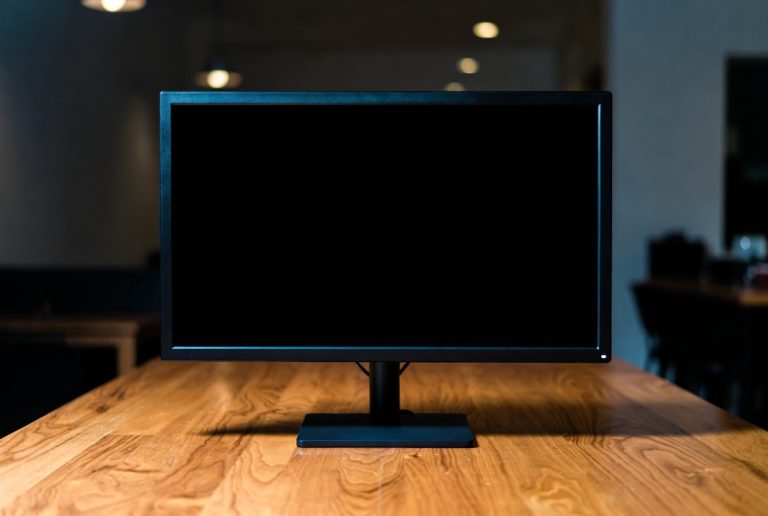
Now, let’s factor in the rest of the monitor. The bezels, or the plastic borders around the screen, add a little extra width and height. Then there’s the stand, which adds depth and height. While the exact measurements vary by model, you can expect the total width to be closer to 23-24 inches and the height (with stand) to be around 17-19 inches. The depth can range from 7 to 10 inches, depending on the stand design.
It’s always a good idea to check the specific product dimensions before you buy. Manufacturers usually list these details on their website or product packaging. Knowing these numbers helps you avoid any surprise desk Tetris later!
How a 25-Inch Monitor Fits into Your Workspace
A 25-inch monitor offers a sweet spot for many users. It’s large enough to be immersive without being overwhelming for most desks. Let’s see how it stacks up.
Comparing 25 Inches to Other Common Sizes
Where does 25 inches land in the monitor universe? It’s a popular middle child!
- Smaller monitors (21-23 inches): These are great for very tight spaces or basic tasks. A 25-inch screen gives you more breathing room for multitasking or enjoying content.
- Larger monitors (27-32 inches): These are fantastic for immersive gaming, detailed design work, or serious multitasking. However, they require more desk space and can sometimes feel too big if you sit very close.
So, a 25-inch monitor typically provides a noticeably larger view than a 22-inch but isn’t as imposing as a 27-inch. It’s often the Goldilocks size for many.
Ideal Desk Space Considerations
Do you have a cramped dorm desk or a spacious home office? The space you have is a key factor. We found that a 25-inch monitor generally needs about 24 inches of horizontal space and 19 inches of vertical space, including the stand. This is manageable for most setups. It allows for a comfortable viewing distance without pushing your keyboard too far away. If you’re using a monitor arm, you can reclaim some desk depth.
Resolution and Clarity on a 25-Inch Display
The size is one thing, but what about the picture quality? Resolution plays a huge role here. Many 25-inch monitors come with excellent resolutions.
Full HD (1920×1080) on a 25-Inch Screen
A common resolution for 25-inch monitors is Full HD, also known as 1080p. This means you have 1920 pixels horizontally and 1080 pixels vertically. On a 25-inch screen, 1080p provides a decent pixel density. Text will be readable, and images will look good for everyday use. However, if you look very closely, you might be able to distinguish individual pixels. Many experts find this resolution perfectly adequate for general productivity and casual gaming.
Quad HD (2560×1440) – A Sharper Experience
For an even clearer picture, many 25-inch monitors offer Quad HD (QHD), which is 2560×1440 pixels. This is sometimes called 1440p. QHD packs about 77% more pixels than Full HD. This results in a noticeably sharper image. Text looks crisper, finer details in images and videos pop, and your overall viewing experience becomes more immersive. If you do a lot of reading, coding, or photo editing, QHD on a 25-inch screen is a fantastic upgrade.
Pixel Density: How Sharp is Too Sharp?
Pixel density, measured in Pixels Per Inch (PPI), tells you how many pixels are packed into each inch of the screen. A higher PPI means a sharper image.
Here’s a quick comparison:
| Monitor Size | Resolution | Approximate PPI |
|---|---|---|
| 25 inches | 1920×1080 (Full HD) | ~92 PPI |
| 25 inches | 2560×1440 (QHD) | ~123 PPI |
| 27 inches | 2560×1440 (QHD) | ~109 PPI |
As you can see, a 25-inch monitor with QHD resolution offers a higher PPI than a 27-inch monitor with the same QHD resolution. This means that 25-inch QHD display will generally look sharper and more detailed. For most people, a PPI around 100-120 is considered excellent for a comfortable viewing experience. We found that QHD at 25 inches hits this sweet spot perfectly.
Who is a 25-Inch Monitor Best For?
Considering all these factors, a 25-inch monitor really shines for a specific group of users. If you’re looking for that ideal balance, this size might be your perfect match.
The Versatile All-Rounder
This size is excellent for general computer use. Think web browsing, email, document editing, and watching videos. It provides enough screen real estate to have multiple windows open side-by-side without feeling cramped. We found this size is incredibly popular for students and home office workers.
A Great Choice for Gamers
For many gamers, a 25-inch monitor is ideal. It offers an immersive experience without demanding an extreme field of view like larger screens might. Combined with a good refresh rate and response time, a 25-inch QHD monitor can deliver stunning visuals and smooth gameplay. It’s a popular choice in competitive gaming circles for this reason. It allows you to see the action clearly without needing to move your head too much.
When to Consider Other Sizes
While 25 inches is versatile, it’s not the one-size-fits-all solution. If your desk is extremely limited on space, a smaller 22-inch might be necessary. Conversely, if you’re a professional video editor or need to compare vast spreadsheets regularly, a larger 27-inch or even a 32-inch monitor might offer a better workflow. Some users also prefer ultrawide monitors for specific multitasking needs.
Quick Checklist: Is a 25-Inch Monitor Right for You?
Ask yourself these questions:
- Do you have about 24 inches of desk width available?
- Are you looking for a screen that’s larger than a standard laptop but not overwhelming?
- Do you want a good balance between screen size and pixel density (sharpness)?
- Is Full HD or QHD resolution appealing for your tasks?
- Do you value a screen that’s great for both work and casual gaming?
If you answered “yes” to most of these, a 25-inch monitor is likely a fantastic fit for your setup.
“`Conclusion
You’ve learned that a 25-inch monitor hits a sweet spot for many users. It offers a substantial screen size, generally around 21.7 inches wide by 13.6 inches tall for the viewable area, without dominating your desk. We found its overall footprint, including the stand, is manageable for most setups. Whether you’re upgrading from a smaller screen or avoiding the bulk of larger displays, this size provides a great balance. Consider the QHD resolution for a truly sharp experience that rivals larger screens. Now that you know the details, you can confidently decide if a 25-inch monitor is the perfect fit for your workspace.
Frequently Asked Questions
What is the actual desk space a 25-inch monitor needs?
You’ll typically need about 24 inches of horizontal desk space and around 19 inches of vertical clearance for a 25-inch monitor with its stand. This accounts for the stand’s footprint and allows for comfortable viewing distance.
Is a 25-inch monitor good for reading text and coding?
Yes, especially with a QHD (2560×1440) resolution. This provides a high pixel density, making text appear very sharp and clear. You’ll find it comfortable for long coding sessions or reading documents.
How does a 25-inch QHD monitor compare to a 27-inch QHD monitor in sharpness?
A 25-inch QHD monitor is actually sharper than a 27-inch QHD monitor. The smaller screen size packs more pixels per inch, resulting in a noticeably crisper image.
Can a 25-inch monitor be too small for multitasking?
For most standard multitasking like having a browser and a document open, a 25-inch monitor is usually sufficient. If you routinely need to view many large applications side-by-side, a larger or ultrawide screen might be more beneficial.
Do I need a powerful graphics card for a 25-inch QHD monitor for gaming?
A QHD resolution requires more graphical power than Full HD. For smooth gaming at 2560×1440, you’ll want a reasonably capable graphics card to get the best performance and visual quality.